

Summary
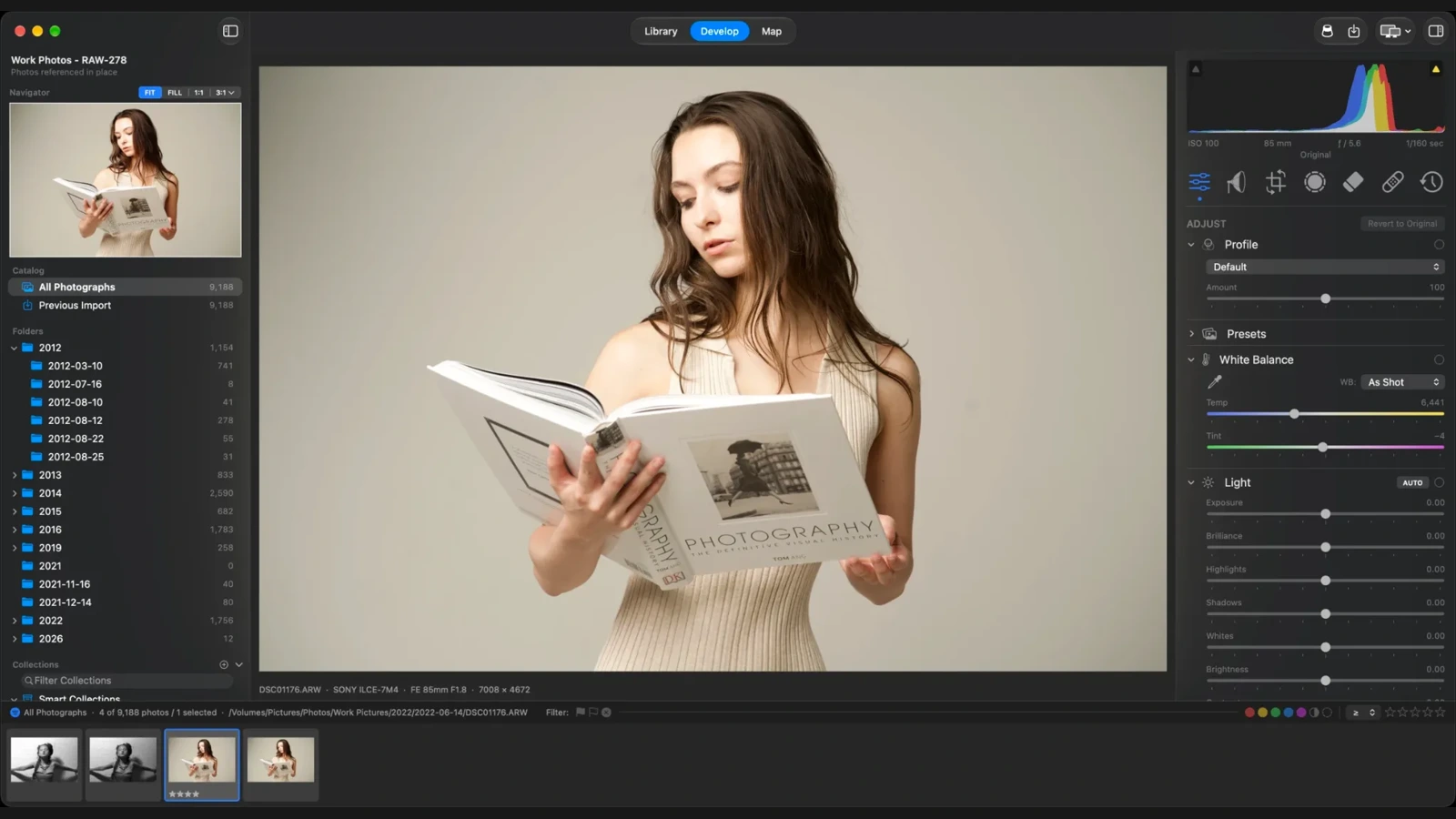
Pixegen’s PixelLoupe is a free Mac application designed to combine RAW editing with day-to-day photo library management.
Version 1.4.2 is MIT-licensed and uses Apple’s native RAW engine, Core Image and Metal. It is aimed particularly at photographers familiar with Lightroom Classic or Aperture.
Organizing and editing in one application
Catalogs support collections, smart collections, ratings, color labels, keywords and IPTC. Assisted culling helps assess focus, eyes and exposure. Non-destructive editing includes curves, levels, color adjustments, noise reduction and local masks.
Export options include JPEG, HEIC, TIFF, PNG and PSD, with color space choices and watermarks. A GPS map and web gallery builder are also available.
AI Remove and focus stacking
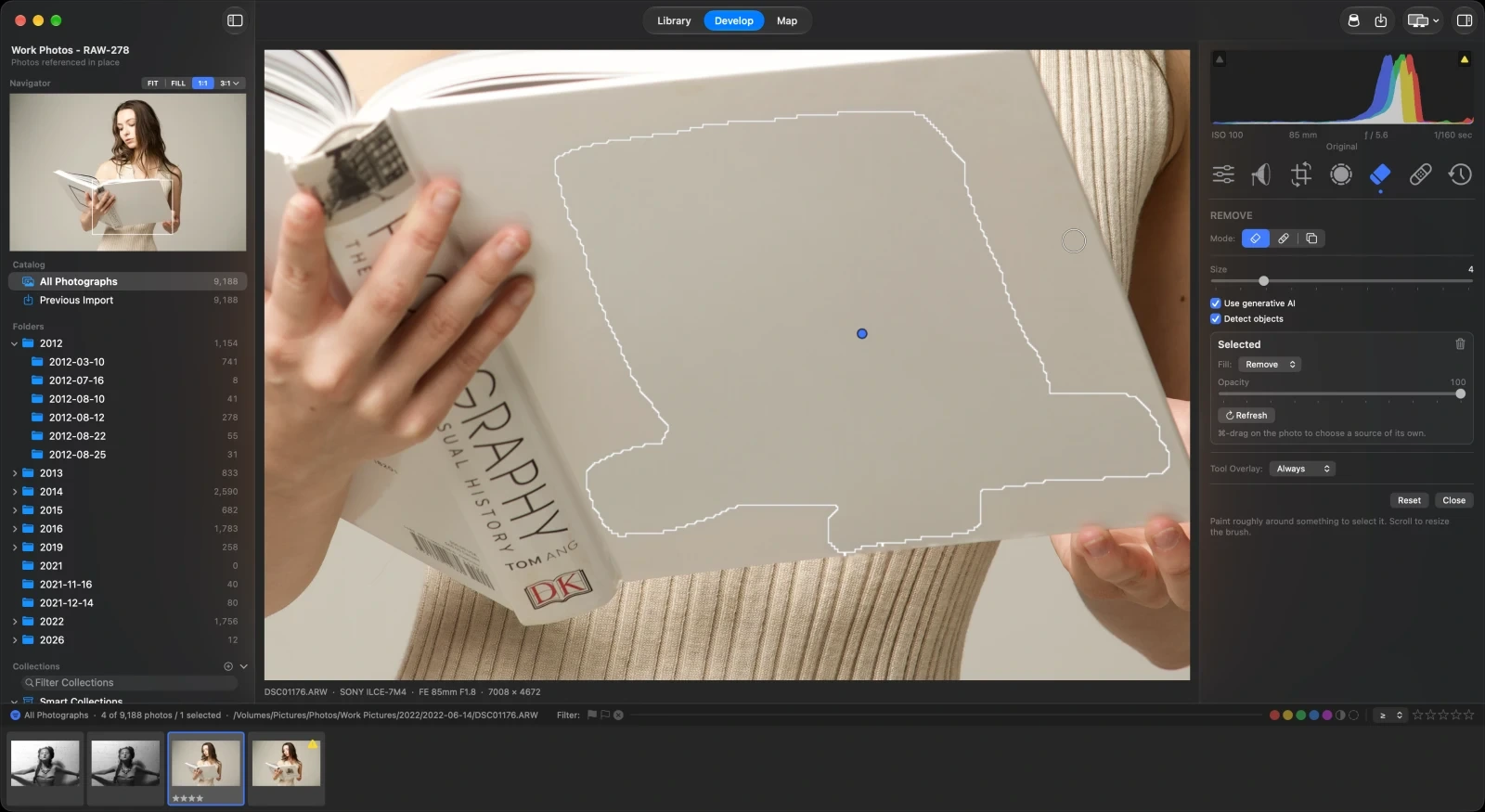
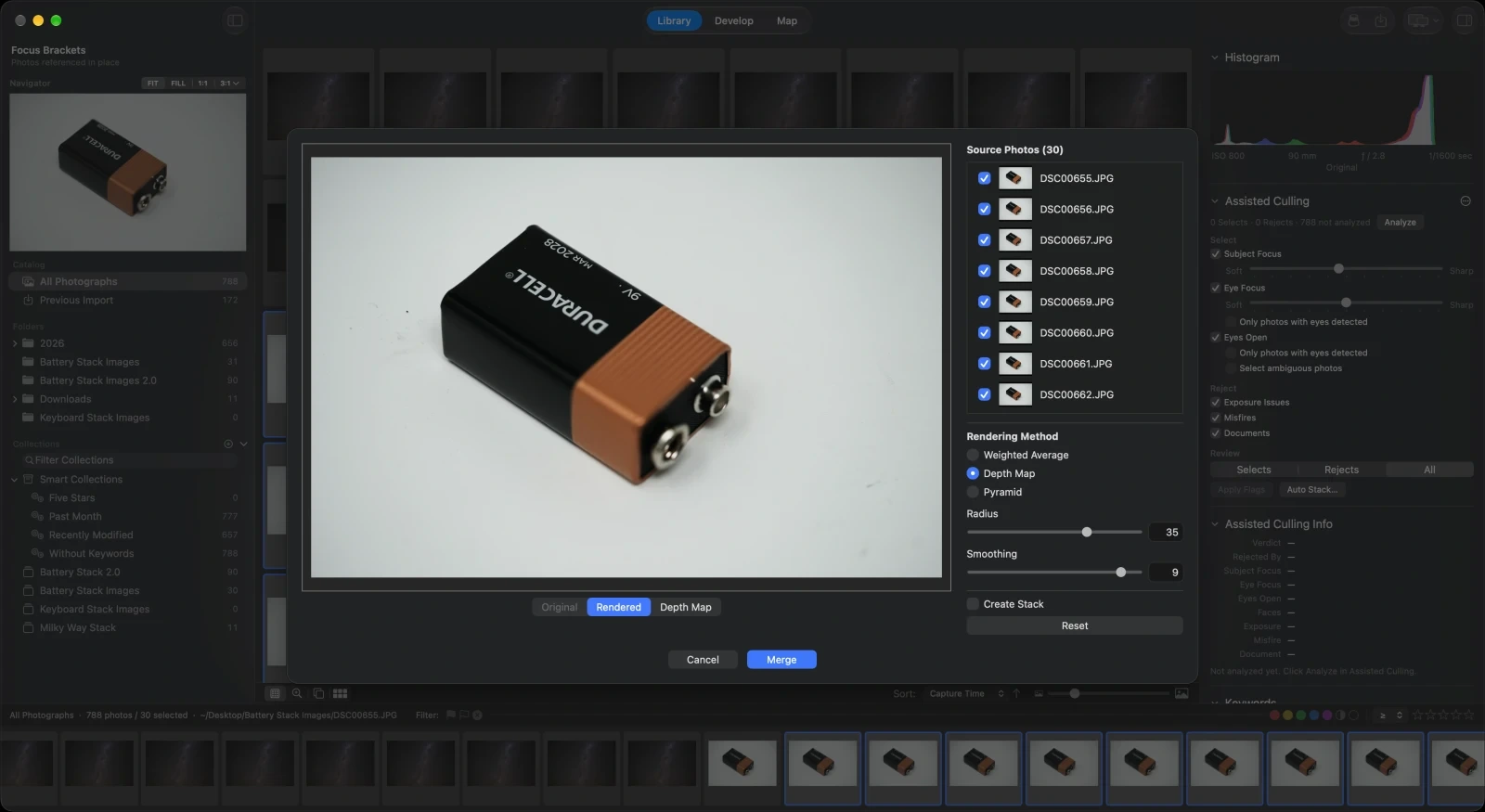
The Remove tool detects objects and fills the selected area with generative AI. Version 1.4 also adds focus stacking alongside HDR and panorama merging.
For macro and product photography, merging images captured at different focus distances offers three rendering methods: Weighted Average, Depth Map and Pyramid, with radius and smoothing controls.
Moving from Lightroom Classic
PixelLoupe imports Lightroom Classic 13 and later catalogs into a new catalog without altering original files. Many basic adjustments, curves, crops and editing history transfer, and a report identifies what did not. Familiar shortcuts make the transition easier.
As Lightroom Classic 16.0 continues to evolve, compatibility between different RAW engines matters to photographers considering a switch.
Price and availability
PixelLoupe is free for macOS 27 or later. Its source code is available on GitHub.
More information here.
What we think
Having focus stacking inside the same catalog is particularly appealing for macro and product photographers. It reduces the need to move files between applications, and the lack of a subscription makes it easy to try.
Before moving years of work, though, we would test a small catalog containing challenging RAW files, masks and older edits. Migration quality, speed and backup reliability matter far more than how closely the interface resembles Lightroom.