

Summary
- Lightroom Classic 16.0 adds AI portrait retouching and depth maps.
- Vectorscope and masked Color Grading offer more precise color work.
- New import filters make large photo selections easier.
- History cleanup reduces catalog size while preserving the current edited appearance.
- AI Blemish Removal brings more control to portrait retouching
- AI depth maps and Color Grading inside masks
- Glow and Vectorscope provide more creative and precise color control
- Autofocus points and perspective correction
- Smarter importing and smaller catalogs
- Availability and updating
- What we think
- Frequently asked questions
Adobe has released Lightroom Classic 16.0 with AI-powered portrait retouching and depth selection, alongside practical improvements for photographers managing thousands of RAW files.
Announced on November 10, 2026, the update adds color tools, more capable masks and catalog management features. Beyond the creative effects, the changes to importing, selecting and maintaining photo libraries are particularly relevant to working professionals.
AI Blemish Removal brings more control to portrait retouching
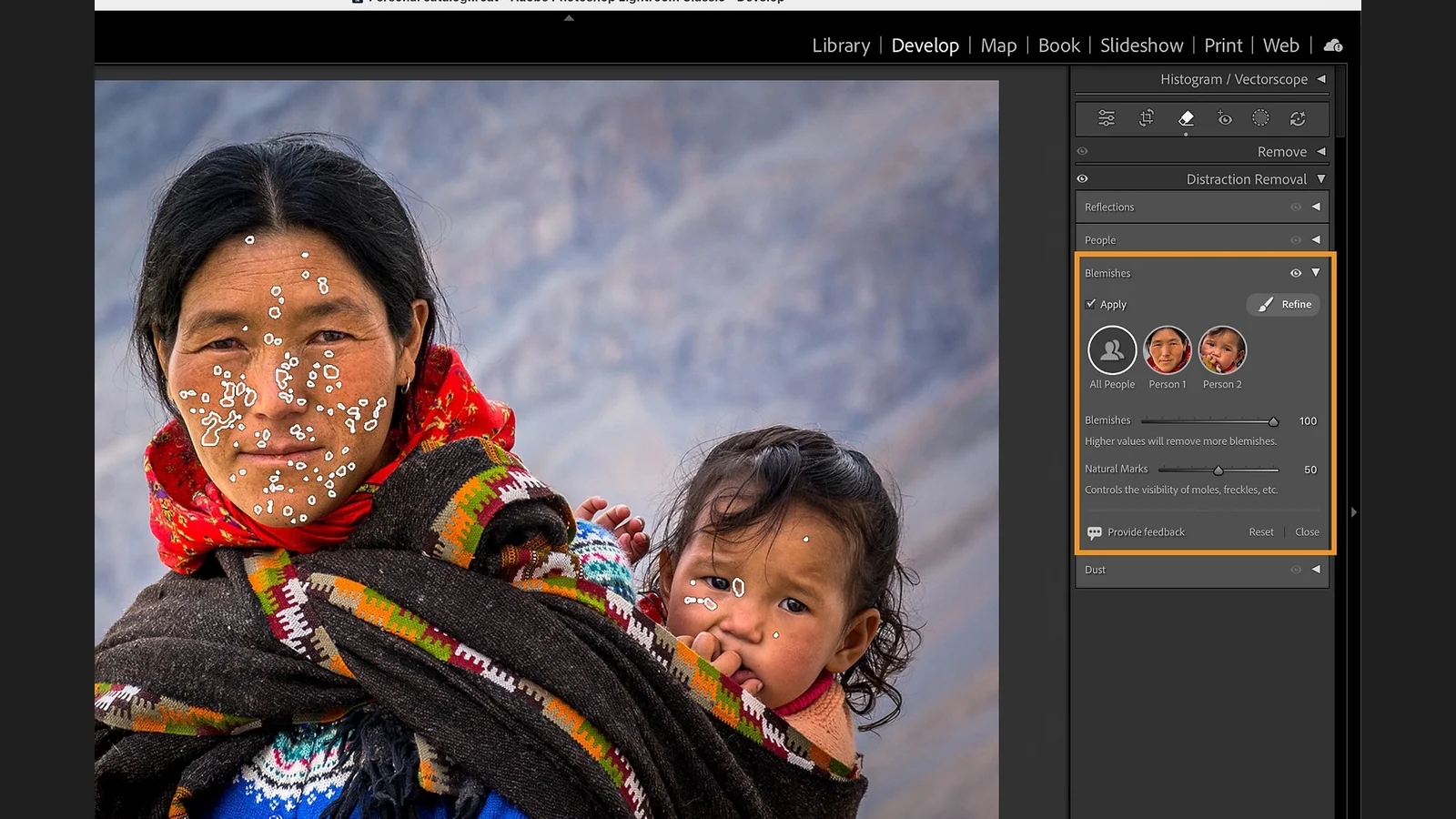
AI Blemish Removal automatically identifies skin blemishes, moles and freckles. Photographers can edit individual faces in group photos and refine the detection with Remove and Restore brushes. Natural Marks provides control over the visibility of distinctive features rather than removing everything indiscriminately.
AI depth maps and Color Grading inside masks
Depth Range can now generate an AI depth map even when the original photo contains no embedded depth data. This allows photographers to target foreground, background or intermediate distances separately. The map is an AI estimate based on the image, not a physical depth measurement.
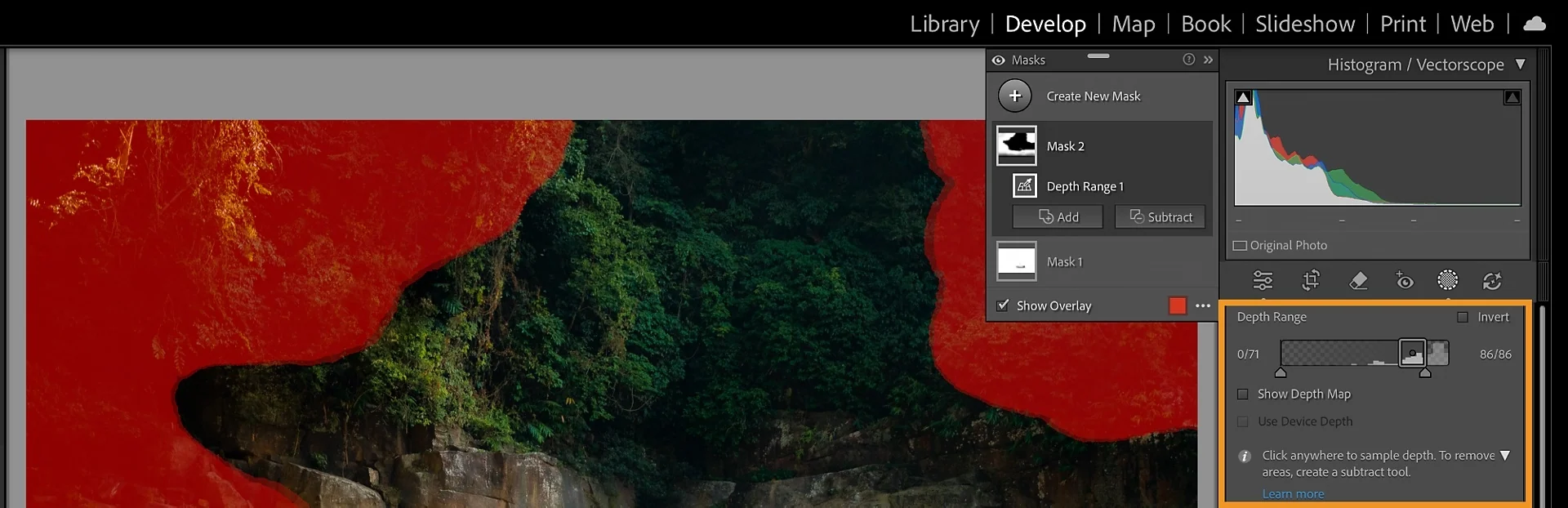
Color Grading can also be applied within selected masks, with independent controls for shadows, midtones and highlights. Users can rearrange masking sections and add frequently used controls to Favorites.
Glow and Vectorscope provide more creative and precise color control
The new Glow effects, including Bloom, Halation and Diffusion, add light spread around highlights. Presets are available alongside controls for strength, spread, color and direction. The effects can be useful for nighttime photography, portraits and film-inspired looks without switching applications.
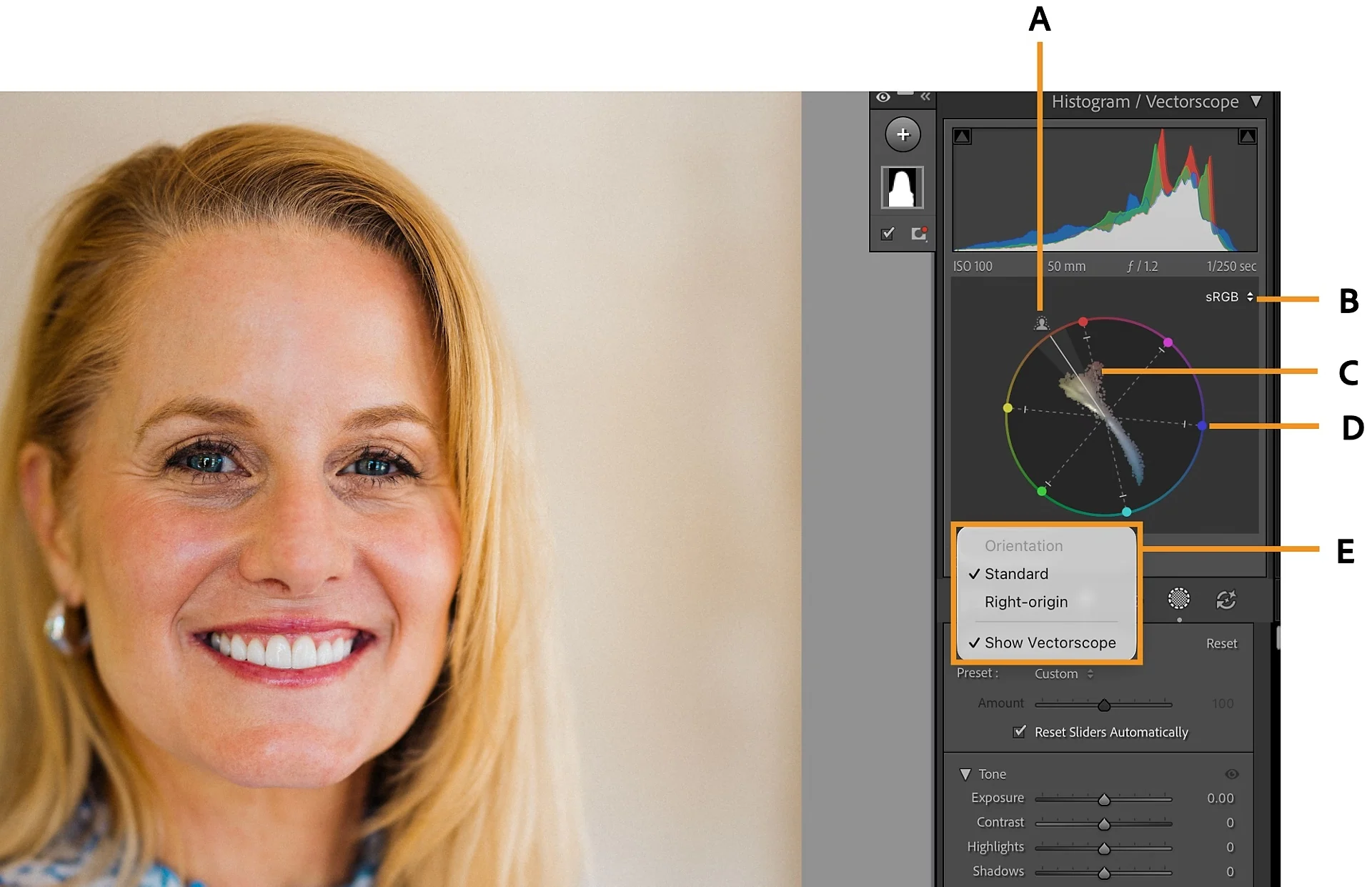
Vectorscope is integrated into the Histogram area and displays hue and saturation information. It is particularly valuable when matching skin tones across a portrait series or images photographed under different lighting conditions.
Autofocus points and perspective correction
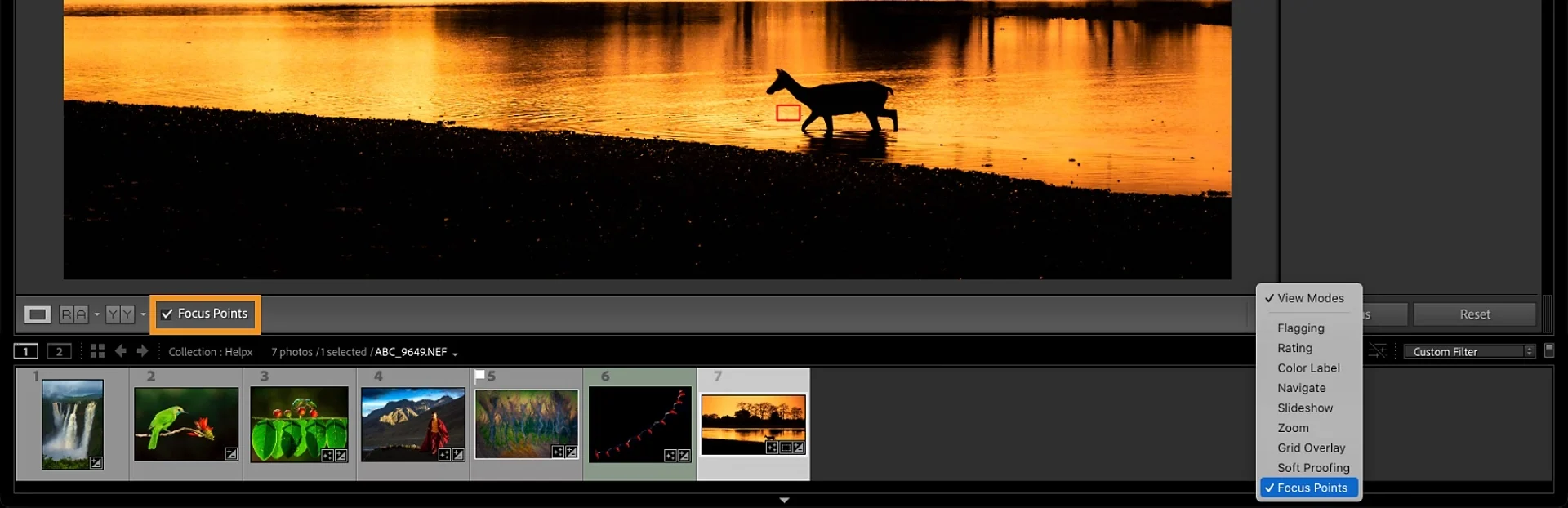
Auto Focus Overlay displays focus points on supported original RAW files from Canon, Nikon and Sony cameras. It helps photographers evaluate where the camera focused when comparing frames. Availability depends on camera model support and the metadata present in the file.
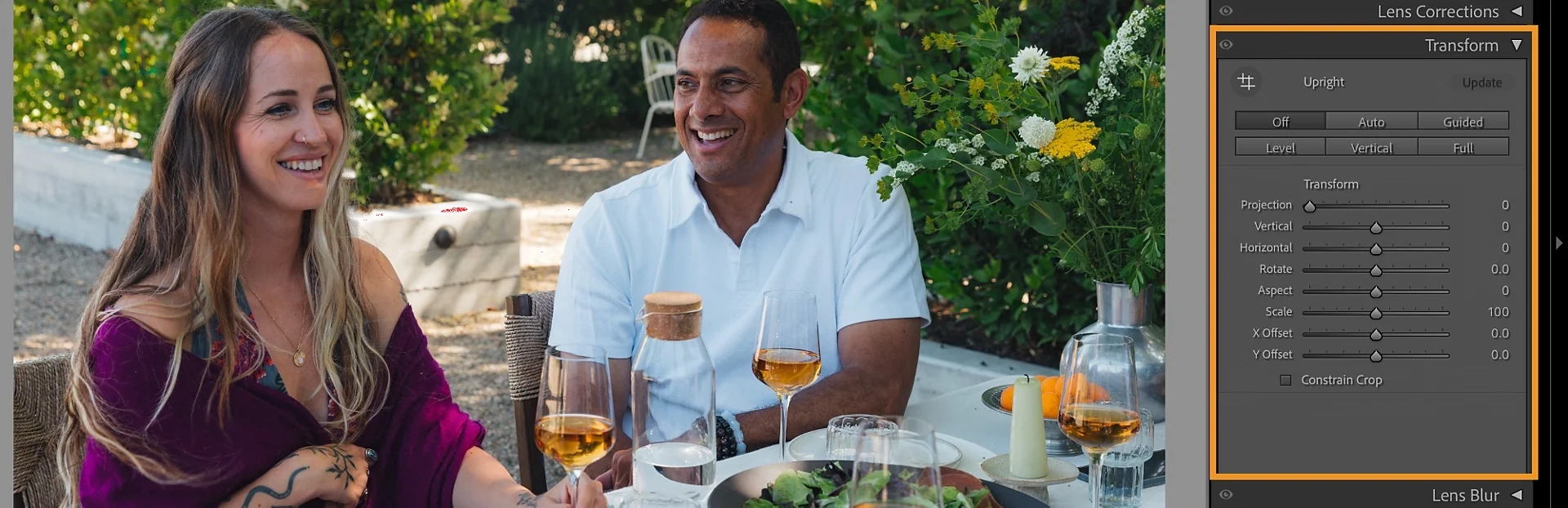
The new Projection slider in Upright controls is designed to reduce stretching of people near the edges of wide-angle group photos and selfies.
Smarter importing and smaller catalogs
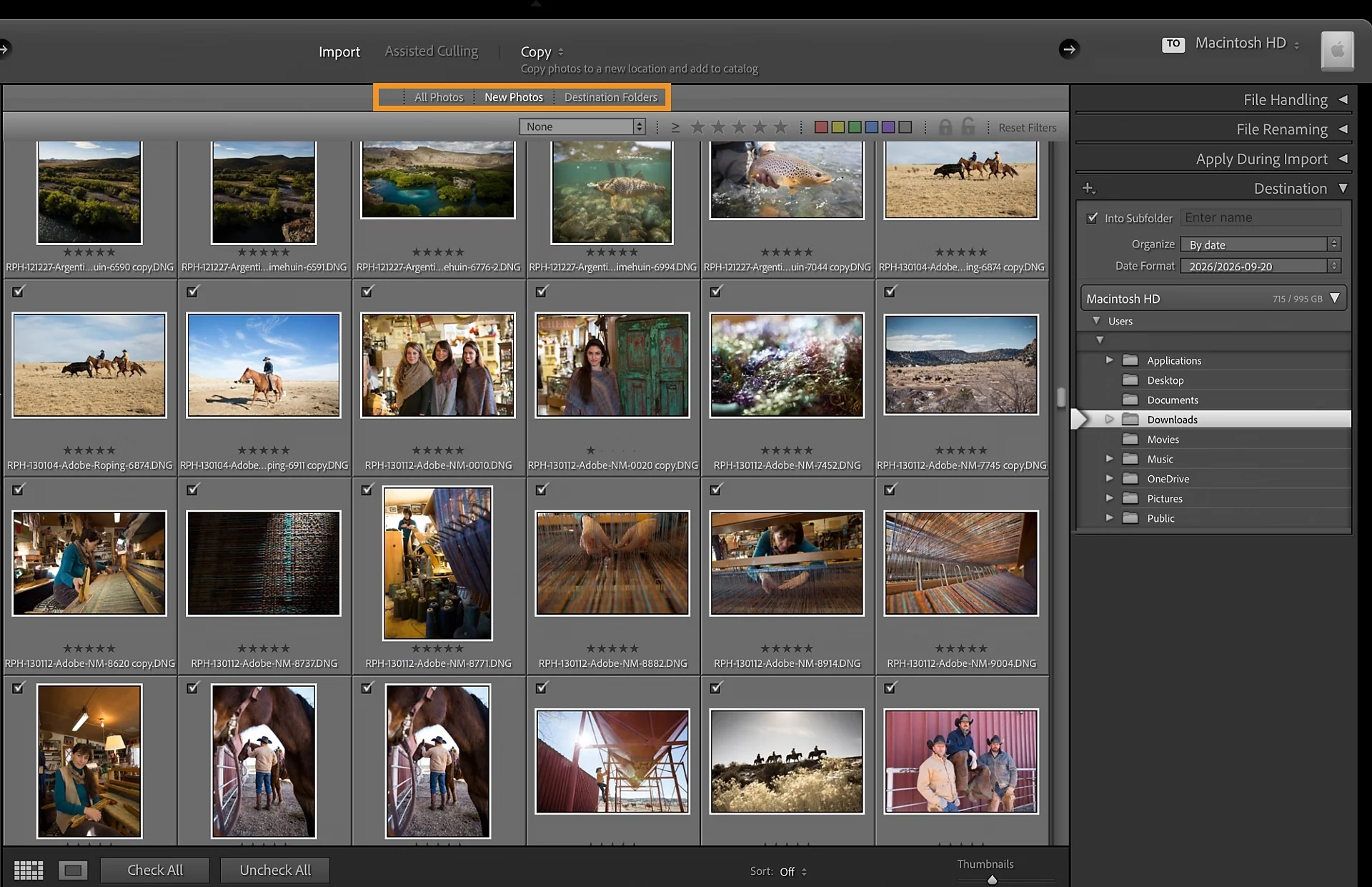
The redesigned import filter bar allows selection by file type, in-camera rating, color label and protected status, with the same filters available for Assisted Culling. For wedding, sports or travel photographers returning with thousands of images, that means narrowing the selection before everything enters the catalog.
History Step Cleanup can remove editing history from individual images, folders or collections, manually or on a schedule. The current edited appearance is preserved, but deleted history states will no longer be available for stepping back. For large catalogs this can reduce database size, although a proper backup is advisable before extensive cleanup.
Adobe also notes expanded Temperature limits, more camera and lens support, and fixes for stalled cloud uploads, memory consumption on macOS and certain location metadata operations. Across the wider ecosystem, Lightroom 9.5’s Generative Expand and masking improvements illustrate how Adobe continues developing Lightroom and Lightroom Classic on separate feature tracks.
Availability and updating
Lightroom Classic 16.0 is available through the Adobe Creative Cloud desktop application. Adobe says this release does not require a catalog format upgrade. Creating an independent backup of the catalog and source photos remains sensible before making major changes to a professional library.
What we think
For photographers delivering hundreds of images after each assignment, Glow may not be the most useful addition. Import filtering and the ability to clean accumulated history from a large catalog tackle the less creative but time-consuming part of the job.
Vectorscope and masked Color Grading are valuable too. When editing a portrait session or working with mixed lighting, controlled, repeatable color is more important than an image simply looking good on one laptop display.
Automated retouching calls for a careful hand, though. A face is not necessarily improved by removing every natural detail. The option to retain moles and freckles matters just as much as the speed of the tool. We would still inspect critical results at full resolution before delivering client work.
Frequently asked questions
Does version 16.0 require a catalog upgrade?
No. Adobe says Lightroom Classic 16.0 does not require a catalog upgrade, although creating a backup before updating is recommended.
Does history cleanup change the current edited image?
No. The current appearance is preserved, but deleted intermediate history states can no longer be revisited through the History panel.
Can AI depth maps work without embedded depth data?
Yes. Lightroom Classic can estimate a depth map using AI even when the photo contains no embedded depth information.