Summary
- The Luminar Fall Upgrade arrives October 28 with six announced features.
- Luminar on Web works in a browser, including on Linux.
- Black Friday packages start at €99.
- Some generative AI tools include 365 days of access.
Skylum is expanding Luminar across desktop, mobile and web, with Luminar on Web, six changes coming in the October 28 Fall Upgrade and Black Friday packages starting at €99.
Six changes in the Luminar Fall Upgrade 2026
Scheduled for October 28, the release focuses on faster editing, creative control and improvements to photographers’ everyday workflows.
Atmosphere 2.0: An updated atmosphere tool for adding and shaping fog in a scene, especially useful when working with a landscape’s perceived depth.
Smart Compositions: Suggestions for alternative crops and compositions. They offer a quick starting point for testing framing while leaving the final decision to the photographer.
Improved Enhance: An upgraded automatic enhancement tool for essential image adjustments.
Printing built into Luminar: Printing directly from the application rather than switching software just for that stage of the process.
AI Assistant: An AI helper that offers editing guidance and suggestions.
Upgraded masking: Improved masking for more targeted adjustments to specific image areas.
More information here.
Luminar on Web: editing in a browser
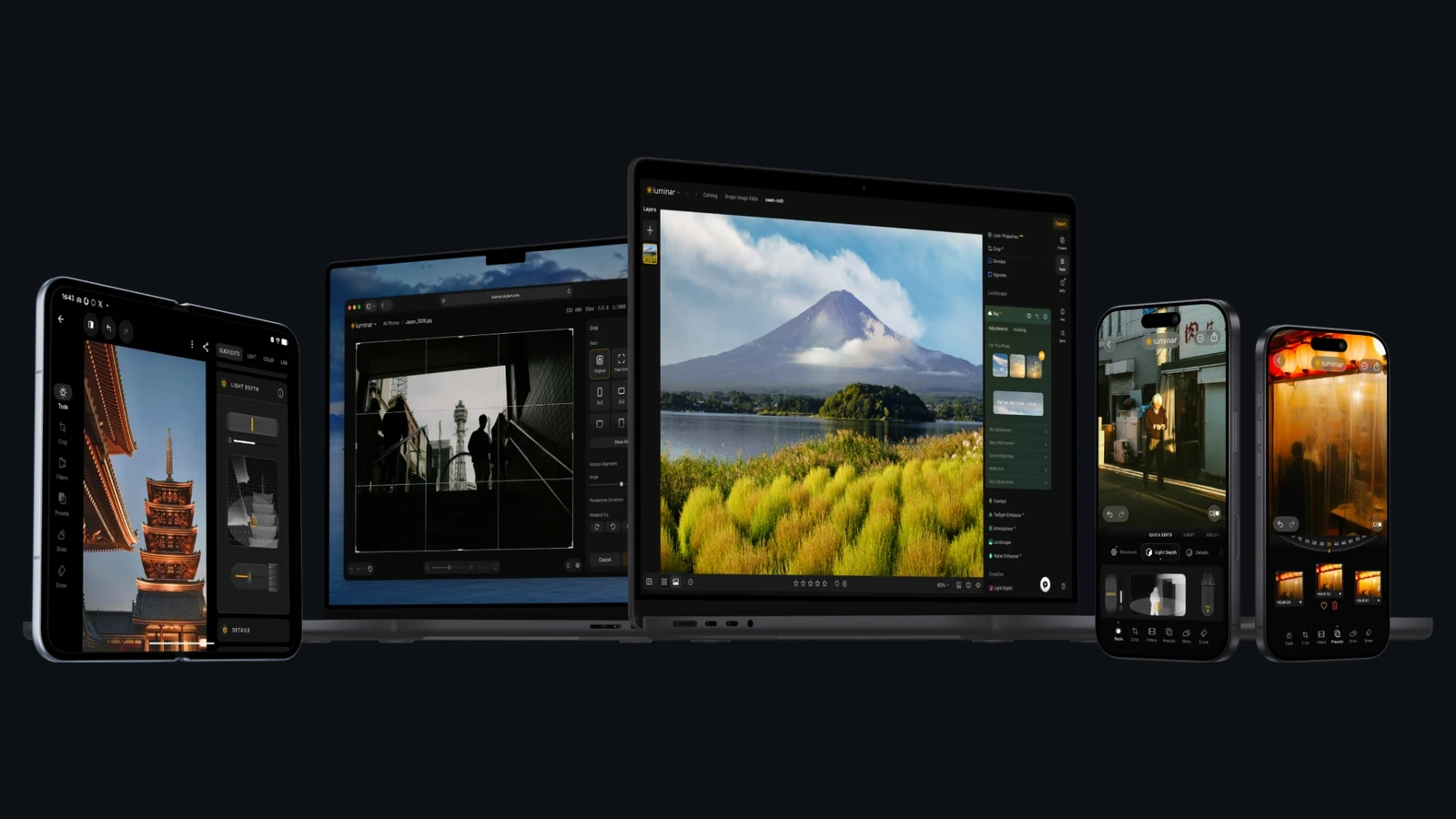
Launched on October 15, 2026, Luminar on Web lets photographers edit in a browser without installing the desktop app. This also extends access to Linux systems.
Skylum highlights Light Depth for depth-aware lighting adjustments, Sky Replacement and the combination of Presets and LUTs. The web editor targets landscape, portrait and everyday photography. The exact features depend on the chosen plan.
Find Luminar on Web and its available access options here. More information here.
Black Friday: plans from €99
The Black Friday offer started on October 19, 2026. Skylum lists three options: Desktop Only at €99, All Platforms at €139 and Max at €159.
Desktop Only is for computer-based editing; All Platforms extends access across devices and the web; Max adds Prime services and benefits. These are the announced promotional prices, with the final amount and included features confirmed at checkout.
There is an important distinction with perpetual licenses: the apps themselves can remain yours to use, while some generative AI tools are included for 365 days and may require renewal thereafter.
You can find the Black Friday packages and offer here.
What we think
For many photographers, the most useful development may be Luminar in a browser. We are not always at the same computer, so being able to open an editor without installing software is genuinely practical when travelling or changing devices.
Within the Fall Upgrade, Smart Compositions and masking catch our attention more than another flashy automatic effect: framing and selective adjustments have a direct impact on the image. The point is to save time without giving up control.
With lifetime licenses, meanwhile, it pays to check exactly what remains available without further payment. Skylum’s decision to end development of Aperty is a recent example of why the duration of a license and the duration of software support are different things.
Frequently asked questions
When is the Fall Upgrade coming?
October 28, 2026, according to Skylum’s release schedule.
Can I run Luminar on Linux?
Luminar on Web is accessible in a browser, including on Linux. The available information does not announce a native Linux desktop application.
Does a perpetual license include every AI tool forever?
Not necessarily. Some generative AI tools are included for 365 days and may need renewal afterward.