

Summary
- A modern smartphone photo can be the result of multiple frames and extensive processing.
- We explain the pipeline from capture to HEIF/JPEG.
- Pressing the capture button does not necessarily mean one exposure
- Different exposures for greater dynamic range
- Before frames can be fused, they need to be aligned
- From multiple frames to one photograph
- Noise reduction with more available information
- Sharpness does not come only from the lens
- Tone mapping and local contrast
- When software understands what is inside the frame
- What happens to faces and skin tones
- More than one camera can contribute to the result
- Digital zoom is not always a simple crop
- RAW and computational RAW are not the same thing
- What has already happened before you receive HEIF or JPEG
- The sensor and lens still matter
- Processing has already happened before you tap Edit
- What we think
- Frequently asked questions
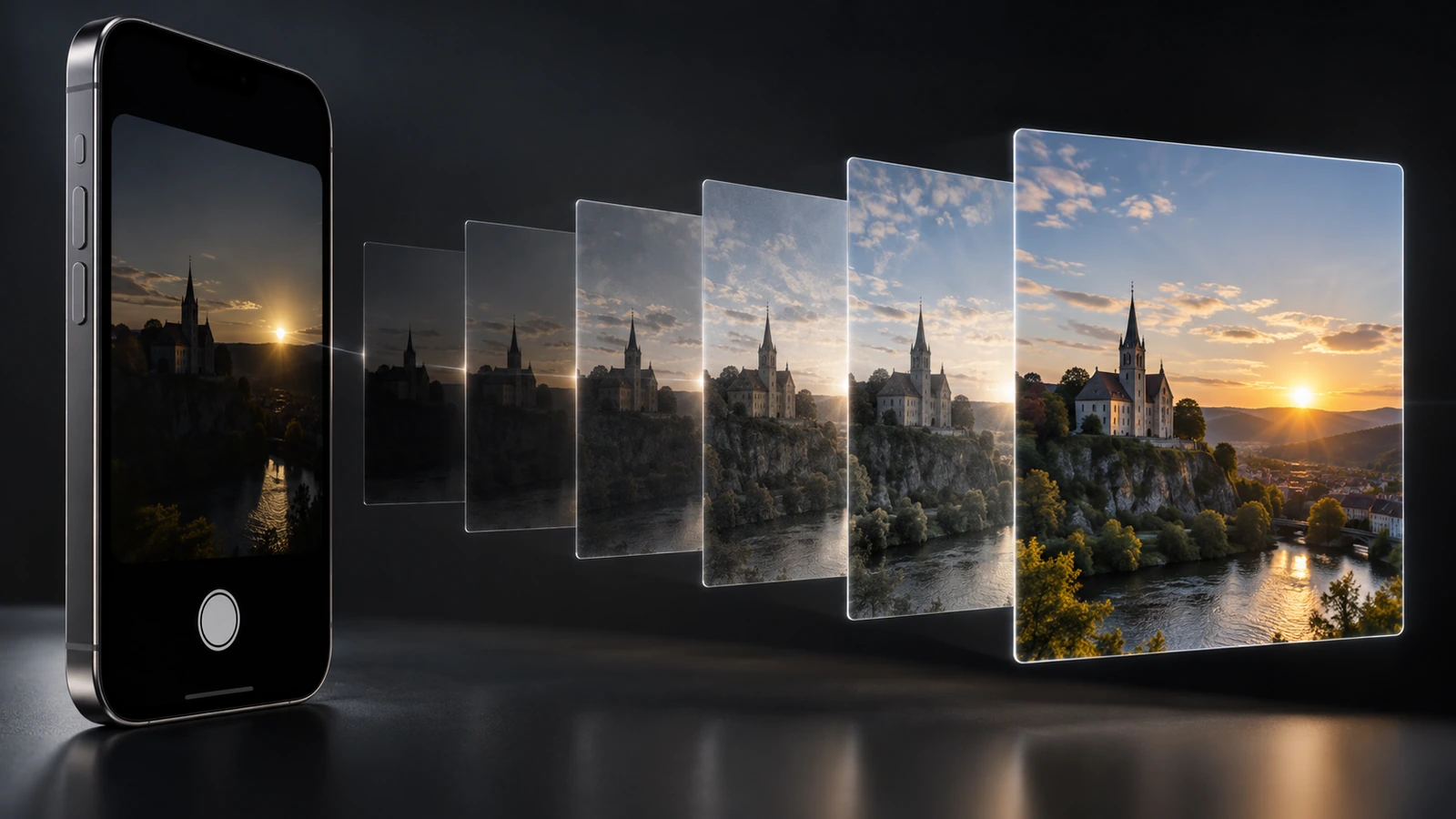
You tap the capture button and a photo appears on the screen almost instantly. On many modern smartphones, however, what you see does not necessarily come from a single exposure: it can be the result of multiple frames, different exposures, alignment, fusion and substantial processing before you even open the image.
Not every smartphone works in exactly the same way. The process varies by manufacturer, model, camera and shooting mode, and even the same device can use a different strategy in daylight, at night, while zooming or when RAW is selected.
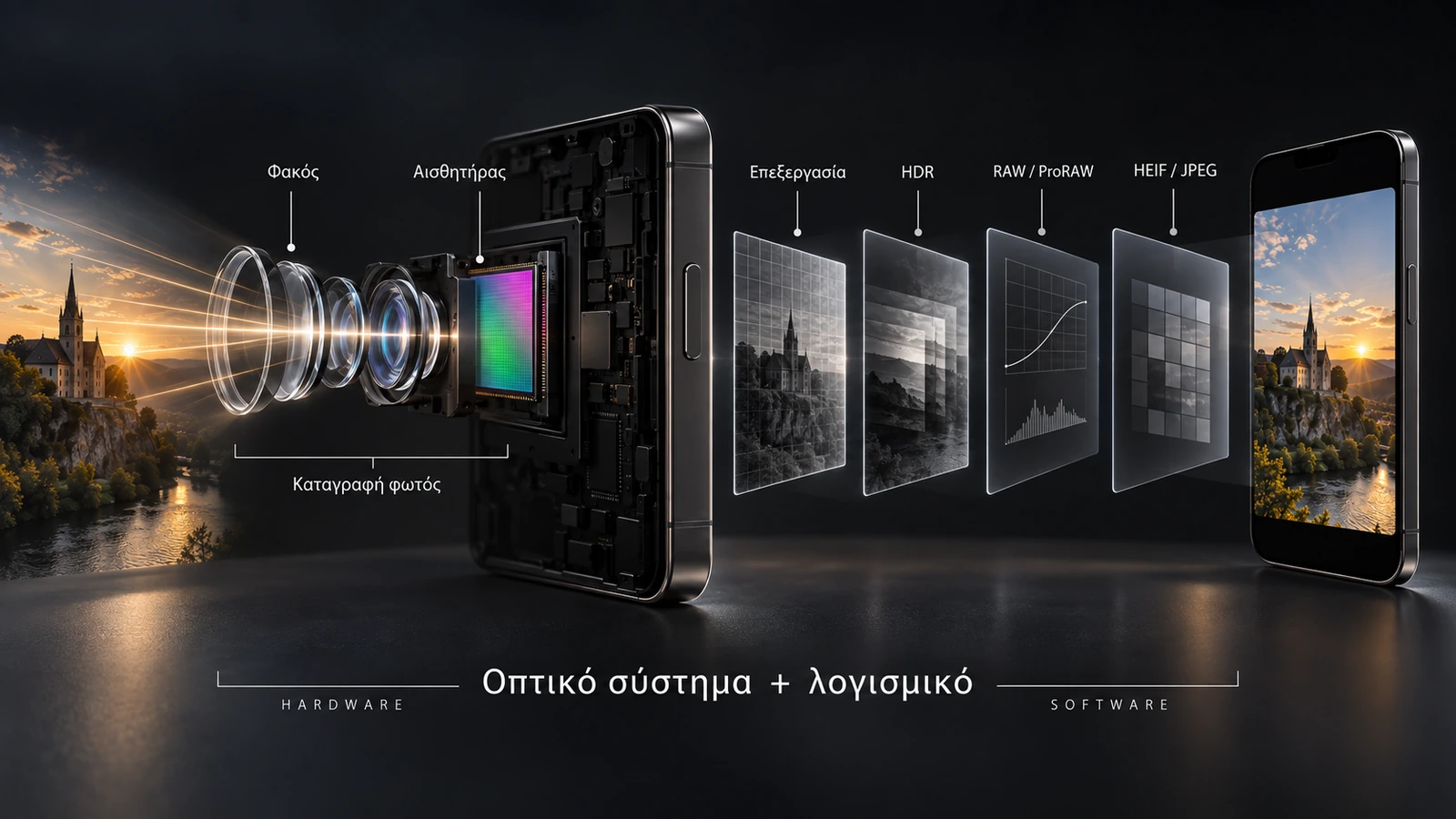
That is computational photography in practice: the lens and sensor still record the light, but software now plays a decisive role in turning those data into the final photograph.
Pressing the capture button does not necessarily mean one exposure
In the simplest version of digital photography, light passes through the lens, reaches the sensor during one exposure and the resulting data are converted into an image. On smartphones, the process can be much more complex.
Depending on the device and mode, the system may use more than one frame. Google has documented, for example, that Pixel Night Sight can use temporary frames from the viewfinder and then capture additional longer-exposure frames after the user presses the capture button. Apple, meanwhile, documents that processed HEIC or JPEG images can be produced by fusing multiple capture frames through Smart HDR, Deep Fusion or Night mode.
This does not mean every phone always captures multiple frames. The strategy changes with the model, available light, subject motion and selected mode.
Different exposures for greater dynamic range
A scene may contain a very bright sky and deep shadows at the same time. With a single exposure, information may have to be sacrificed either in highlights or in shadows.
One solution is exposure bracketing: capturing frames at different exposure levels. One frame may preserve highlights better, while another contains more shadow information. The system can then combine the useful data to build a photograph with wider dynamic range.
Google documents HDR+ with Bracketing on Pixel as a process that merges images taken at different exposures. Samsung has described a similar multi-frame process in Galaxy S21 Night Mode, where multiple images at different exposure levels are captured before fusion and final processing. These are manufacturer-specific examples rather than evidence that every smartphone follows the same pipeline.
Before frames can be fused, they need to be aligned
Multi-frame capture creates an obvious problem: nothing remains perfectly still. The photographer’s hand moves, a face changes expression, leaves move and a car may have shifted position between two consecutive frames.
Alignment is therefore a critical stage. The system attempts to determine which parts correspond between images and correct the differences before fusion. Samsung has explicitly described Galaxy S21 multi-frame processing as selecting a reference frame and then aligning and registering the remaining images against it.
From multiple frames to one photograph
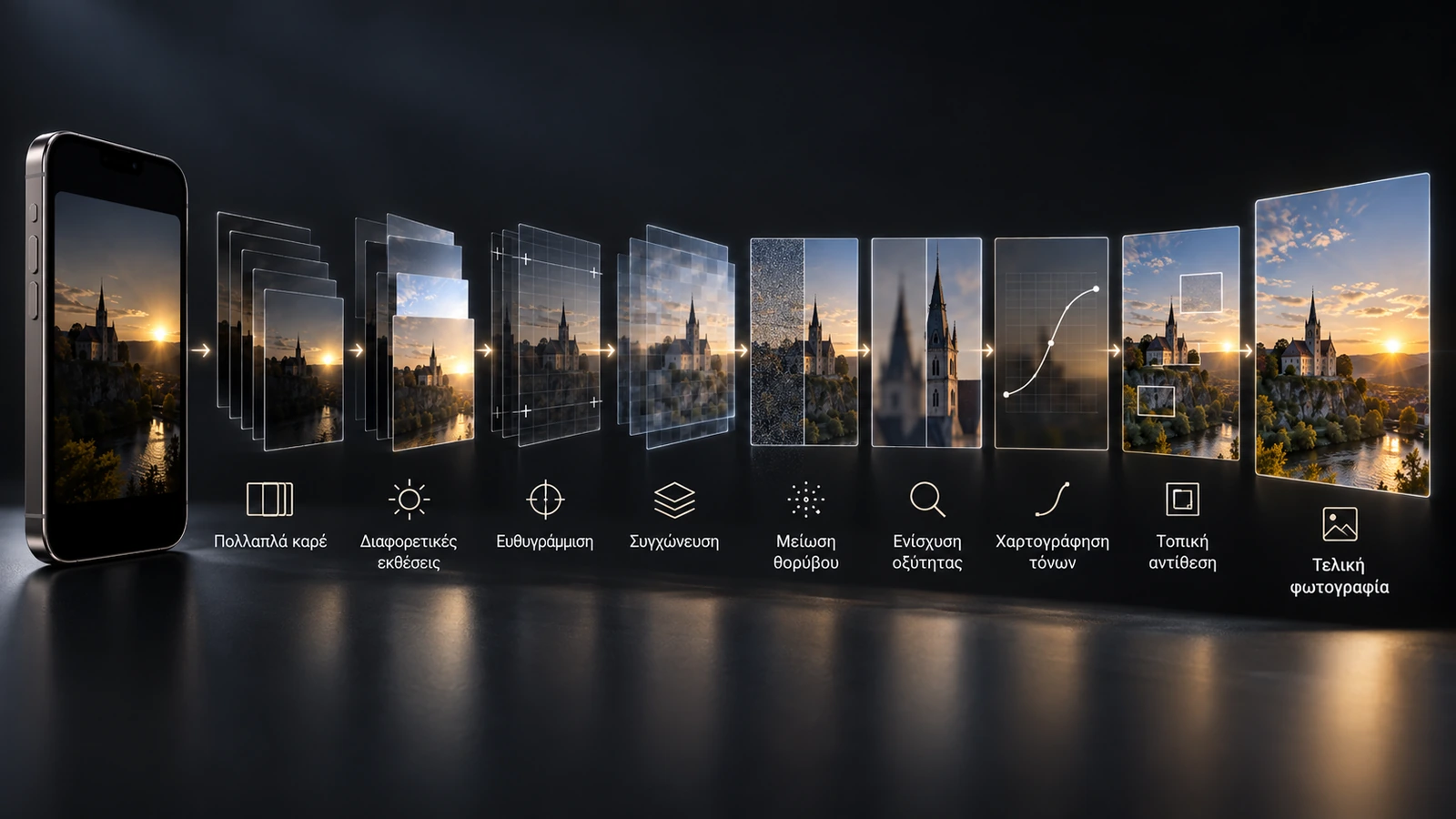
After suitable data have been selected and aligned, fusion follows. This is not necessarily a simple average of several images. The system can use different information from different frames depending on what the final result needs: wider dynamic range, lower noise, better detail or improved handling of motion.
Apple says processed HEIC or JPEG images can be created by fusing multiple capture frames through Smart HDR, Deep Fusion or Night mode. ProRAW can also, depending on the scene, be fused from multiple exposures while preserving far greater editing flexibility than a final JPEG or HEIF file.
Noise reduction with more available information
Small smartphone sensors face particular challenges as light levels fall. Using several correctly aligned frames gives the software more samples of the same scene. Details that remain stable are more likely to represent real scene information, while some random noise can be reduced during fusion.
Google says HDR+ with Bracketing is used in Night Sight alongside machine-learning techniques to reduce noise, while Samsung describes multi-frame processing followed by image-signal-processor post-processing to reduce noise and refine detail.
Sharpness does not come only from the lens
After noise reduction, processing may enhance perceived sharpness. This does not automatically create genuine optical detail, but it can emphasise edges and small contrast differences so the image appears clearer.
Google explicitly says its newer Pixel HDR+ imaging pipeline optimises exposure, tone mapping, sharpening and contrast. Two phones with similar sensors can therefore render texture very differently because their manufacturers choose different balances between noise reduction and sharpening.
Tone mapping and local contrast
Even when a phone has gathered information from very bright and very dark areas, it still has to decide how that range should appear in the final image. This is where tone mapping comes in.
The system maps the available brightness range into an image that can be displayed properly, deciding how shadows, midtones and highlights should be rendered. Local contrast adjustments can also be applied so that different areas do not necessarily receive the same treatment.
When software understands what is inside the frame
Modern processing does not have to treat every pixel in exactly the same way. Using machine learning and computer vision, specific implementations can recognise the content of different image regions and adapt processing accordingly.
This does not mean every smartphone recognises the same objects or uses the same AI model. There are, however, documented examples where processing is adjusted for faces, skin tones, texture or shadows.
What happens to faces and skin tones
Human-face processing is an area where broad generalisations should be avoided. It is not accurate to say that a smartphone always “changes the face”.
Google describes Real Tone as a set of improvements involving face detection, automatic white balance and automatic exposure, designed to render a wider range of skin tones more accurately. On Pixel 9, Google also says the updated HDR+ pipeline optimises, among other things, the rendering of skin tones.
Samsung says the AI ISP in the Galaxy S24 analyses image segments so it can fine-tune aspects such as sharpness, skin tone and noise reduction. Again, this is a specific implementation rather than a universal rule of mobile photography.
More than one camera can contribute to the result
Smartphones commonly include main, ultra-wide and telephoto cameras. The obvious assumption is that the phone simply switches from one to another as zoom changes. In some implementations, however, data from multiple cameras can contribute to the same final image.
Google has documented Fusion Zoom, an algorithm that aligns and merges images from multiple cameras when the selected zoom level sits between the main and telephoto cameras. The camera shown as active on the screen therefore does not always tell the whole story about the origin of the final data.
Digital zoom is not always a simple crop
On older digital cameras, digital zoom often meant cropping a smaller section of the image and enlarging it. On modern smartphones the process can be considerably more complex.
Google has described Pixel Super Res Zoom as combining techniques that can include cropping from a high-resolution sensor, remosaicing, HDR+ with Bracketing, noise reduction and, at some zoom levels, Fusion Zoom using data from multiple cameras.
That does not mean every form of computational zoom equals a real longer focal-length lens. It does mean that the term “digital zoom” no longer always describes a simple enlargement.
RAW and computational RAW are not the same thing
RAW is traditionally associated with data kept as close as possible to what the sensor recorded. On smartphones, however, an important distinction is required.
Apple describes standard RAW as minimally processed sensor data and notes that standard RAW capture bypasses the advanced computational-photography processing of the normal image pipeline.
Apple ProRAW takes a different approach: it combines RAW flexibility with many of the multi-image fusion techniques of computational photography. The fact that a file is a DNG therefore does not, by itself, tell you how much processing has already happened.
What has already happened before you receive HEIF or JPEG
When you use a smartphone’s normal camera app, you usually do not see the intermediate data. You see the final file.
Depending on the device and mode, many of the following stages may already have happened before the photograph appears on the screen:
- capture of one or more frames
- different exposure levels
- frame selection and alignment
- image fusion and HDR processing
- noise reduction and sharpening
- colour, white-balance and tone-mapping adjustments
- local or semantic adjustments
- zoom processing or data from multiple cameras
- encoding of the final HEIF or JPEG file
Not all of these stages are necessarily applied to every photograph or in the same order. Much of the exact pipeline remains proprietary to the manufacturers.
The sensor and lens still matter
Computational photography does not repeal the laws of physics. The lens still determines how light reaches the sensor, while sensor size and technology still affect noise, dynamic range, resolution and low-light behaviour.
Software cannot recover unlimited real information that was never recorded. It can, however, use the available information far more efficiently than a simple single-exposure pipeline.
That is why two smartphones with similar megapixel counts or similar sensor hardware can deliver noticeably different results. The final image depends not only on lens and sensor, but also on the image signal processor, HDR algorithms, noise reduction, frame fusion, colour management and machine-learning models.
Processing has already happened before you tap Edit
This may be the biggest change brought by computational photography. Processing does not begin when you open Lightroom or tap Edit in the photo gallery. In many cases it is part of the capture itself.
By the time the photograph appears on screen, decisions about dynamic range, noise, sharpness, colour, contrast and different regions of the frame may already have been made automatically.
A modern smartphone is therefore not simply a tiny camera. It is a complete imaging system in which lens, sensor, processor and software work together to create the final file.
When we press the capture button, we are not necessarily storing one simple exposure. In many cases, the smartphone computationally builds the final photograph from much more information than a single frame.
What we think
Computational photography is one of the main reasons smartphones can deliver such high image quality despite the severe size constraints on their lenses and sensors. For photographers, the key point is that the final result is no longer determined only by exposure and optics, but also by many automatic software decisions.
As machine learning and content-aware processing become more involved, manufacturers also need to be increasingly clear about when software is making better use of genuinely captured data and when it is making more interventionist changes.
Frequently asked questions
Does a smartphone always take multiple photos when I press the capture button?
No. It depends on the device, camera, mode and shooting conditions. There are, however, many officially documented cases where multiple frames are used.
Does HDR simply mean brightening the shadows?
No. Implementations such as Google HDR+ with Bracketing use frames captured at different exposure levels and merge them computationally.
Is smartphone RAW always almost unprocessed?
No. Standard RAW and computational RAW formats such as Apple ProRAW are different. ProRAW can include multi-frame fusion and data from multiple exposures.
Is digital zoom always just an enlarged crop?
No. Systems such as Google Super Res Zoom can use high-resolution sensor data, multiple captures, HDR processing and, in some cases, information from more than one camera.
Has the photo on my screen already been processed?
In normal processed capture modes, yes. Before a HEIF or JPEG appears, frame fusion, HDR, noise reduction, sharpening, colour processing and local adjustments may already have taken place.