

Summary
- Sony has released Creator's App version 4.3.
- The update introduces 3-second Motion Photos.
- Users can create clips during or after recording.
- The feature is exclusive to Creator's App.
Sony has introduced support for 3-second Motion Photos in its Creator’s App.
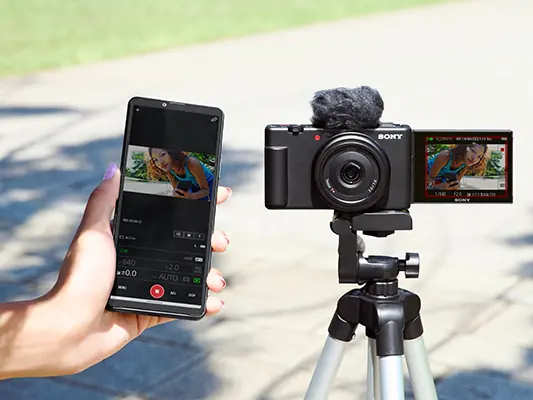
Sony has released version 4.3 of the Creator’s App, adding the ability to create and transfer 3-second Motion Photos from compatible Sony cameras to smartphones and tablets. The feature is designed to simplify sharing ultra-short video content on social media.
Previously, Motion Photos were available only in 15, 30 and 60-second durations. The new 3-second option gives creators greater flexibility for short-form content.
Two ways to create Motion Photos
Users can either press the Shot Mark Button while recording to automatically transfer a selected clip, or create a Motion Photo afterward by opening the video inside the Creator’s App and selecting the desired segment.
Exclusive to Creator’s App
The feature is only available in Creator’s App, which replaced Imaging Edge App for most supported Sony cameras. Users still using Imaging Edge App will not have access to Motion Photos.
What we think
Although small, this update reflects the growing demand for ultra-short video formats and makes the workflow from camera to smartphone even faster.
Frequently Asked Questions
What are Motion Photos?
They are short video clips extracted from recorded footage and transferred to mobile devices through Creator’s App.
What is new in version 4.3?
Support for 3-second Motion Photos.
Does Imaging Edge App support this feature?
No. It is exclusive to Creator’s App.
How can I create a Motion Photo?
Either while recording using the Shot Mark Button or afterward inside the Creator’s App.