Summary
- Sony released Monitor & Control 3.1 on October 28, 2026.
- The app now supports the α6700 and ZV-E10 II with the required firmware versions.
- New features include fine white-balance adjustment, automatic reconnection and a display frame-rate setting in multi-camera monitoring.
- Basic monitoring is free, while some multi-camera features require a subscription.
A screen that is already in your pocket can now monitor footage from the Sony α6700 and ZV-E10 II, thanks to Monitor & Control 3.1.
Sony released version 3.1 on October 28, 2026, extending the app to two more APS-C mirrorless cameras while improving day-to-day operation on single-camera and multi-camera shoots.
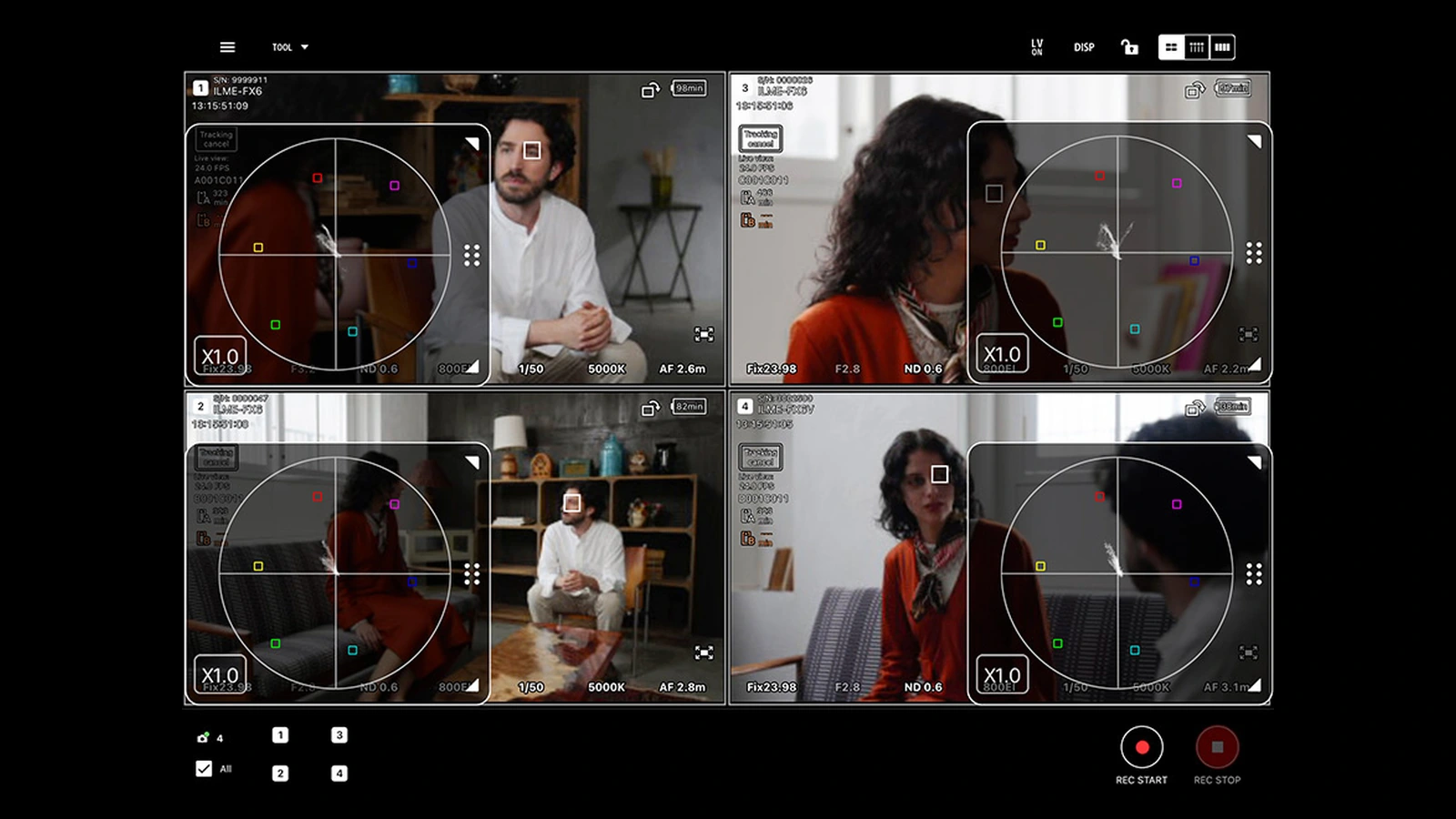
Sony’s official video demonstrates the app’s monitoring features, exposure tools and multi-camera workflow.
What is new in version 3.1
The headline change is support for the α6700 and ZV-E10 II. The α6700 combines an APS-C sensor with capable hybrid features and has been a useful option for compact filming setups since its 2023 launch. The ZV-E10 II is particularly aimed at filmmakers and vloggers and had already gained 4K/120p recording through a free upgrade licence.
The update also adds fine white-balance adjustment from within the app, provided the connected camera supports that adjustment. This can make small colour corrections easier when working under mixed lighting without returning to the camera body’s menus.
If a connection drops, Monitor & Control now attempts to reconnect automatically, even when multiple cameras are connected. Multi-Camera Monitoring also gains a display frame-rate setting. This controls how often the live previews refresh; it does not change the frame rate recorded by the cameras.
Sony requires firmware 2.00 or later on the α6700 and 1.02 or later on the ZV-E10 II. Compatibility and available controls vary by camera; being supported does not mean that every app feature works on every model.
Sony α6700 — More information here. Sony ZV-E10 II — More information here.
Using a phone as an external monitor
Monitor & Control displays a live view on a smartphone, tablet or compatible Mac. Depending on the camera and connection method, it can change camera settings, adjust focus and start or stop recording. Exposure tools include waveform, histogram, zebra and false colour, which are valuable when the camera’s own display is too small for confident monitoring.
Multi-camera monitoring is useful for interviews, podcasts, live productions and small crews. It is not identical to a dedicated HDMI monitor, however: connection reliability, preview quality and available features depend on the device, camera and subscription tier. A professional camera such as the Sony FX5, for example, offers different connectivity options from a compact APS-C body.
The app is free, but not every feature is
The app and its Free tier cost nothing. They cover basic monitoring and exposure tools, while an iPad can monitor up to four cameras at once. Multi-camera monitoring on iPhone requires Basic or Premium. Multi-camera monitoring on Mac, as well as connecting up to 20 cameras on iPad/Mac, belongs to Premium.
Basic also adds features such as applying setting changes to multiple cameras simultaneously and higher-resolution monitoring over a suitable HDMI/UVC connection. That distinction matters: a free version 3.1 download does not make every advanced production feature free.
Monitor & Control — More information here.
What we think
For anyone shooting with an α6700 or ZV-E10 II, putting the phone or tablet they already own to work as a monitor is genuinely useful. A larger live view makes it easier to notice distracting details, judge exposure and operate a camera placed somewhere awkward without crouching behind its built-in screen.
Of the 3.1 changes, automatic reconnection stands out to us. If a camera is on a tripod away from the operator, a dropped connection that has to be rebuilt manually can disrupt the shoot. Fixing that friction may matter more on location than the feature name suggests.
We would still look closely at the requirements of each setup before replacing a dedicated monitor. For a single camera, the free tier may cover a great deal. On a demanding multi-camera job, subscription limits and the reliability of the connection in that particular location deserve just as much attention.
Frequently asked questions
Do I have to pay to monitor an α6700 or ZV-E10 II on my phone?
Not for basic single-camera monitoring: this is included in the free tier. Multi-camera operation on iPhone and certain advanced functions require a paid plan.
Do the two newly supported cameras need a firmware update?
Yes. Sony’s compatibility list specifies firmware 2.00 or later for the α6700 and 1.02 or later for the ZV-E10 II.