

Summary
- Superpose is an iPhone camera app with AI guidance for poses, framing and lighting.
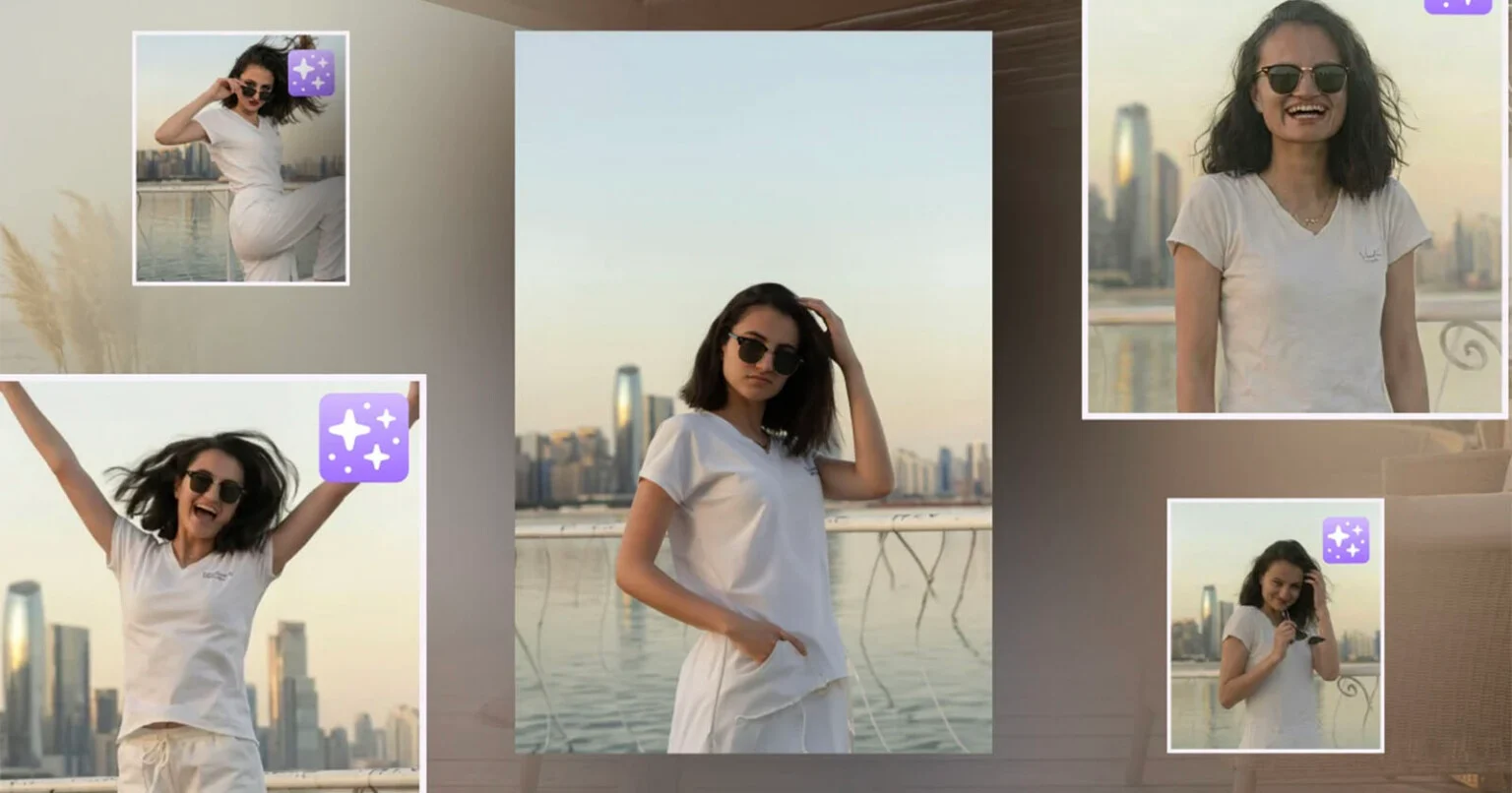
- From one shot it creates four pose suggestions that can be used as references for a new real-world photograph.
- In-camera guidance runs on-device, while AI generation features use cloud processing.
- The app is free to download, with free daily Shot Packs and optional one-time purchases for extra packs.
Superpose is trying to solve one of the most common problems in smartphone portrait photography: not what to edit after the shot, but what the subject and the person holding the camera should do before the shutter is pressed.
The iPhone app uses artificial intelligence to guide posing, lighting, angle and framing. From one initial photo, it can also generate four different pose suggestions that users can keep as references and then try to recreate in a real photograph.
How Superpose works
In practice, Superpose works as both a camera app and a digital coach. Its Coach feature gives specific instructions for hand placement, shoulder angle and head position, with guidance split between the subject and the photographer.
The app also includes outline overlays so users can align their body with the contour of a suggested pose. Before capture, it checks lighting, framing and composition and displays corrections directly in the viewfinder.
AI suggestions without replacing the real setting
Superpose Labs positions the app differently from tools that create entirely fictional scenes or move a person into a place they never visited. Superpose starts from a real photograph and suggests different ways the same person could be captured in the same place and moment.
The company says the app is designed primarily for portraits of one to three people and is intended to become more personalized over time by learning which compositions and results a user prefers.
What it means for photographers and creators
For photographers, the interesting part is not only that the app suggests poses, but that it moves part of subject direction into the capture process itself. Guidance for body position, framing and lighting can provide a quick reference for beginners, couples or creators working without a photographer.
It is not a replacement for photographic judgement. AI-generated pose suggestions will not always fit the person, body, setting or visual style of a shoot. The app is more useful when treated as a direction tool rather than an automatic generator of the “correct” pose.
Privacy and processing
According to the App Store listing, in-camera guidance runs locally on the iPhone. Features that generate AI images use cloud processing and require an internet connection. The company says it does not use users’ photos to train AI models and does not sell their data.
Price and availability
Superpose is available for iPhone through the App Store and requires iOS 18 or later. The app is free to download and includes free daily Shot Packs. On the US App Store, additional packs are listed at $2.99 for 5 Shot Packs and $9.99 for 20 Shot Packs, with Apple noting that prices may vary by region.
Superpose Labs says the app has passed 20,000 installs and that users have created more than 190,000 “superposes”.
Find out more here.
What we think
The most interesting part of Superpose is that it uses AI before the shot rather than only after it. For creators who struggle with posing or work without an experienced photographer, real-time guidance could be practical; for more experienced photographers, it remains an assisting tool rather than a substitute for directing a portrait session.
Frequently asked questions
What does Superpose do?
It suggests poses, checks lighting and framing, and gives live guidance to both photographer and subject through the iPhone.
Does it create entirely new photos?
It uses AI to create alternative versions and pose references from a real shot, but its core idea is to help the user capture the real scene again more effectively.
Does the guidance run in the cloud?
In-camera guidance runs on-device. AI generation features use cloud processing.
Is it free?
The app is free to download and includes free daily Shot Packs, with optional one-time purchases for additional packs.