

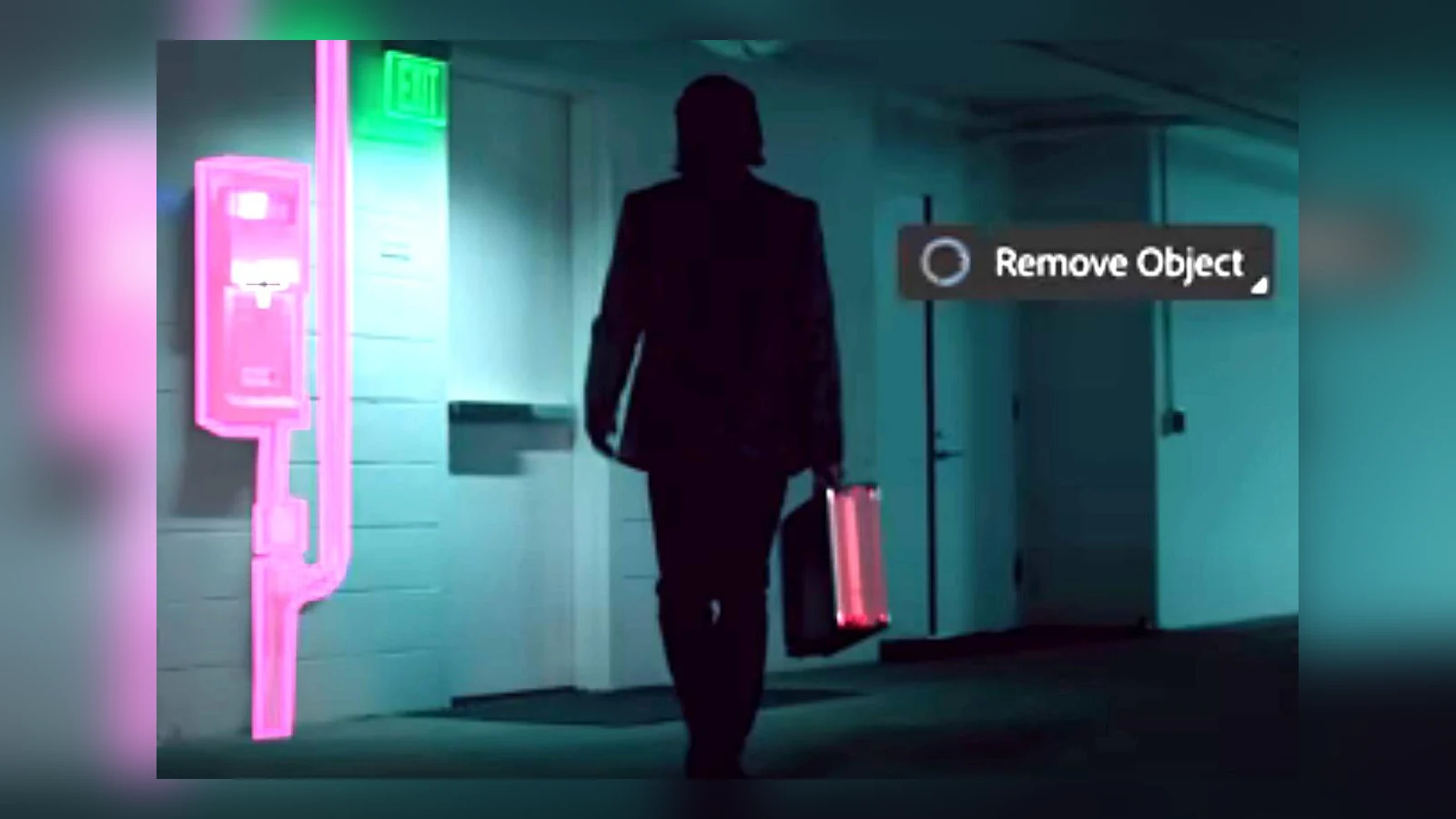
Summary
- Adobe Premiere adds Generative Remove in beta for object removal directly on the timeline.
- The feature combines masking, tracking and AI-generated replacement detail.
- It currently supports clips up to ten seconds and 1080p at 40 credits per second.
- Editors can regenerate the result or restore the original clip.
A boom microphone creeping into frame or an unwanted logo can now be removed directly in the Adobe Premiere timeline with the new Generative Remove tool, currently available in beta.
Adobe introduced the feature to its community on November 4, 2026, and included it in its November 10 Creative Cloud announcements. Powered by the Firefly Video model, Premiere generates replacement details inside the selected area while preserving the rest of the footage.
How Generative Remove works
The editor selects a clip in Premiere (beta) and draws a mask around the unwanted object using Object Mask or a shape masking tool. Tracking then follows the mask forward and backward through the shot as the camera or subject moves.
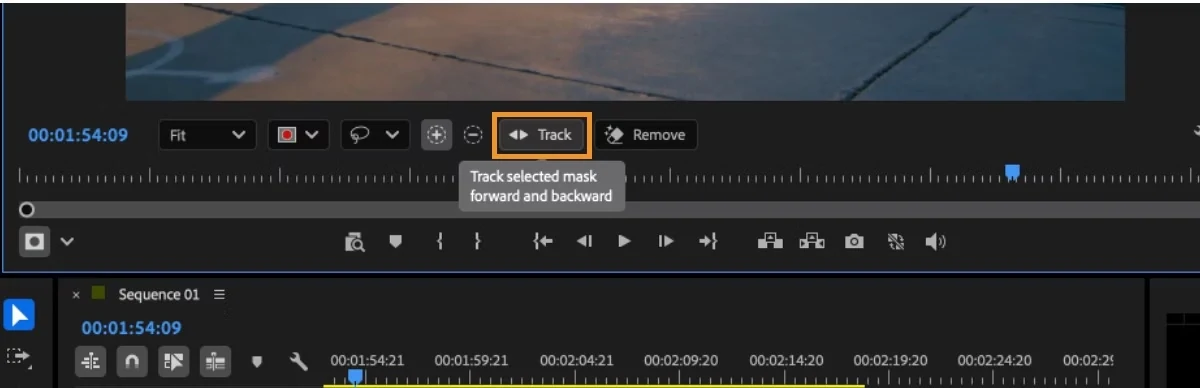
The mask needs to be reviewed throughout the clip. Adobe recommends including related shadows or reflections and expanding a tightly fitted mask where necessary. Clicking Remove starts cloud processing in the background while editing can continue.
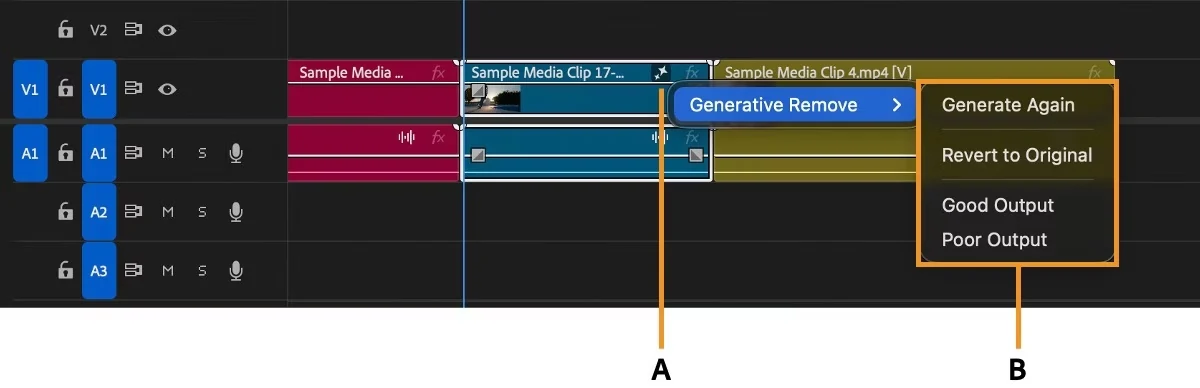
The original footage remains available. The AI badge in the timeline provides Generate Again, Revert to Original and output feedback options. Previous generations are retained, and generated files are saved to the Generated Media location configured in Scratch Disks.
Where this helps on a real shoot
The tool targets familiar on-set problems: a visible boom mic, a forgotten light stand, an unwanted logo or a passer-by in the background. Editors can also create separate masks for several distractions and remove them within one generation.
This is a different application of AI from generating additional footage and sound effects directly inside Premiere. The goal here is to repair an existing shot rather than create an entirely new scene.
Beta limitations and generative credit costs
The current beta handles clips up to 10 seconds long, resolutions from 480p to 1080p and frame rates up to 30 fps. Supported formats are MP4 and MOV with H.264 or HEVC; HDR and 10-bit footage are excluded. Productions are supported, but Team Projects are not. An internet connection is required.
The charge is 40 generative credits per second. A 10-second clip therefore uses 400 credits for one generation, with additional attempts potentially adding to the cost. Premiere displays the charge before the user confirms processing.
Adobe recommends processing an object throughout a clip in one pass where possible, because separate generations can produce fills that do not match across edits. Longer clips are planned for future releases but are not supported in the current beta.
More information here.
What we think
Anyone who has filmed an interview or documentary knows the frustration of noticing a boom mic or stand in the edit. Fixing that kind of distraction directly in the timeline without a round trip to separate compositing software is genuinely useful.
Tracking is still the critical part. If the mask drifts for a few frames, the repair may become obvious. Fast motion, complex textures and shadows deserve careful inspection. The option to revert makes it easier to compare the generated result with the original shot.
The ten-second limit, 1080p ceiling and credit consumption are substantial constraints for productions delivering 4K or shooting 10-bit Log. For short SDR clips or quick social edits, however, this is a clearly practical capability.
Frequently asked questions
Do I need to remove the object frame by frame?
No. Create a mask, track it and review the tracking before selecting Remove. Manual mask corrections may still be needed.
Does it support 4K or 10-bit Log footage?
Not in the current beta. The maximum supported resolution is 1080p and HDR or 10-bit clips are not supported.
How many credits does a ten-second clip require?
400 generative credits for one generation, charged at 40 credits per second.