

Summary
- Adobe Premiere mobile is now available on Android.
- It supports a multi-track timeline, frame-accurate editing and up to 4K exports without a watermark.
- Core features do not require an Adobe account.
- Adobe lists Android 13 or later and at least 5GB of RAM.
Adobe Premiere is now available on Android as a free video-editing app, bringing a multi-track timeline, up to 4K editing and export, Enhance Audio and watermark-free output to mobile creators.
Adobe announced Premiere mobile for Android on 22 September 2026, roughly a year after the redesigned mobile version debuted on iPhone. The app is aimed at creators who want to edit directly on a phone without moving every project to a desktop system.
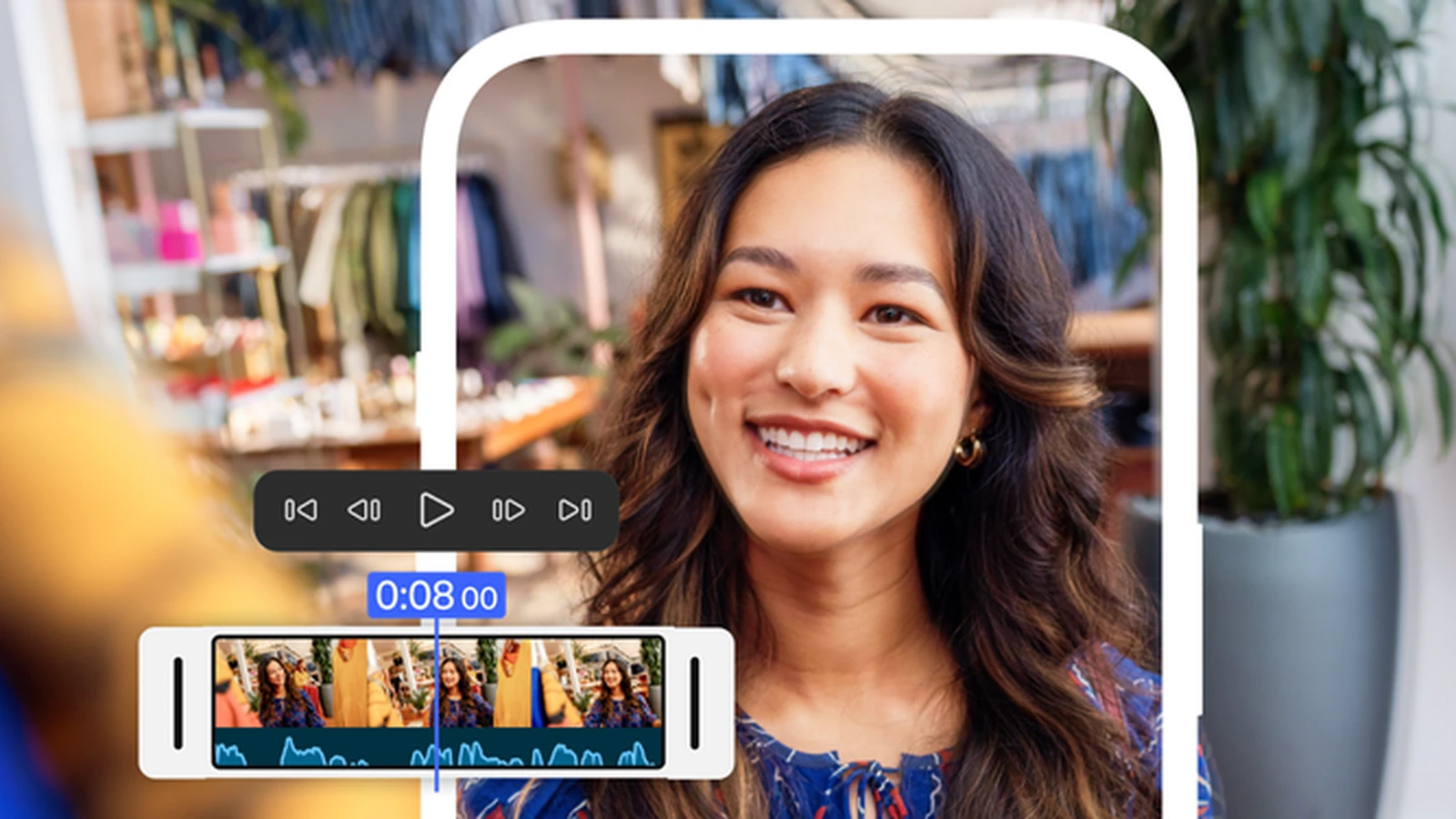
In practice, the mobile version brings tools closer to a conventional editor than a basic social-video app: frame-accurate cuts, multiple tracks for video, audio, text and effects, templates, transitions and access to creative assets.
Multi-track timeline and up to 4K export
The core workspace is a multi-track timeline where users can combine video clips, music, voice-over, text and effects on separate layers. Adobe also highlights frame-accurate editing for more precise cuts in a mobile workflow.
The app supports editing and exporting video up to 4K, while adding no watermark and showing no ads inside the editing experience. An Adobe account is not required for core editing, local project saving or exporting.
Enhance Audio and creator-focused tools
For audio, Premiere mobile includes Enhance Audio to reduce distracting noise and improve clarity in interviews, voice-overs and other recordings. It can also use music and creative assets from Adobe Stock, import the creator’s own files and extract audio from existing video.
Creator-made templates, effects and transitions are available for social workflows, while Adobe has also built dedicated workflows for content intended for YouTube Shorts and other vertical platforms.
Firefly and features still to come
In its Android launch announcement, Adobe lists Firefly-powered tools including Generative Fill, Image-to-Video and Generate Sound Effects. Generative features use Firefly generative credits and may require account sign-in or the purchase of additional credits.
Adobe says Adobe Fonts, enhanced captions, keyframes, cropping, beat detection and continued editing in Premiere desktop are coming later. The first Android release therefore does not yet provide complete feature parity across all Adobe mobile and desktop workflows.
Price and availability
Adobe Premiere mobile for Android is available free through Google Play. Adobe lists Android 13 or later and at least 5GB of RAM as the minimum requirements. Core editing and exports are free, while additional cloud storage or generative AI credits can cost extra.
At the time of checking, the official Google Play listing still described the app as “Mobile Early Access”, even though Adobe has formally announced that the app is now available on Android.
Learn more here.
What we think
The important change is that Android creators now have a mobile editor directly connected to the Premiere ecosystem rather than a tool limited to quick templates. The key questions are how consistently multi-track editing performs across the wide range of Android hardware and how quickly Adobe adds project continuation to the desktop app.
Frequently asked questions
Is Adobe Premiere free on Android?
Yes. Core editing tools and exports are available for free without a watermark.
Which Android version is required?
Adobe lists Android 13 or later and at least 5GB of RAM.
Does it support 4K?
Yes. Adobe says the app can edit and export video up to 4K.
Is an Adobe account required?
Not for core editing, local project saving or exporting. Some assets and AI tools require sign-in.