Summary
- Automatic background removal across an entire video clip
- Subject detection from the first frame of the selected portion
- No frame-by-frame masking
- Available in Firefly Video Editor, which remains in beta
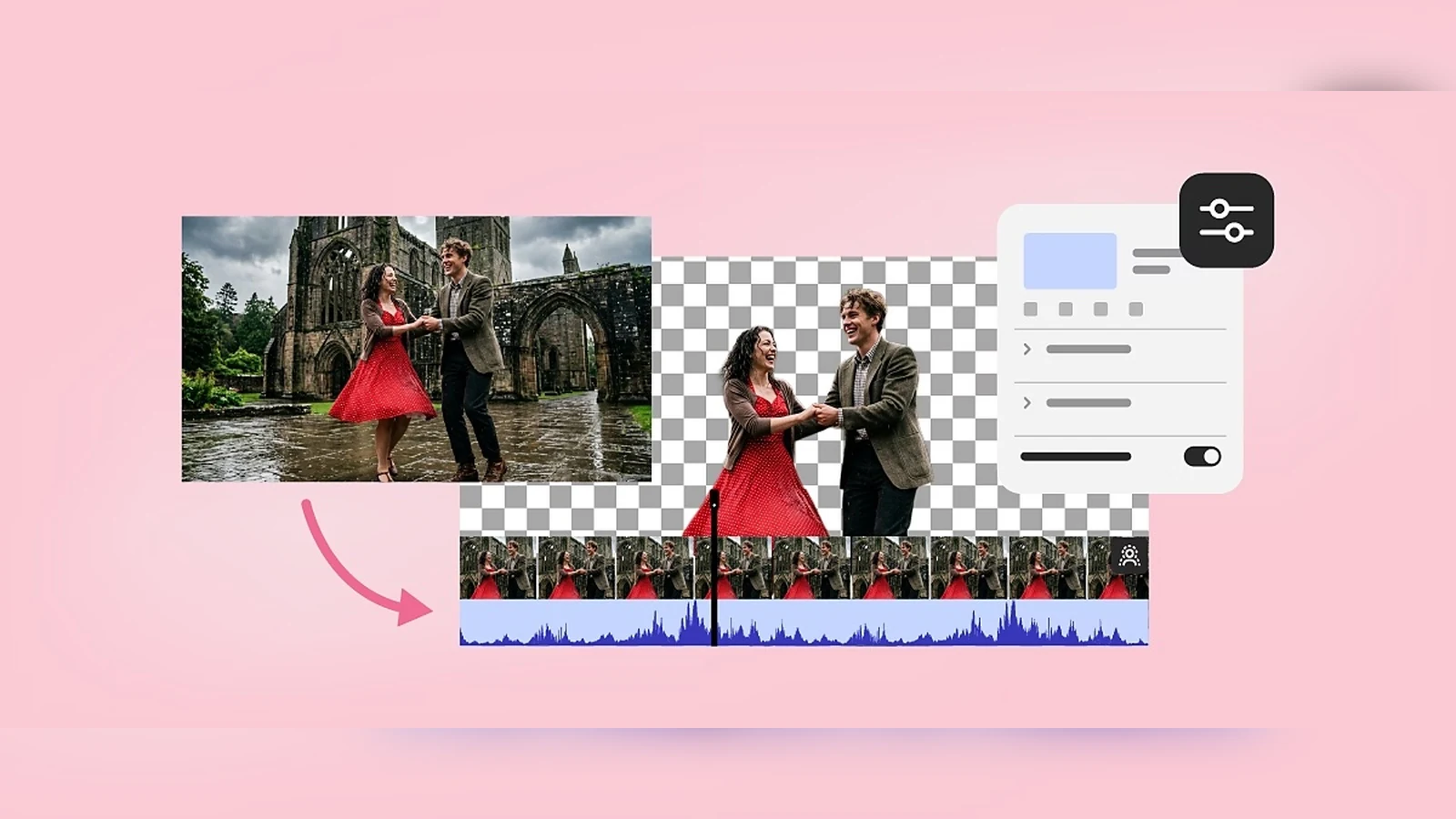
Adobe Firefly Video Editor can now automatically remove the background from an entire video clip without requiring frame-by-frame masking.
Adobe added the new Remove Background feature on September 18, 2026. The tool identifies one or more subjects in the first frame of the selected portion and then removes the background throughout the clip while preserving those subjects.
The feature is available in the web-based Firefly Video Editor, which remains in beta.
How Remove Background works
The user adds the video clip to the timeline, selects it and enables Remove background in the Properties panel. Processing is automatic and, once completed, the new clip replaces the original in the editing workspace.
The same command is also available by right-clicking the clip. After processing, Remove Background can be toggled on and off to compare the result with the original video.
What happens when the clip has been trimmed
If the clip has already been trimmed in the timeline, Firefly still removes the background from the entire original clip. For subject selection, however, it uses the first frame within the trimmed portion.
This matters in shots where people or objects enter and leave the frame, because the first frame of the selected section is used for the initial subject detection.
Why it matters to filmmakers and video creators
Automated subject isolation can speed up tasks such as social videos, product presentations, compositing, background replacement and quick creative drafts. The key point is that creators no longer need to build and correct masks frame by frame simply to isolate the main subject.
The feature does not mean every difficult shot will stop requiring careful review. Result quality on fine edges, hair, motion blur, translucent elements or complex movement will still need to be judged case by case.
After the background has been removed, the clip can continue to be edited in the timeline and exported as an MP4 file.
What we think
For fast web and social workflows, Remove Background is a meaningful addition to Firefly Video Editor. Its value is not simply that it uses AI, but that it turns a task that normally takes time and manual work into a clip-level action. Since the editor remains in beta, its performance on demanding real-world footage will determine how useful it becomes in professional workflows.
Frequently asked questions
Does it require frame-by-frame masking?
No. The feature is designed to identify the subject and automatically remove the background throughout the clip.
Which frame is used to identify the subject?
The first frame of the selected portion. If the clip has been trimmed, it uses the first frame within the trimmed section.
Is the feature in Premiere Pro?
No. This specific capability is part of Firefly Video Editor in Adobe Firefly.
Is Firefly Video Editor a final release?
No. Adobe still describes it as a beta feature.
Learn more here.