

Summary
- Canon has announced the free Camera Control Center for operating and managing multiple compatible cameras.
- The app consolidates four utilities and supports management of up to 200 devices.
- New features include four-feed comparisons, colour matching and angle-of-view simulation.
- The Windows 11 release is due in January 2027, with macOS to follow.
Canon’s new Camera Control Center aims to bring the control, setup and management of up to 200 compatible cameras into one free desktop application.
Announced on November 4, 2026, the software targets multicamera productions including broadcast studios, livestreams, events and installations where one operator needs to manage several PTZ cameras.
The app is scheduled for release in early January 2027 on Windows 11, with macOS support planned later. Canon has also published an official video demonstrating its features.
Four Canon applications become one
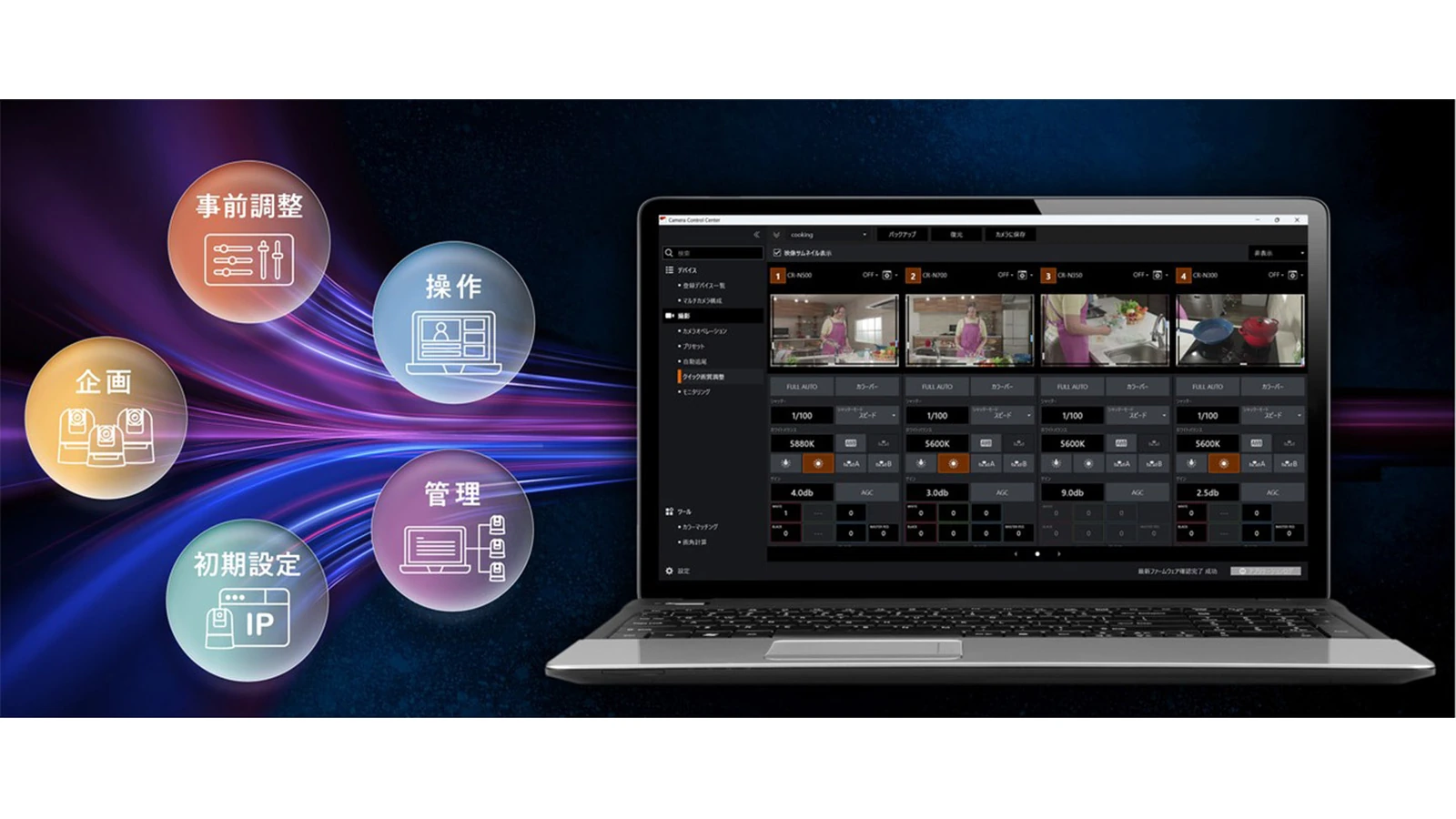
Anyone running a PTZ system may currently need different software for different stages of production. Camera Control Center combines the Camera Search Tool for discovery and initial configuration, Remote Camera Control Application for pan, tilt, zoom and presets, Multi-Camera Management Application for device settings and firmware, and Camera Colour Matching Application for matching camera colour.
Teams can move from camera setup to operation and maintenance without constantly switching utilities. It is a workflow-management and control tool, however, not a new video switcher that replaces the hardware used to mix camera feeds.
Configuration and maintenance for up to 200 compatible devices
Canon states that the application supports up to 200 compatible devices via its XC Protocol, covering PTZ systems and selected professional cameras. That number refers to device management; it does not mean that 200 live feeds appear on the screen simultaneously.
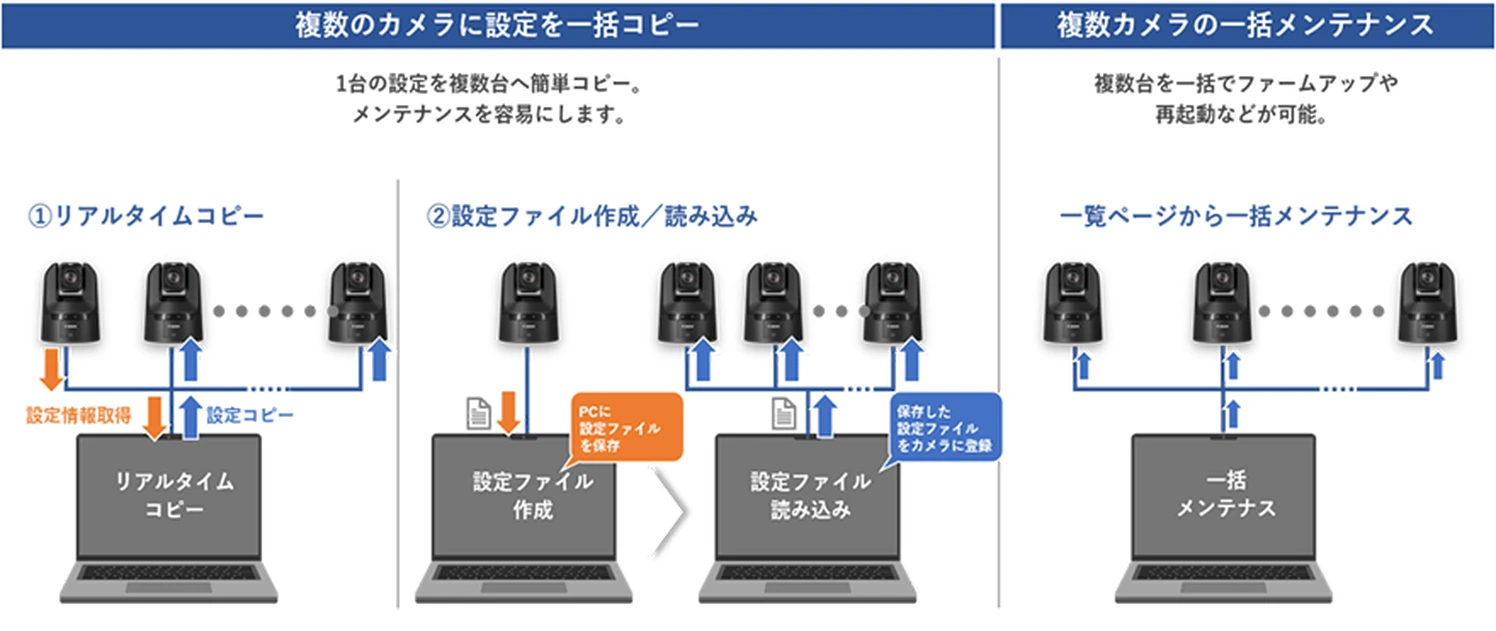
Camera settings can be copied in batches, with group operations handling backups, restores and maintenance without repeating every task per device. A new Multicam Setups feature saves settings across cameras by scene or production, ready to recall on a subsequent shoot.
For context, cameras such as the Canon CR-N700 and CR-N400, which are gaining internal recording and tracking capabilities, form part of the broader remote-production workflow. The functions exposed by the new app still vary by camera and firmware version.
Four previews for fast image adjustments
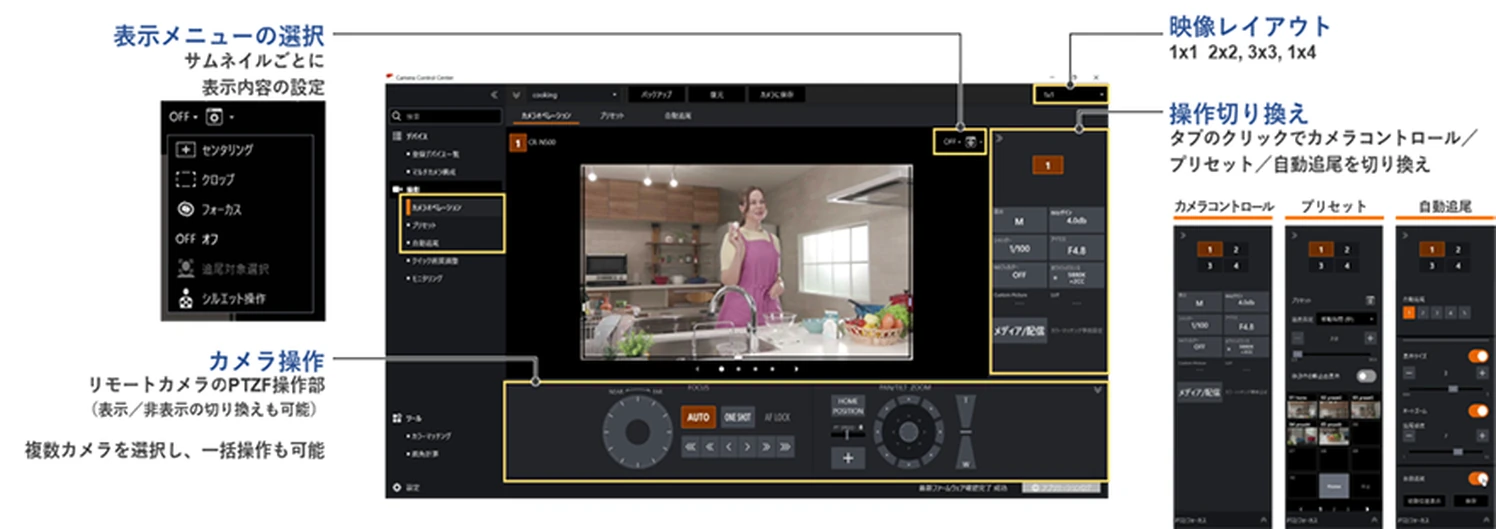
Quick Adjustments brings up to four video feeds and their adjustment panels onto a single screen. An operator can compare images directly and change settings including white balance, shutter speed and iris rather than moving between separate camera menus.
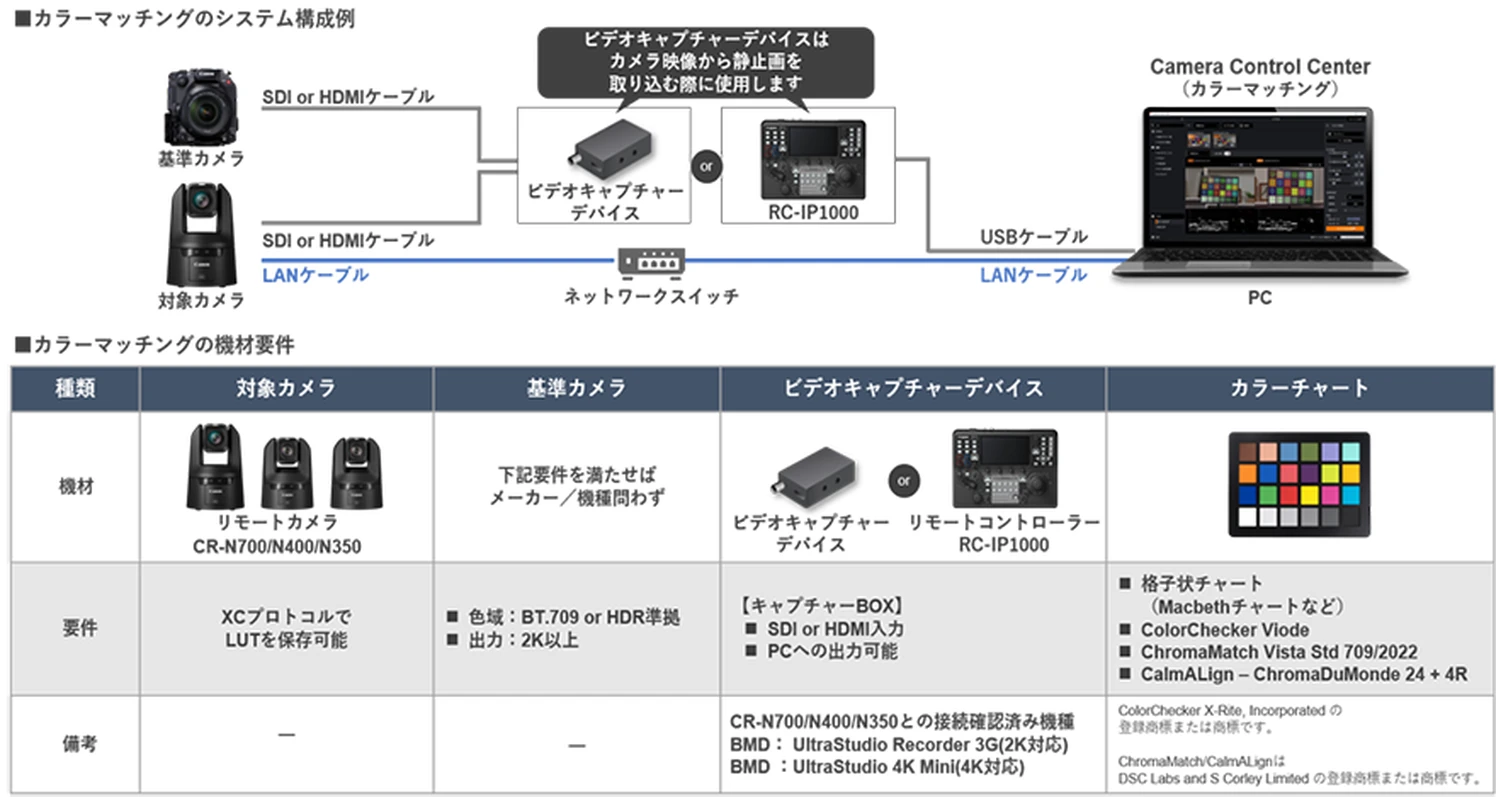
Colour matching is a separate workflow: using a colour chart captured from a reference camera, the application can help match the output of supported PTZ models and generate or send LUTs. Canon’s existing matching tool supports the CR-N700, CR-N400 and CR-N350. This does not mean that third-party cameras can all be remotely operated by the new application.
Plan the framing before setting up a PTZ camera
The new FOV Calculation feature simulates a compatible PTZ camera’s angle of view using the model and the distance to the subject. Crews can therefore plan camera positions in studios, event venues or livestreaming spaces before installation.
The same interface integrates remote pan/tilt/zoom, focus and presets, plus selected features such as cropping or auto-tracking wherever the connected camera supports them.
Windows 11, compatibility and free availability
Camera Control Center is scheduled to be free in early January 2027. Its initial release is for Windows 11, with macOS support announced for a later date. Canon’s Japanese product page lists English and Japanese as the application-interface languages.
Beyond PTZ cameras, Canon mentions selected Cinema EOS models, professional camcorders and remote controllers. Compatibility and the available functions must be checked model by model: being listed as compatible does not guarantee access to every feature.
More information here.
What we think
The most interesting part is not really the 200-device figure. It is the prospect of one operator working with multiple cameras without opening another utility every time they need presets, configuration or firmware tools. On a small-crew production, that removes a lot of unnecessary friction.
We are especially interested in the combination of four-camera image comparison and colour matching. If you have ever worked on a multicamera event, you know how obvious mismatched white balance or colour response becomes at the first cut between angles. Seeing feeds side by side and handling image matching from one place could make a tangible difference.
There is a practical limit: software will not make different cameras identical, nor will it replace a switcher, the necessary live-production infrastructure or a properly captured colour chart. For teams working mainly with compatible Canon PTZ cameras, having these tools together for free is nevertheless a genuinely useful development.
Frequently asked questions
Can Camera Control Center replace a video switcher?
No. It is intended for camera control, configuration and management, not as a replacement for live video switching or input mixing hardware.
Does it control every Canon DSLR or mirrorless camera?
No. Canon lists compatible PTZ cameras, professional camcorders, selected Cinema EOS models and controllers. Support and functions vary by model.
Is the new application already available for Windows or Mac?
Not as of November 5, 2026. The free Windows 11 release is scheduled for early January 2027, with macOS support to follow later.