

Summary
- HyperCam Trigger can request an iPhone photo when it detects sound, motion or a flash of light.
- A clap can activate the camera without touching the screen.
- The app must stay open and cannot guarantee every event will be captured.
- It is free to download for iOS 17 or later, with optional Pro features.
A clap, sudden movement or a flash of lightning can trigger an iPhone photo with the HyperCam Trigger app.
HyperCam Trigger by HighRoad Software is built for moments that are difficult to time with a tap of the shutter. It watches for a selected event and requests a capture when that event is detected, rather than relying entirely on the photographer’s reflexes.
Take a photo with a clap
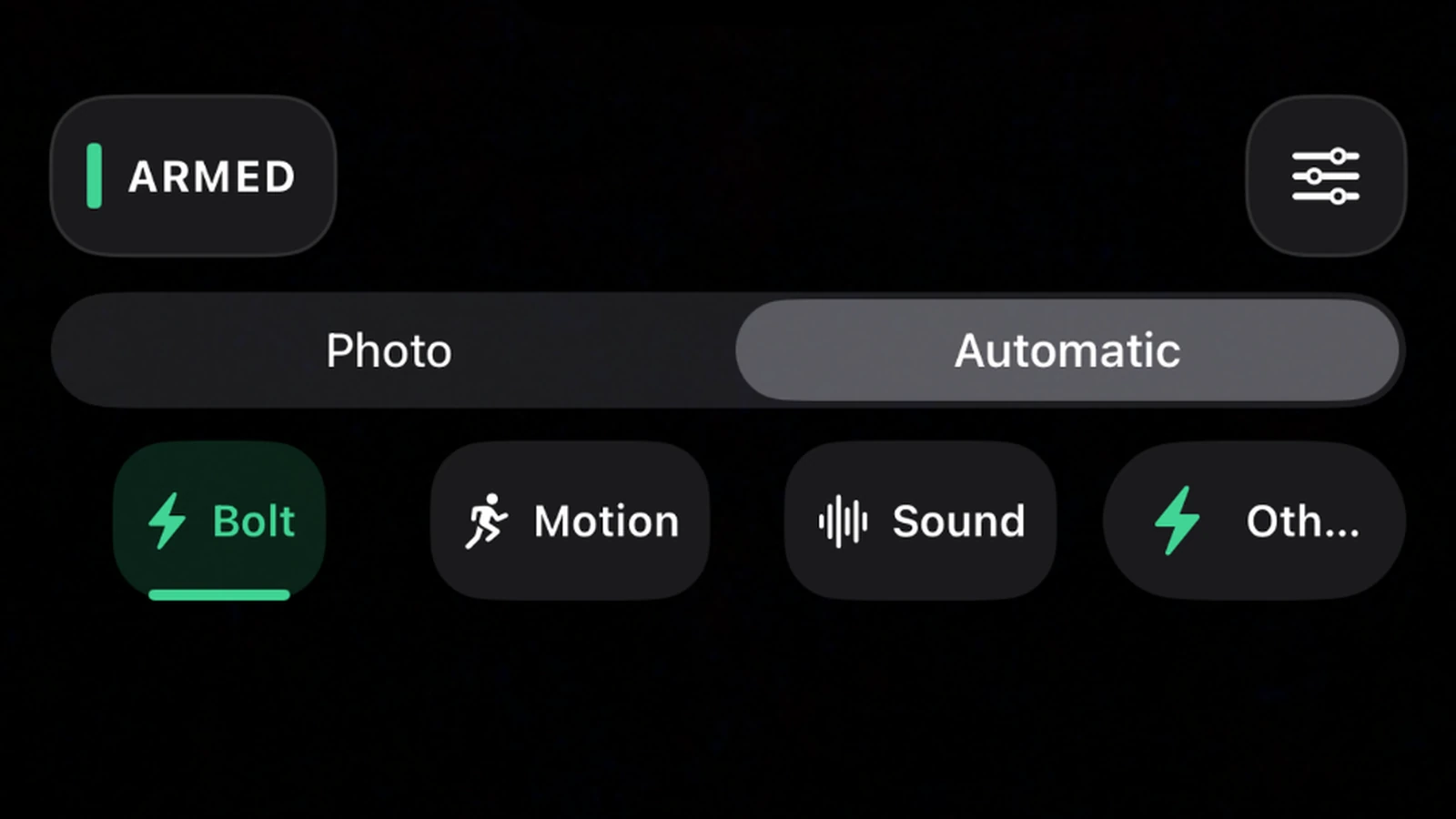
For a group picture or self-portrait, place the iPhone somewhere stable, select Sound and arm the trigger. A clap or another sufficiently loud sound can then request a photo without touching the screen or racing a countdown timer.
Sensitivity can be adjusted for the surrounding noise. The app has to remain open, with its camera running and the selected trigger armed. It is not a covert camera tool and does not keep listening in the background.
Lightning, motion and steady scenes
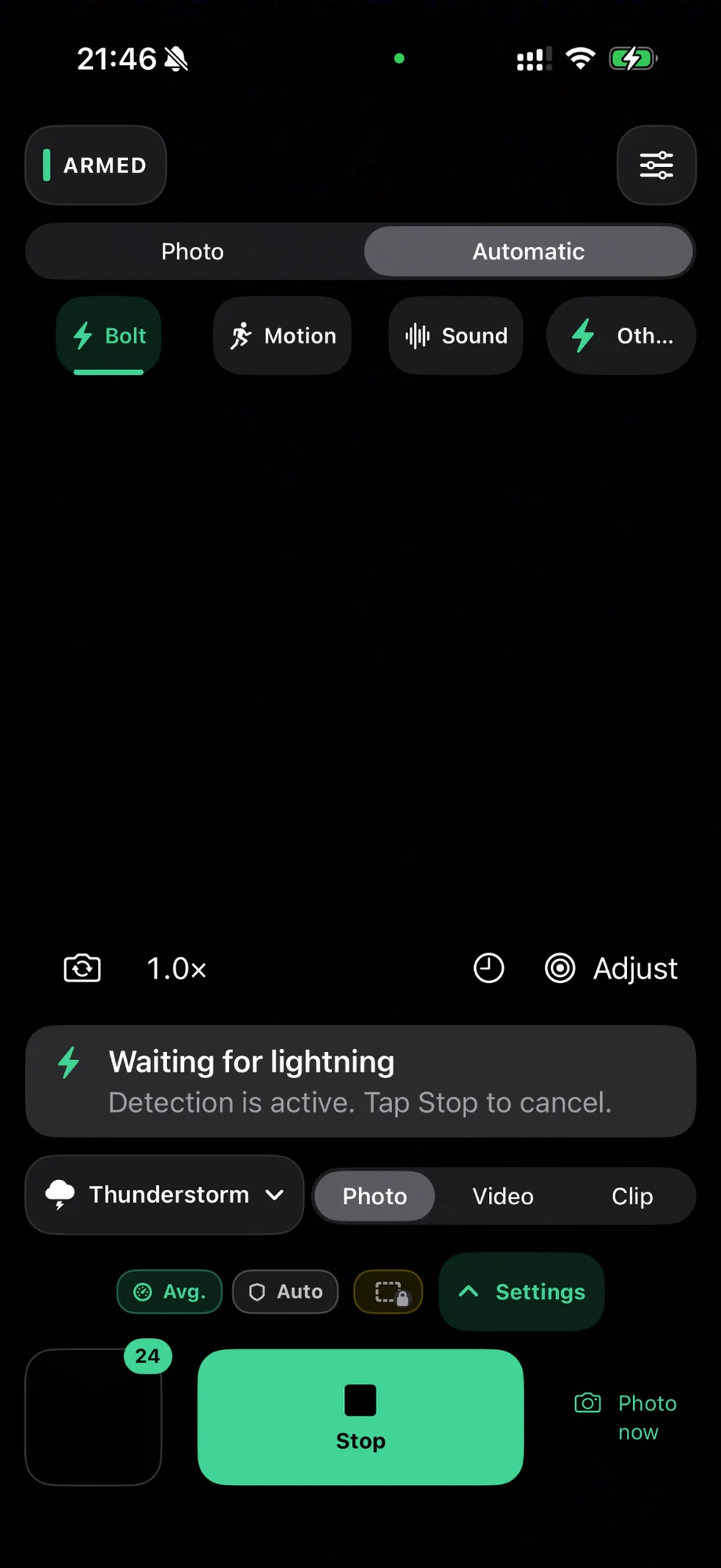
Lightning mode looks for abrupt brightness changes, while Motion responds to movement in the frame. The app can also use the phone’s own motion sensors to detect a shake or a stable position. Sensitivity and analysis-area controls help reduce unwanted triggers.
For thunderstorms, detecting a flash is not a guarantee that the lightning will appear in the finished photograph. Camera readiness and capture latency still matter. Storm photography should always be done from a safe, sheltered position.
Other camera tools
The manual shutter stays available, and photographs initially remain in the app’s local gallery, from which they can be exported to iPhone Photos. Version 1.1 introduced guided calibration for Sound, Motion and Lightning, updates to the Moments gallery, and precise video-frame extraction, among other changes.
Optional advanced workflows on compatible iPhones include RAW/ProRAW, HDR bracketing, focus stacking and on-device super resolution through HyperCam Pro. Their availability and speed depend on hardware, storage and shooting conditions.
Specialist apps are changing how people take pictures with smartphones. WorthWait, for instance, limits shooting to film-style rolls and delays photo review; HyperCam instead changes what causes the shutter to fire.
Price and availability
HyperCam Trigger is available in the App Store for iPhone running iOS 17 or later. It is free to download with optional in-app purchases. HyperCam Pro offers monthly, yearly and Lifetime purchase options, with local pricing shown by the App Store.
More information here.
What we think
The most useful example may be the simplest: set up your phone, walk into the frame and clap to take the picture. For solo creators, that is more natural than sprinting into position before a timer runs out.
For action and lightning, we would set expectations differently. Detecting an event and completing the exposure are not necessarily simultaneous. A repeatable motion test with a solid support and several sensitivity settings tells you more than assuming every bright flash will result in a perfectly timed shot.
Having different triggers in the same app is appealing, particularly as the regular shutter is still there. But photographers who use dedicated cameras should know the distinction: HyperCam triggers the iPhone camera, not a connected DSLR or mirrorless body. Those setups still require suitable external trigger hardware.
Frequently asked questions
Can HyperCam keep triggering photos with the app in the background?
No. The app must remain open with the selected trigger armed for automatic detection; it is not a background camera-monitoring service.
Can it trigger a Sony, Canon or another external camera?
No. HyperCam captures with the iPhone cameras and does not replace a dedicated trigger for a DSLR or mirrorless camera.