

Summary
- ACDSee Photo Studio for Mac 27 adds generative AI image creation and editing.
- Visual similarity search can find related images without keywords.
- New culling tools and masks improve photo organization and non-destructive editing.
- The announced price is US$119.99 with 10,000 AI Credits and 100 GB of storage.
ACD Systems is bringing generative AI to Photo Studio for Mac 27: photographers can now create or modify images through written instructions and search large photo collections without remembering a single keyword.
Version 27.0.0.3528 launched on November 18, 2026, combining new AI features with cataloging, culling and non-destructive RAW editing tools.
Generate and edit images using plain-language instructions
AI Image Generation creates images from text prompts and supports preset visual effects and reference images for guiding composition, characters or style. It offers a way to build concepts and creative backgrounds without switching applications.
With AI Generative Edit, you describe the changes you want in an existing photograph or guide the result with reference imagery. The tool can be used from Manage mode, while the Activity Manager lets image generation run in the background.
Generative features use cloud processing and consume AI Credits. This differs from traditional local photo adjustments: buying the software does not provide unlimited AI image generation.
Find similar photographs without keywords
AI Reverse Image Search locates photos that visually resemble a selected image, without the need for tagging or carefully named files. Group By AI Image Similarity clusters related shots across folders or search results, helping photographers review sequences, near-duplicates and collections.
The new Reject Tag makes it easier to flag blinks, soft frames or unwanted images during culling, then pull those rejects together for review. After a wedding, sports assignment or lengthy production day, this kind of organization may save more time than another image effect.
More precise editing and a smoother workflow
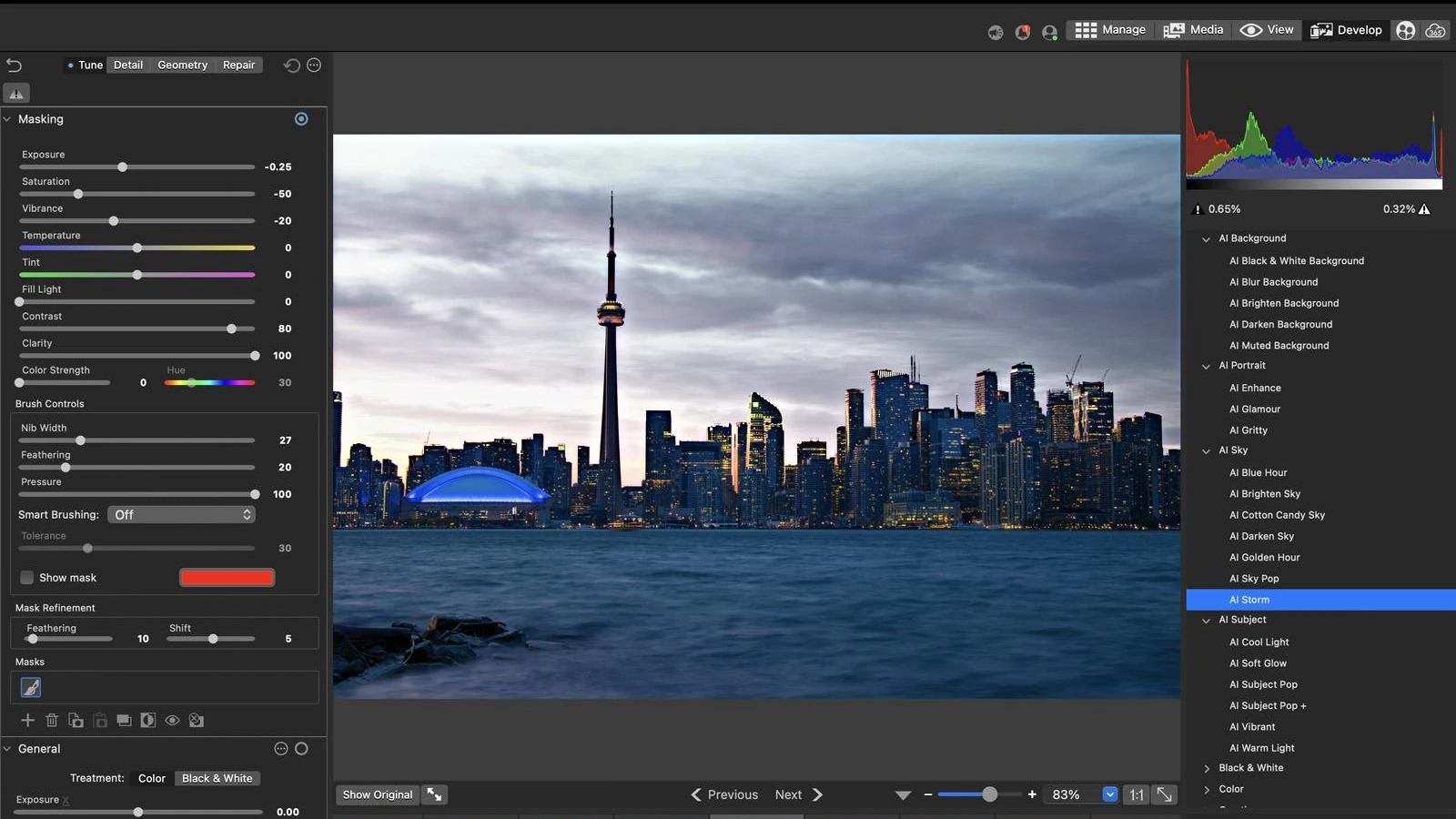
Develop mode now includes Color Range Masks and Luminance Range Masks, allowing adjustments to target selected colors or brightness ranges. The Before and After Slider offers a direct comparison with the original image, while edits remain non-destructive.
Navigation gains folder and search tabs, a new home page with shortcuts, and a refreshed interface. Elsewhere in the company’s software lineup, ACDSee Photo Studio Ultimate 2026 had already emphasized AI Denoise and intelligent masking; this announcement specifically concerns the macOS edition and its new generative capabilities.
More information here.
Price and availability
ACDSee Photo Studio for Mac 27 has an announced price of US$119.99, including 10,000 AI Credits for generative features and 100 GB of SeeDrive cloud storage. Existing owners are eligible for upgrade pricing, and a 15-day free trial is available. An official price in euros for Greece was not verified.
The published system requirements include an Apple silicon or Intel Mac, a Metal-compatible GPU and at least 8 GB RAM, with 16 GB or more recommended.
What we think
In a working photographer’s routine, the dullest part is often not the colour work or retouching. It is finding the right frames among thousands of very similar shots. That is why visual search and similarity grouping seem more immediately valuable to us than generating yet another image from a prompt.
The new masks also address a real editing need. Isolating a particular brightness range in the sky or adjusting just one colour without disturbing the rest of a frame gives you more control and reduces time spent building selections.
Generative AI brings a different question: how much will it cost after the included credits are used? Ten thousand credits sounds substantial, but the number of edits they cover depends on each operation’s consumption. When comparing ACDSee with Lightroom, photographers should weigh RAW handling, culling speed, library compatibility and the ongoing cost of AI tasks rather than simply counting features.
Frequently asked questions
Do I need keywords to find visually similar photos?
No. AI Reverse Image Search works from visual similarity and does not require manually assigned keywords.
Does the purchase include unlimited AI image generation?
No. It includes 10,000 AI Credits used by generative tools. Credit usage varies by operation.
Which computers are supported?
Photo Studio for Mac 27 requires a Mac with Apple silicon or Intel, Metal support and at least 8 GB RAM.