


Summary
- Nikon released firmware 1.20 for the Z5II and 1.9 for the COOLPIX P1000 on August 18, 2026
- The Z5II gains changes to Auto ISO, Imaging Recipes, controls, displays, Wi-Fi, FTP and video
- Aperture is no longer restricted during Z5II video recording in mode S
- The P1000 fixes a rare freeze while adjusting zoom during continuous burst shooting
- The official downloads are available through Nikon’s Download Center with separate installation instructions for each model
- What changes with Nikon Z5II firmware 1.20
- New control and display options
- More options for Wi-Fi and FTP
- A video change when using mode S
- COOLPIX P1000: What firmware 1.9 fixes
- Where to find and download both firmware updates
- How to install firmware 1.20 on the Z5II
- How to install firmware 1.9 on the P1000
- What Z5II owners should pay particular attention to
- What we think
- Frequently asked questions
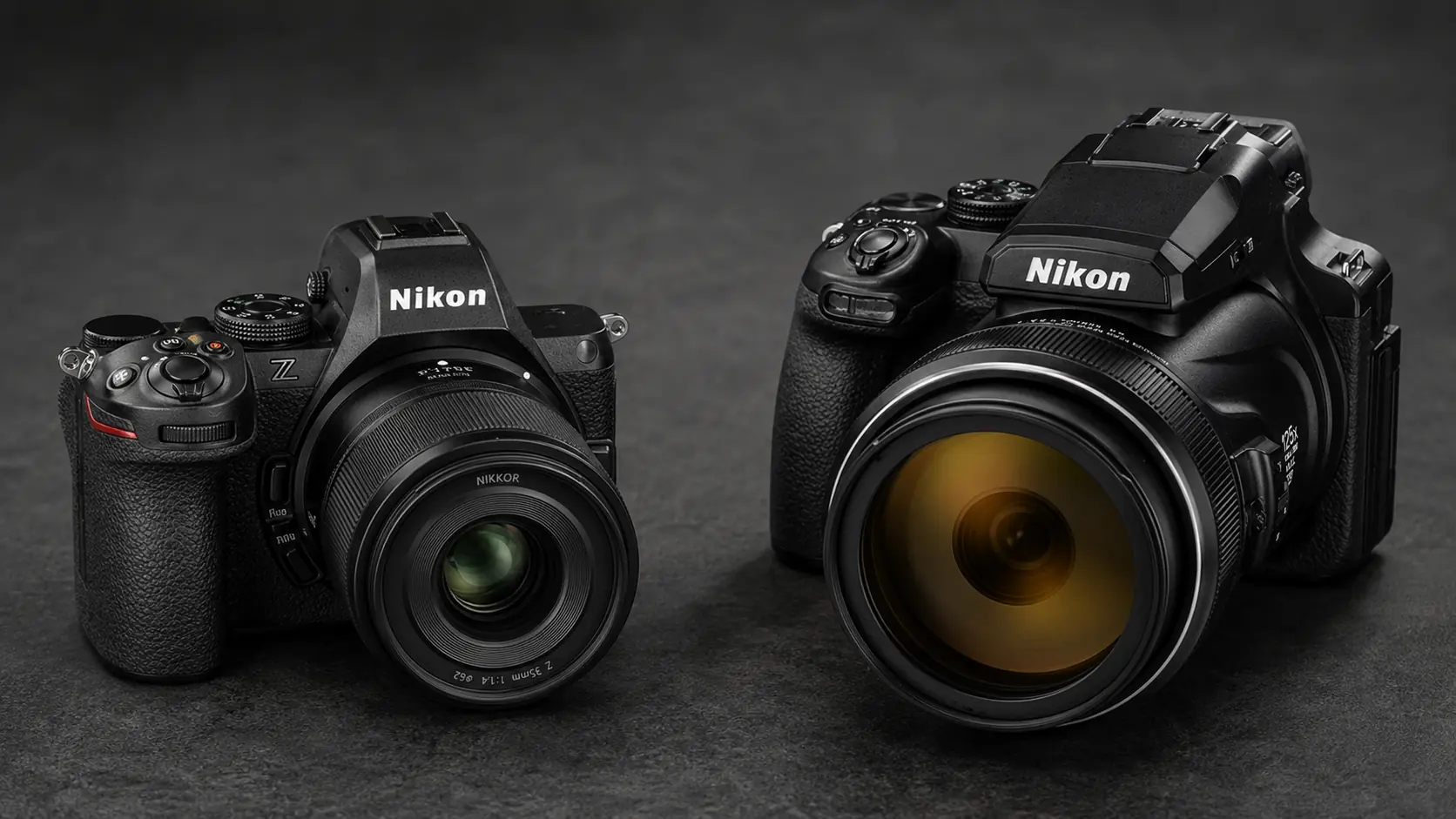
Nikon released firmware 1.20 for the Z5II and firmware 1.9 for the COOLPIX P1000 on August 18, 2026, with the official downloads already available through the Nikon Download Center.
The Z5II moves from “C” firmware 1.11 to version 1.20 and gains changes covering photography, Picture Controls, controls, displays, Wi-Fi, FTP and video. The COOLPIX P1000 moves from version 1.8 to 1.9, with Nikon fixing a rare issue that could cause the camera to stop responding while zoom was being adjusted during continuous shooting.
The difference between the two updates is substantial: for the Z5II this is a meaningful functionality and workflow update, while the P1000 release focuses on reliability. It is also notable that Nikon continues to provide firmware support for the P1000, a model introduced in 2018 and succeeded by the COOLPIX P1100 in 2025.
What changes with Nikon Z5II firmware 1.20
For still photography, Nikon has changed the available minimum shutter speed range under ISO sensitivity settings. The change provides revised control over how Auto ISO and shutter speed work together.
Picture Control terminology is also changing. “Cloud Picture Control” has been renamed “Imaging Recipe,” while the option for adding Cloud Picture Control files has been replaced by the option to download Imaging Recipes.
New control and display options
A new “On saving user settings” option has been added to the Save focus position function in the Setup Menu, extending control over focus behavior when user settings are saved.
Nikon has also added Automatic monitor display switch to the Setup Menu, providing another option for controlling the Z5II’s displays.
More options for Wi-Fi and FTP
The Network Menu gains a “Wi-Fi Always ON” option for connecting to a smart device over Wi-Fi in AP mode. This may be particularly useful in workflows where the Z5II is regularly used together with a smartphone or tablet.
For FTP connections, Nikon has also added an inactive connection timeout option, providing more control over network behavior when the connection is idle.
A video change when using mode S
One of the more significant practical changes concerns video. With firmware 1.20, aperture is no longer restricted during video recording when the Z5II is used in mode S, or shutter-priority auto.
The Z5II was introduced in April 2025 as a full-frame Nikon Z-mount mirrorless camera powered by the EXPEED 7 image processor, the same processor used in the Z9 and Z8.
COOLPIX P1000: What firmware 1.9 fixes
The COOLPIX P1000 update has a much more specific purpose. Nikon says it fixes an issue where, in rare circumstances, the camera could stop responding when zoom was adjusted during continuous burst shooting.
The update also includes all changes introduced by previous firmware releases. The immediately preceding version 1.8 fixed a different rare issue in which the P1000 could stop responding after burst shooting.
The P1000 was introduced in 2018 with a 125x optical zoom covering a 24-3000mm-equivalent range, while Nikon introduced the P1100 as its successor in 2025.
Where to find and download both firmware updates
Both downloads are available from Nikon’s official Download Center. These are not direct file links: users open the page for their camera, select Windows or Mac OS, review and accept the license terms and then use the Download button.
For the Nikon Z5II:
Official Nikon Z5II Firmware 1.20 download page
The page provides the Z5_2_0120.bin file, approximately 103.68 MB in size. Users scroll to the license section near the bottom of the page, choose their operating system, select “Accept” and then click “Download.”
For the Nikon COOLPIX P1000:
Official Nikon COOLPIX P1000 Firmware 1.9 download page
The page provides the firmware.bin file, approximately 19.99 MB in size. Users select Windows or Mac OS, scroll to the license section, select “Accept” and then click “Download.”
Nikon also notes that when a device does not support the download service, the information can still be viewed and the download link can be sent by email for use on a computer.
How to install firmware 1.20 on the Z5II
Before installation, users can check the current version under SETUP MENU > Firmware version. If version 1.20 is already installed, no additional download or installation is required.
Nikon’s official procedure requires a computer and card reader. Z5_2_0120.bin is copied to the root directory of a memory card that has been formatted in the camera. The file must not be placed inside another folder.
The card is then inserted into the Z5II and the update is started from SETUP MENU > Firmware version. Once the update is complete, the camera is turned off, the card removed and the firmware version checked again to confirm that version 1.20 has been installed.
How to install firmware 1.9 on the P1000
The COOLPIX P1000 uses a different file structure. Users create a folder named “firmware” on their computer and place firmware.bin inside it.
The entire “firmware” folder is then copied to the root directory of a memory card formatted in the P1000. Nikon warns that the camera will not recognize the new firmware if the folder is not placed in the correct location.
With the card inserted in the camera, the update is started from Set up > Firmware version and completed by following the on-screen instructions.
What Z5II owners should pay particular attention to
Nikon includes an important warning with firmware 1.20. The update should not be performed with a lens other than a Z-mount NIKKOR lens attached, or with a mount adapter other than the FTZ II or FTZ. Nikon says failure to observe this precaution could result in camera malfunction.
There is also a note concerning SnapBridge. If a Z5II is being updated from firmware 1.00 and was previously registered with the app, it may not reconnect automatically due to a change in the camera display name used for pairing. Nikon instructs users in this situation to remove the old camera registration from SnapBridge and pair the camera again.
What we think
Firmware 1.20 for the Z5II is a meaningful platform-maturity update because it goes beyond a single fix and affects photography, video, camera controls and networking. Firmware 1.9 for the P1000 has a much narrower purpose, but fixing a problem that could cause the camera to stop responding is practically important. The continued support of a camera introduced eight years ago is also noteworthy.
Frequently asked questions
Where can Nikon Z5II firmware 1.20 be found?
It is available on the official Z5II Firmware page in Nikon’s Download Center. After selecting the operating system and accepting the license agreement, the Z5_2_0120.bin download becomes available.
Where can COOLPIX P1000 firmware 1.9 be found?
It is available on the official COOLPIX P1000 Firmware page in Nikon’s Download Center. The firmware.bin download becomes available after selecting Windows or Mac OS and accepting the terms.
Is a computer required for the update?
Nikon’s official procedure for these firmware updates requires a computer and a card reader.
Is an update required if the new version is already installed?
No. Nikon says no additional download or installation is required if the Z5II is already running firmware 1.20 or the P1000 is already running firmware 1.9.
What is the main precaution for the Z5II?
Nikon warns against performing the update with a lens other than a Z-mount NIKKOR lens attached, or with a mount adapter other than the FTZ II or FTZ.