

Summary
- Stow was created by videographer Luke Lv and the team behind UK production studio lümira.
- It copies the contents of a memory card to two drives simultaneously.
- It rereads every file and compares every byte with the data on the original card.
- It does not write anything to the memory card during verification.
- It displays a clear message when the card is safe to wipe.
- It is available free of charge for Mac and Windows, with no account or in-app purchases required.
- The software has not yet been certified by Apple or Microsoft.
- The Question at the End of Every Shoot
- Copying to Two Drives Simultaneously
- Verifying Every Byte
- The “Safe to Wipe” Result
- Why a Simple Copy Is Not Enough
- Free, With No Account or Purchases
- Available for Mac and Windows
- Additional Features for Professional Workflows
- What We Think
- Frequently Asked Questions
Stow copies the data from a memory card to two drives, verifies every file, and tells the user when it can be safely wiped.
Luke Lv, founder of UK-based video production studio lümira, developed a free file offloading and verification app with his team after growing tired of paying per-user fees for professional offload software. Stow copies the contents of a memory card to two different drives at the same time and then checks that the data has been transferred completely and without corruption.
The app addresses a critical problem for photographers and videographers: Windows and macOS can copy files, but their native file systems do not automatically confirm that the data stored at the destination is identical to the data on the card. As a result, a corrupted file may remain unnoticed until the material is edited days, weeks, or even months later, when the original card may already have been formatted.
The Question at the End of Every Shoot
As Luke Lv explains, every production team faces the same essential question at the end of a shoot: have the cards been backed up properly, and are they genuinely safe to wipe?
The issue becomes even more important when expensive memory cards are involved. Creators want to reuse them as quickly as possible without compromising data security or production performance. Stow was designed so that the answer is based on an actual data check rather than the assumption that the copy process finished correctly.
Copying to Two Drives Simultaneously
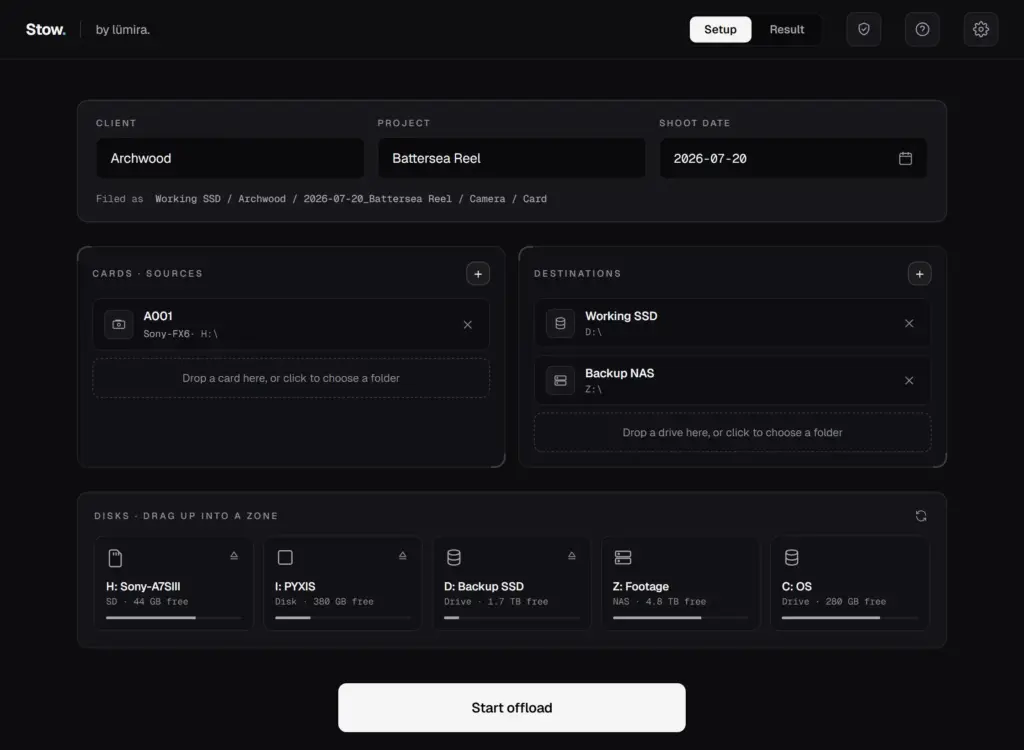
Once the card is inserted into a card reader, or the camera is connected to the computer, the user selects two destination drives. The first will typically be the main working drive and the second the backup.
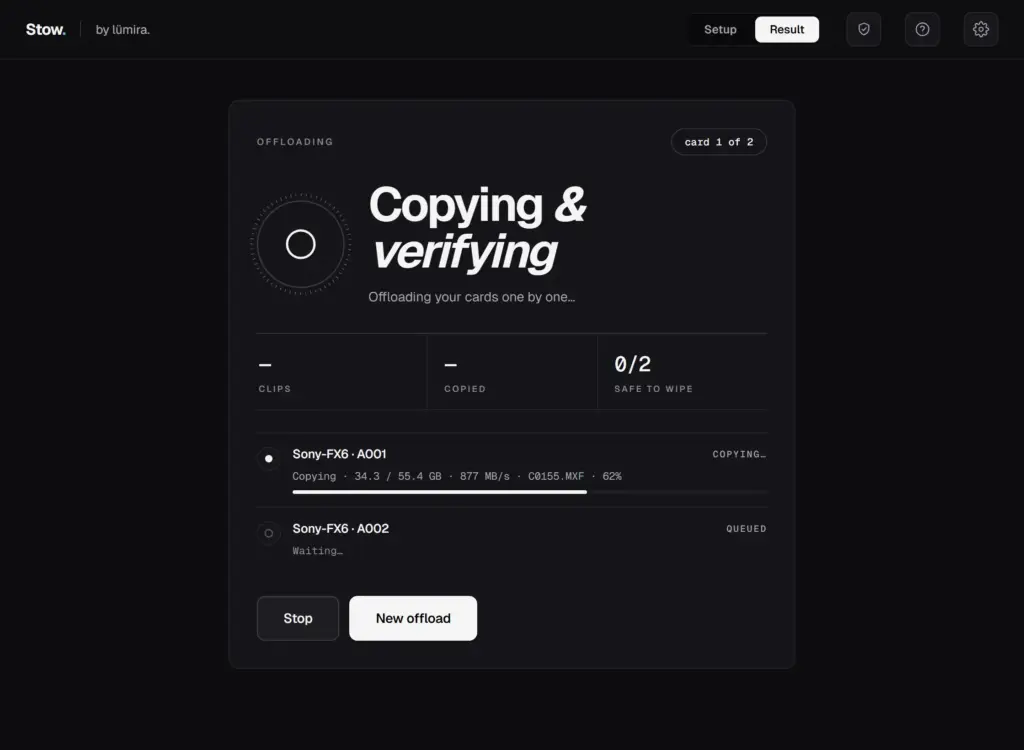
Stow transfers the data to both destinations at the same time, rather than requiring two separate copying operations. Once the transfer is complete, it rereads every file from each drive and checks that the files were copied fully and correctly.
Creating two copies is part of a sound data-protection workflow. Under the 3-2-1 backup strategy, photographers and videographers should maintain three copies of their data on two different physical storage devices, with at least one copy stored off-site, such as in the cloud.
Verifying Every Byte
Stow’s most important feature is that it does not simply confirm that files exist or compare their filenames and folder structure.
The app verifies every byte of data stored on both drives and compares it with the corresponding content on the memory card. This enables it to identify situations in which a file appears to have been copied but does not contain exactly the same data as the original.
During verification, Stow does not write anything to the memory card. The card is used only as a read source, reducing the risk of accidentally modifying the original data.
The “Safe to Wipe” Result
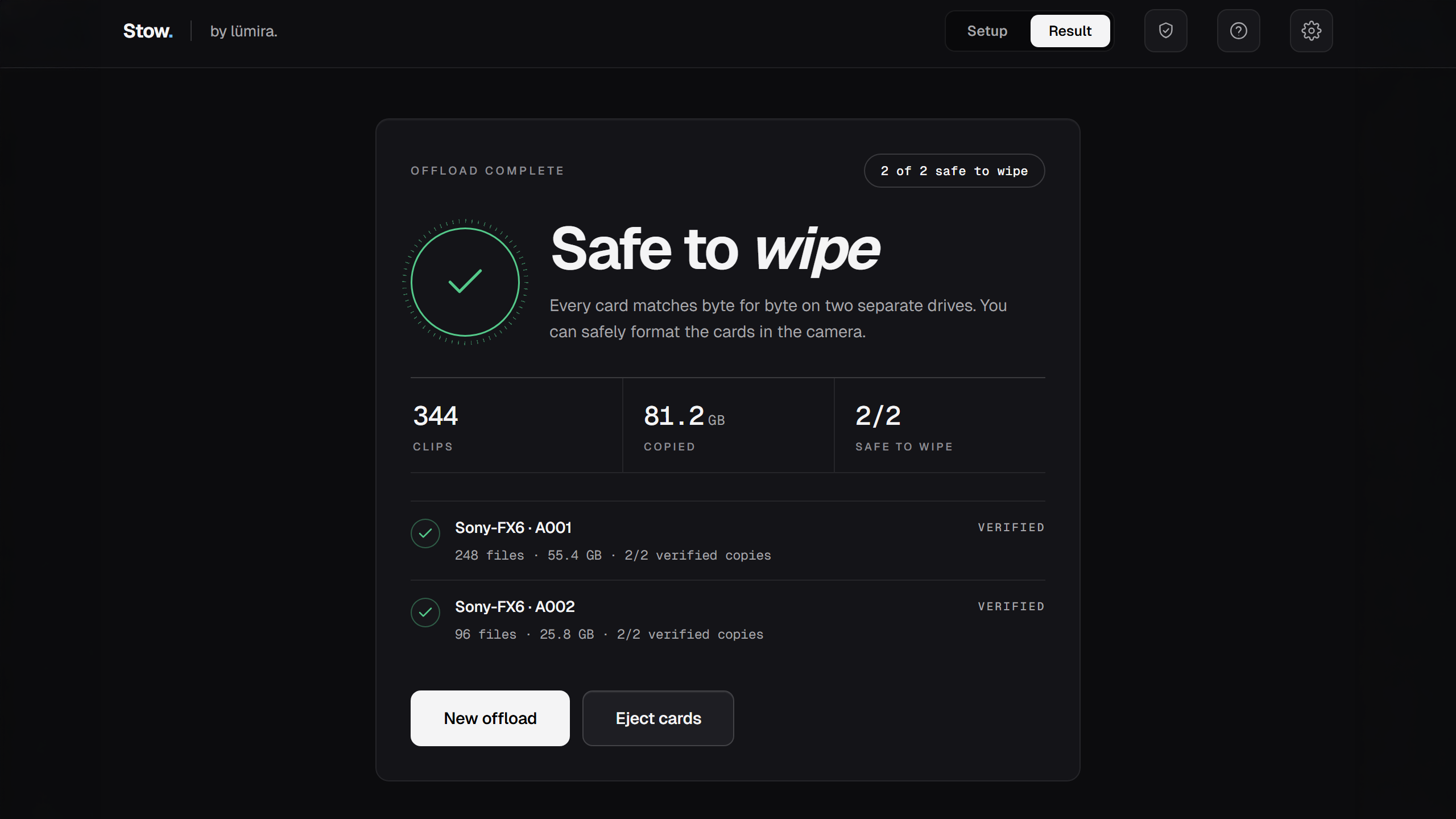
After the copying process has been completed and both copies have been verified, Stow displays a clear message confirming that the card is safe to wipe.
The app presents details such as the number of clips, the total volume of data, the cards that were checked, and the status of the copies on the selected drives. Users can therefore see which cards have been verified and are ready to return to the camera.
Stow can also generate a verified offload report containing details about the project, card, camera, data size, and verification status on each destination drive.
Why a Simple Copy Is Not Enough
The built-in copying tools in Windows and macOS write files to their destination, but they do not automatically perform a complete check to establish that every part of the copied data matches the source.
A file can therefore exist on a drive with the expected name and size while still containing corrupted data. Without additional verification, the problem may only become apparent when the file is opened or used during editing.
In a professional production, where delivery may take place later and cards are often reused quickly, such a delay in detecting a failure can have serious consequences.
Free, With No Account or Purchases
Stow is entirely free to use. It does not require an account, includes no in-app purchases, and does not charge a fee for each user.
This approach is directly linked to the reason the app was created. Lv and his team regularly used offload software in their work but no longer wanted to pay separate license fees for every member of the production team.
Available for Mac and Windows
The app runs on macOS and Windows, although it has not yet been certified by Apple or Microsoft.
As a result, users may encounter security warnings during installation and may need to follow additional steps to allow the app to run. The lümira team has prepared separate installation instructions for both operating systems.
According to Lv, official certification is the next step for the application. Until that process is completed, Stow remains available to download, but users must manually work around the relevant operating-system security mechanisms.
Additional Features for Professional Workflows
Alongside simultaneous copying and data verification, Stow includes features designed for structured production environments.
These include verified offload reports, MHL manifest support, the ability to check an existing archive, and a clear verdict on whether a memory card is safe to wipe.
The app is presented as a free alternative to established tools such as Hedge OffShoot, ShotPut Pro, Pomfort, and Resolve Clone, which offer different combinations of features, operating-system support, and pricing models.
Find it here.
What We Think
Stow focuses on a simple but critical stage in every professional workflow: confirming that footage has been copied correctly before the only primary source is erased. Its free availability makes it particularly interesting for small production teams and independent creators, although the lack of Apple and Microsoft certification means users should exercise additional care during installation.
Frequently Asked Questions
What is Stow?
Stow is a free app for Mac and Windows that copies the contents of a memory card to two drives and verifies that the data has been transferred correctly.
How does it check that files are not corrupted?
It reads the files from both destination drives and compares every byte of data with the corresponding content on the memory card.
Does it write any data to the memory card?
No. During verification, it reads the contents of the card without modifying it or adding files.
Is it really free?
Yes. It requires no account, includes no in-app purchases, and does not charge per user.
Why do security warnings appear during installation?
The app has not yet been certified by Apple or Microsoft, so users must follow additional security steps to install it.