Summary
- Affinity 3.3 delivers the app’s biggest photography update yet.
- It adds nine new colour, sharpening and detail adjustments during RAW development.
- Complete RAW edits can be saved as presets and applied across shoots, panoramas, stacks and focus merges.
- The update also adds Mixed Light Correction, Motion Blur Reduction, Scene Decomposition, a new Astrophotography Studio, Blend Tool and scripting.
- The core app remains free, while Canva AI Studio features require a premium plan.
- Deeper RAW control and presets for an entire shoot
- New Curves for more controlled colour
- Mixed Light Correction and Motion Blur Reduction
- Scene Decomposition and a new Astrophotography Studio
- Blend Tool, scripting and more than 60 changes
- Availability and cost
- What we think
- Frequently asked questions
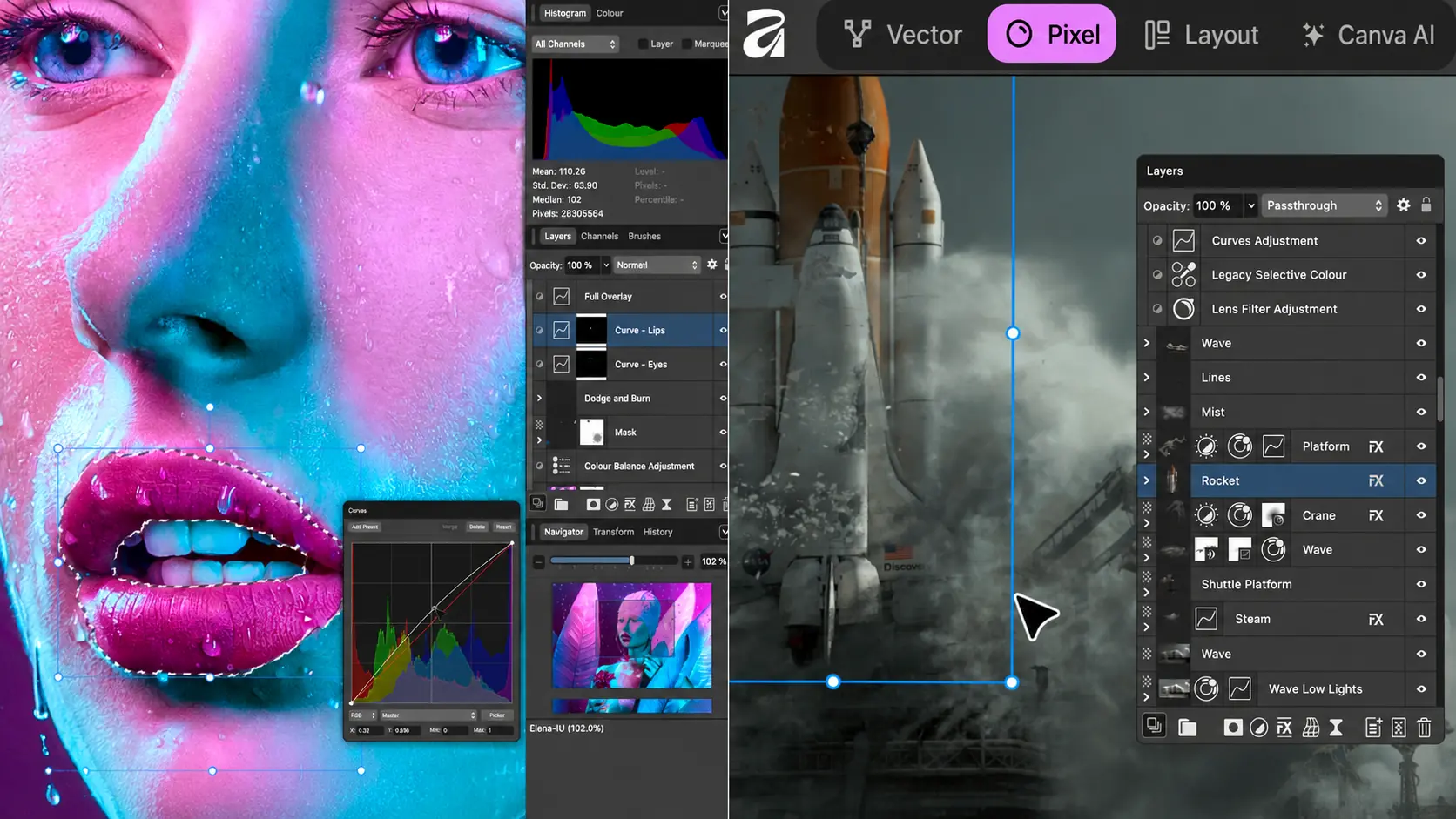
Affinity 3.3 delivers the free app’s biggest photography update yet, with deeper RAW control, new presets and expanded tools for colour, detail and image correction.
The update was released on September 15, 2026 and is part of a package containing more than 60 new features and improvements. Affinity puts a strong focus on photographers, adding nine new colour, sharpening and detail adjustments as well as the ability to save a complete RAW edit as a reusable preset.
Core Affinity remains free for macOS and Windows, continuing the direction that began when Canva made Affinity free for everyone. The company says the core photo, vector and layout tools remain free, while Canva AI Studio features require a premium Canva plan.
Deeper RAW control and presets for an entire shoot
The most important change for photographers is in RAW development. Affinity says the new release adds nine new colour, sharpening and detail adjustments, allowing more work to be done while RAW data is still live and before the image moves to the next stage of editing.
A complete look can now be saved as a preset and applied across a set of images, as well as to panoramas, stacks and focus merges. This makes it more practical to maintain a consistent look across larger projects without repeating the same adjustments on every file.
According to PetaPixel, version 3.3 also improves how the RAW engine handles exposure, shadows and highlights, aiming for more natural tones and colours during development.
New Curves for more controlled colour
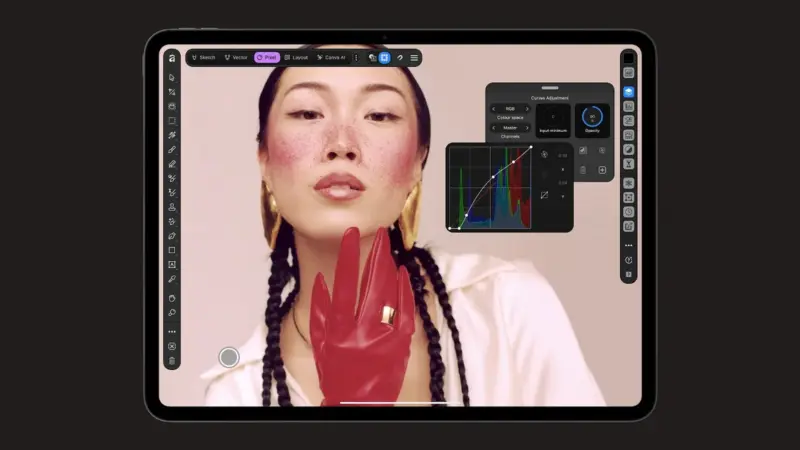
Curves now use hue-preserving behaviour, so brightness changes are less likely to shift colour unpredictably. Separate saturation and hue curves have also been added, giving photographers more targeted colour-grading control in a workflow similar to tools found in video-editing software.
For photographers working with large groups of images, global presets make it easier to apply a common look quickly while retaining room for further refinement.
Mixed Light Correction and Motion Blur Reduction
Mixed Light Correction targets a familiar problem: a photograph lit by sources with different colour temperatures. Affinity says the tool can automatically detect and balance different light sources in an image, reducing the need for manual selections and separate corrections.
The Motion Blur Reduction Tool is designed for images affected by camera shake or motion blur, aiming to recover some of the lost sharpness and detail. Its effectiveness will depend on the type and severity of blur, but it could be useful for shots that cannot be repeated.
Scene Decomposition and a new Astrophotography Studio
Scene Decomposition can separate a flattened image into editable elements inside the document while filling in areas that were previously hidden behind those elements. It is aimed mainly at cases where the original layered file is no longer available and a finished raster asset needs to be reworked.
Version 3.3 also adds a dedicated Astrophotography Studio, strengthening Affinity’s workflow for stacking and editing astrophotography images. The app already includes HDR Merge, Focus Merge and astrophotography stacking workflows, so the new studio expands an area where Affinity already had substantial capability.
Blend Tool, scripting and more than 60 changes
Beyond photography-specific tools, the release adds the long-requested Blend Tool and in-app scripting. Scripts can automate repetitive work across pixel, vector and layout content in the same document, which can be valuable for production workflows and batch processes.
Overall, the update includes more than 60 new features and improvements. Affinity also highlights new integrations and automation features, while Canva AI Studio tools remain optional and require a premium Canva account.
Availability and cost
Affinity 3.3 is available now for macOS and Windows. The core app remains free and includes the main photo-editing, vector-design and page-layout tools. Access to Canva AI features inside Affinity requires a premium Canva plan.
More details about the photography update are available in Affinity’s official announcement.
You will find it here.
What we think
The direction of version 3.3 matters because it does not stop at general design features. It directly targets photographers’ workflows: RAW development, consistency across entire shoots, colour control and tools intended to rescue difficult images. Keeping the core editor free makes Affinity an even more interesting alternative for photographers who do not want a subscription, although the more automated tools will need to be judged in real-world use for quality and consistency.
Frequently asked questions
Is Affinity 3.3 still free?
Yes. The core app and its main photo, vector and layout tools remain free. Canva AI Studio features require a premium Canva plan.
What changes in RAW processing?
The new release adds deeper control during RAW development, nine new colour, sharpening and detail adjustments, and the ability to save a complete edit as a preset.
Can presets be applied to multiple images?
Yes. Affinity says presets can be used across an entire shoot and can also be applied to panoramas, stacks and focus merges.
Which operating systems support the update?
The update is available for macOS and Windows.