


Summary
- Modern cameras offer many features but often have complex menus
- Live search would help users find settings instantly
- Photographers would save time when changing focus, file and shooting settings
- Videographers would get faster access to codecs, log profiles and audio settings
- The feature would not replace good menus but would make them more useful
- The problem with today’s menus
- What live search means
- Why it would help photographers
- Why it would help videographers even more
- Cameras have become computers, but menus have lagged behind
- It would also help new users
- How it could be implemented properly
- It does not replace good menus
- A small change with a big impact
- What we think
- Frequently asked questions
Live search inside camera menus is one of the most useful features photographers and videographers could have.
Modern cameras now include dozens, even hundreds, of settings for photography, video, autofocus, stabilization, image profiles, connectivity and customization, yet finding a specific option often remains slow and tiring.
This matters because time spent inside a menu is time lost from shooting, especially when a photographer or videographer is working under real pressure.
The problem with today’s menus
Camera menus have improved in recent years, but they are still complex.
Manufacturers keep adding new features, but many of these options are buried in submenus, often under names that are not always obvious. Even experienced users may need time to remember where a setting is located.
This becomes even more noticeable when someone changes camera systems, uses a second camera from another brand or works with a model they do not know well.
What live search means
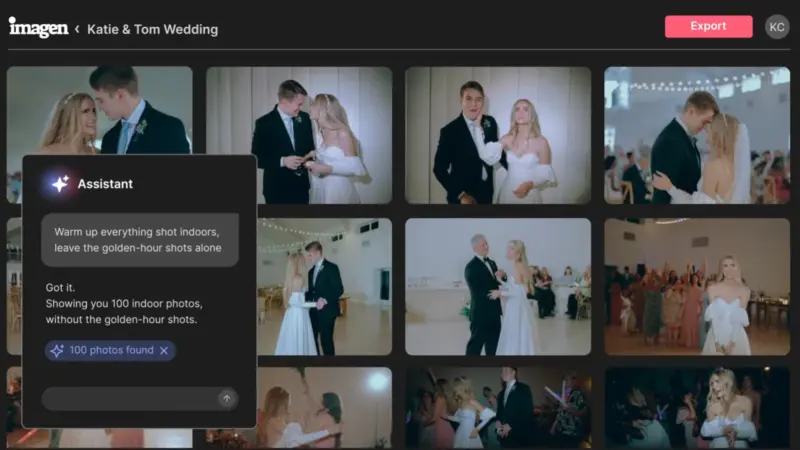
Live search inside a camera menu would work like search on a phone or computer.
The user could type or select keywords such as autofocus, zebra, log, shutter, stabilization, format, Wi-Fi or white balance, and the camera would instantly show the relevant settings.
Even better, search could also work with local language or simple descriptive terms, depending on the menu language. For example, a user could type “stabilization” and see all related options.
Why it would help photographers
For photographers, fast access to settings can make a major difference.
During a portrait session, event, wedding, trip or product shoot, conditions change constantly. A photographer may need to change autofocus type, shutter mode, subject detection, file quality, bracketing or flash settings.
Instead of searching through menu pages, they could instantly find the function they need. This would reduce stress and leave more room for the creative process.
Why it would help videographers even more
In video, menus are often even more demanding.
Videographers work with settings for codecs, frame rates, bit depth, log profiles, LUTs, zebra, waveform, audio levels, timecode, stabilization, HDMI output and overheating options. Many of these settings are critical and need to be found quickly.
Live search could significantly reduce mistakes, especially on shoots where time is limited and there is no room for trial and error inside the menus.
Cameras have become computers, but menus have lagged behind
Today’s mirrorless cameras are essentially specialized imaging computers.
They include AI-based subject detection, advanced stabilization, professional video features, wireless connectivity and extensive customization. Still, menu navigation often feels like it belongs to an older era.
Live search is not a spectacular marketing feature, but it is exactly the kind of function that can genuinely improve daily use.
It would also help new users
New photographers and videographers often struggle not because they do not understand what they want to do, but because they do not know where the relevant option is.
Search would act as a bridge between knowledge and action. If someone wants to change white balance, enable focus peaking or set up slow motion, they would not need to look through guides or videos every time.
This would make cameras more user-friendly without reducing their professional capabilities.
How it could be implemented properly
Live search should not simply be a search field hidden somewhere inside the menu.
It could be activated with a button, from the touchscreen or through the quick menu. Results should show not only the setting, but also its location inside the menu.
It would be even more useful if each result included a short explanation, so the user could quickly understand what the setting does before selecting it.
It does not replace good menus
Live search should not become an excuse for poor design.
Cameras still need clear menus, logical organization, accurate translations and fast custom buttons. Search should work as a complementary tool, offering quicker access to settings that are not used every day.
In other words, it is not enough for the user to be able to find a function. The camera itself must also be properly organized.
A small change with a big impact
Compared with new sensors, faster processors or more advanced autofocus systems, live search does not sound spectacular.
But for real users, it could be extremely important. It reduces search time, limits mistakes, makes the camera easier to use and helps creators stay focused on the shot.
It is one of those features that may not look impressive on a spec sheet, but would be used every day.
What we think
Live search inside camera menus is a feature manufacturers should seriously consider.
Photographers and videographers do not only need more megapixels, more fps or more video modes. They also need a better user experience. In that sense, smart search inside the menu could make modern cameras much more practical in everyday work.
Frequently asked questions
What is live search in a camera menu?
It is a feature that would allow the user to type or select keywords and instantly find related settings inside the camera menu.
Why is it important for photographers?
Because it helps them quickly change settings such as autofocus, white balance, file quality or shooting modes without wasting time in multiple submenus.
Why is it useful for videographers?
Videographers use many specialized settings, such as codecs, frame rates, log profiles, LUTs and audio levels. Fast search would make their work safer and quicker.
Would it replace custom buttons?
No. Custom buttons are useful for frequently used functions. Search would mainly help with settings that are needed occasionally and are not always easy to find.
Could it be added through a firmware update?
In theory, such a feature could be added through software on many modern cameras, as long as the operating system, processor and menu design allow it.