

Summary
- Adobe introduced Firefly Graph in public beta at Adobe MAX 2026.
- The tool connects AI models and creative applications in visual workflows.
- It supports reusable graphs, sharing and an AI Assistant.
- Generative model nodes may consume credits.
Adobe unveiled Firefly Graph at Adobe MAX 2026, a new visual tool that connects different generative AI models and editing tools into reusable workflows for image and video production.
Announced on November 10, 2026, Firefly Graph is available in public beta. Instead of repeating each creative task separately, creators can connect steps on one canvas, adjust the sequence and reuse the workflow across projects.
How Firefly Graph works
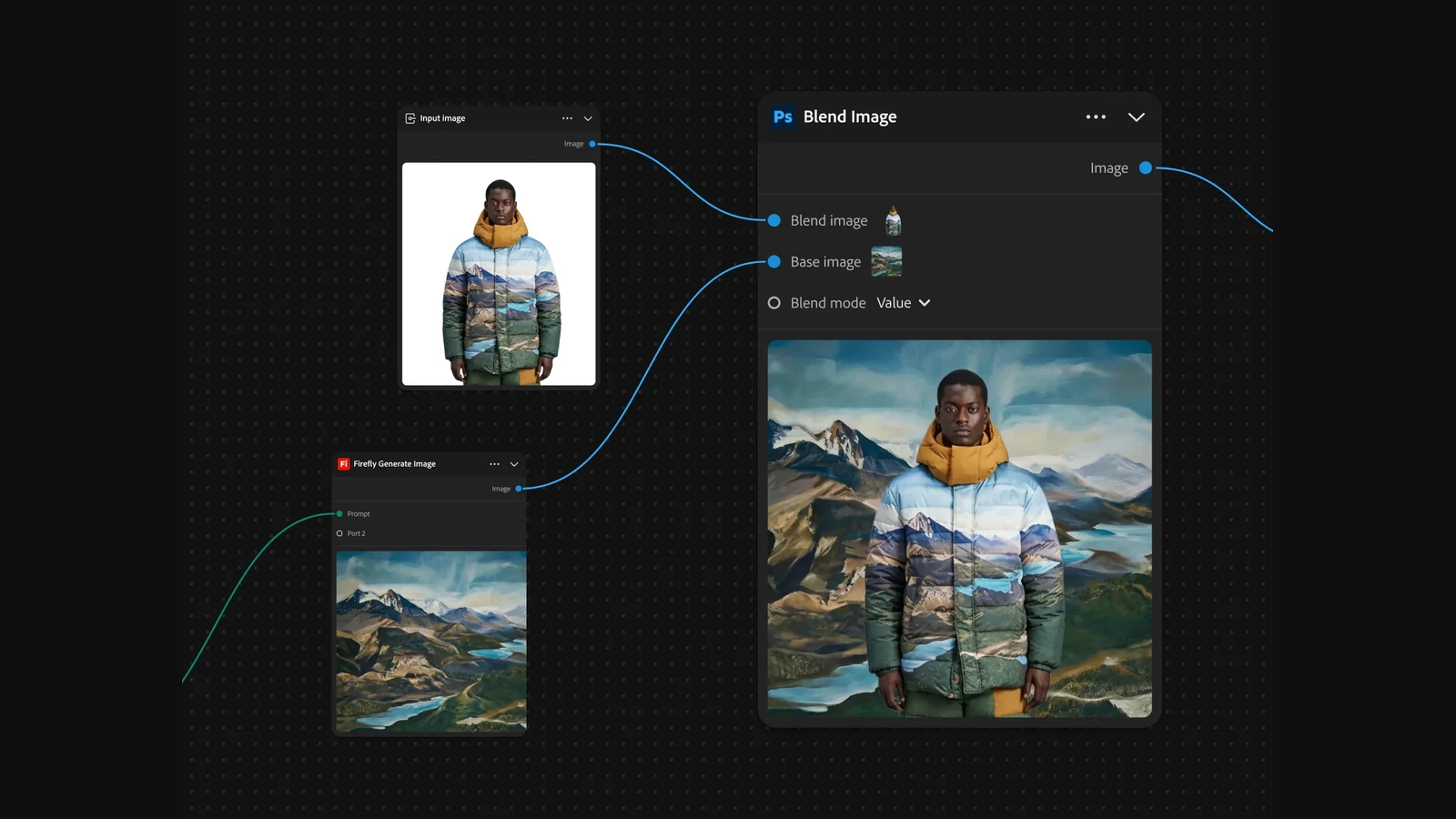
Each action appears as a node. One node can take an input photo, another can generate a background, a third can blend the images, and a fourth can turn the result into video.
Connections carry the output of one node into the input of another. Creators can change an individual operation without rebuilding the whole sequence.
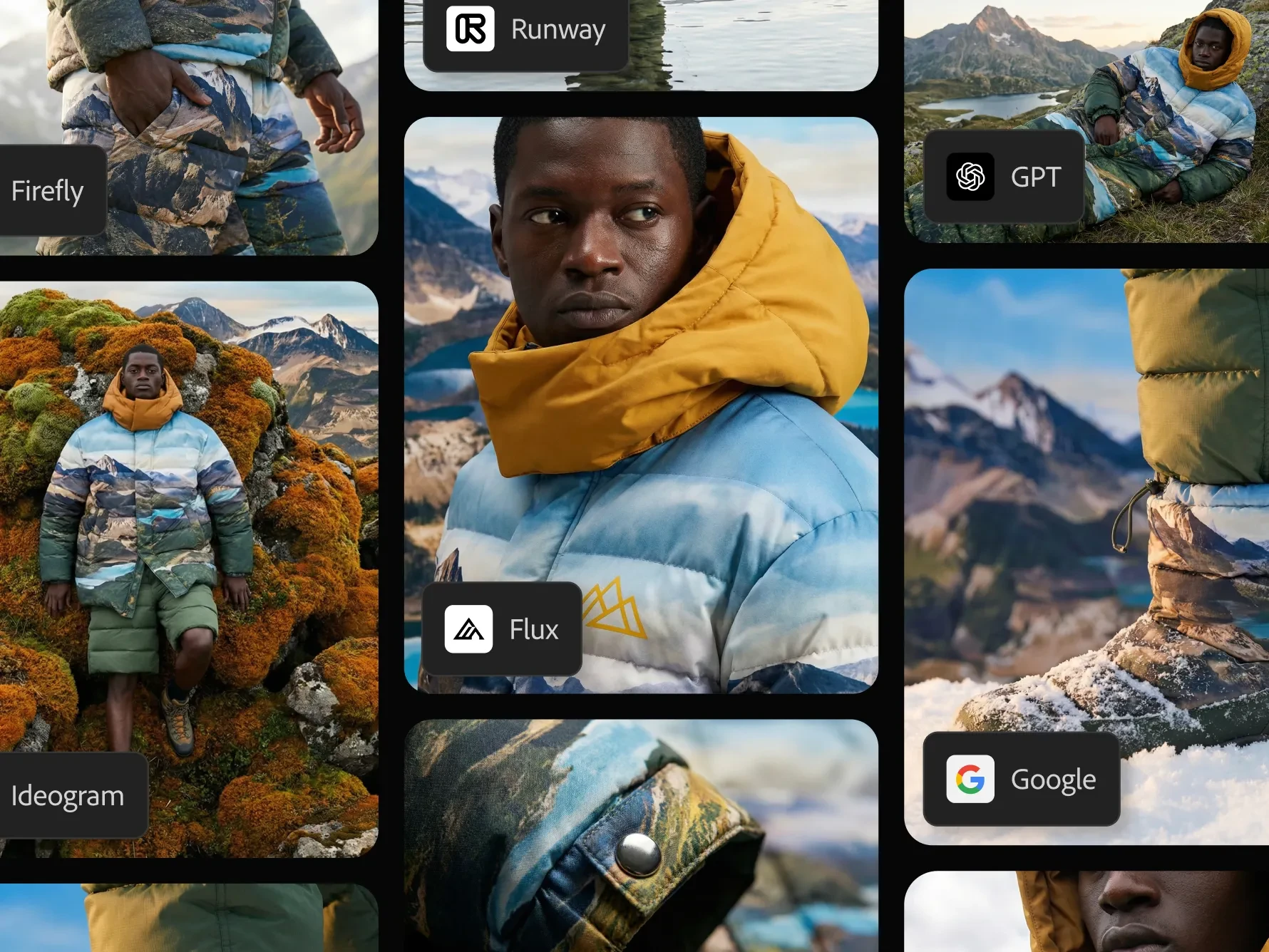
Graph supports Adobe models alongside partners including Google, Runway, GPT Image and FLUX. It can also run different models on the same inputs and compare the results.
From a still image to a cinematic shot
In an Adobe example, a subject photograph and an environment are combined with image-compositing tools. The result is then connected to a video generation model, such as Google Veo, turning the still into moving footage.
The illustrated prompt calls for a five-second cinematic shot: the subject looks towards mountains, a light breeze moves the jacket, sunlight shifts gently, and the camera pushes in slowly.
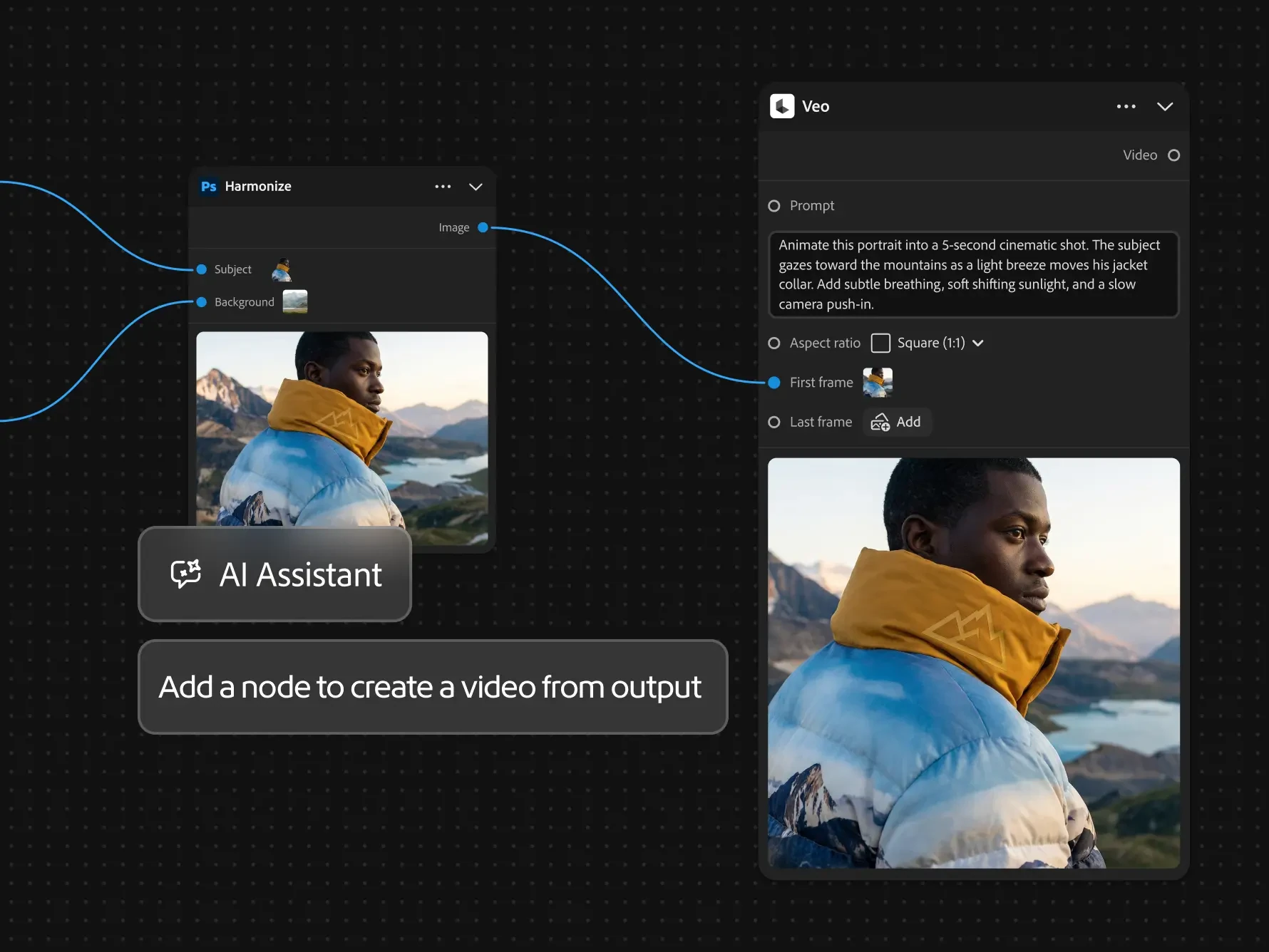
For filmmakers, this sequence can support storyboards, concept shots, commercial pitches and visual exploration before a shoot. It does not automatically replace filming or final editing, but makes experimenting with visual directions easier to manage.
Compositing images and scaling asset production
Another example feeds a photograph of a model and an AI-generated landscape into a Blend Image node. The same setup can be reused with different photographs, backgrounds or campaign variations.
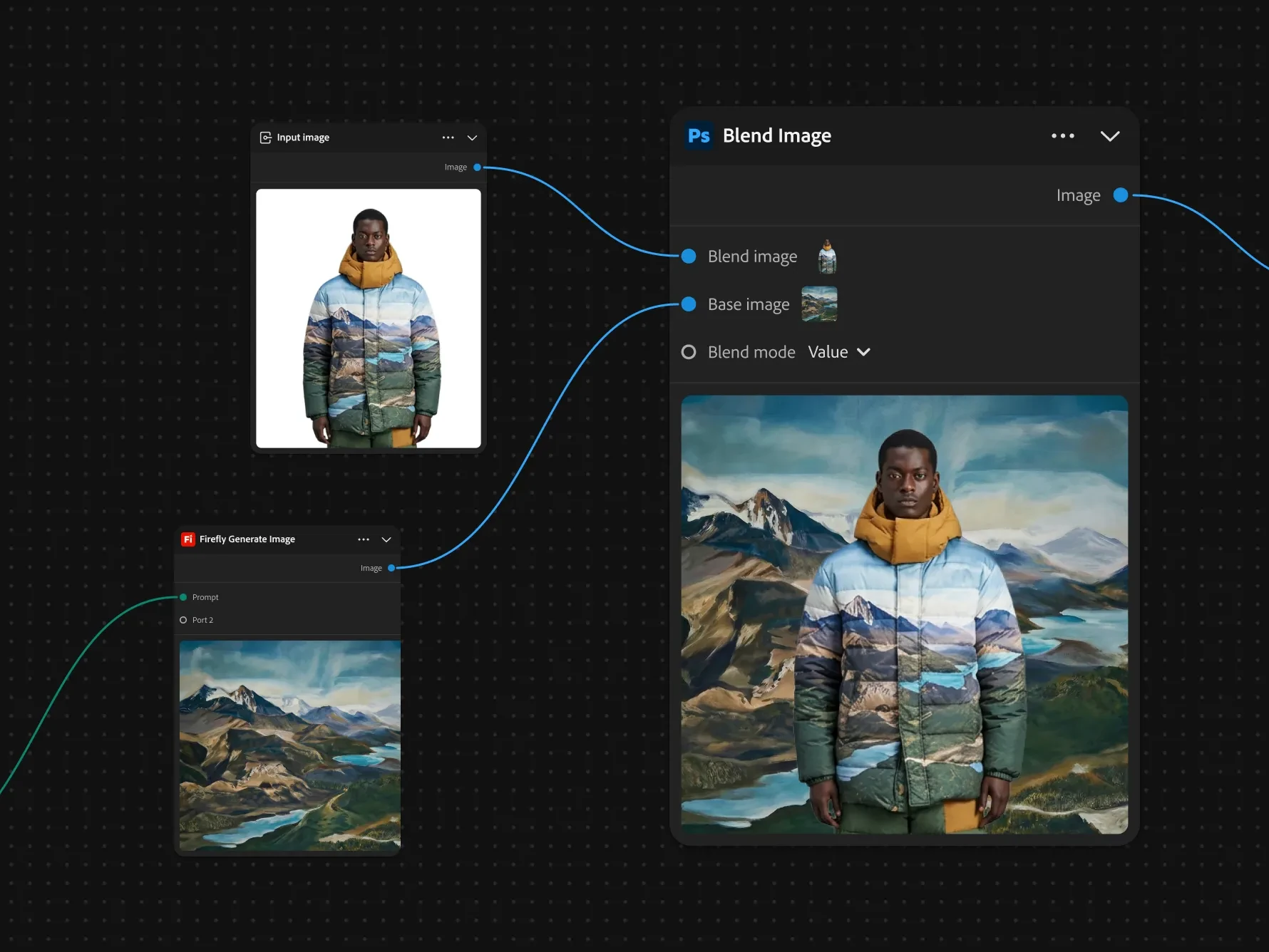
Other features include saved workflows, starter templates, adjustable controls such as sliders and subgraphs that group multiple steps into reusable components. Graphs can be shared with view or edit access, although simultaneous real-time editing is not supported.
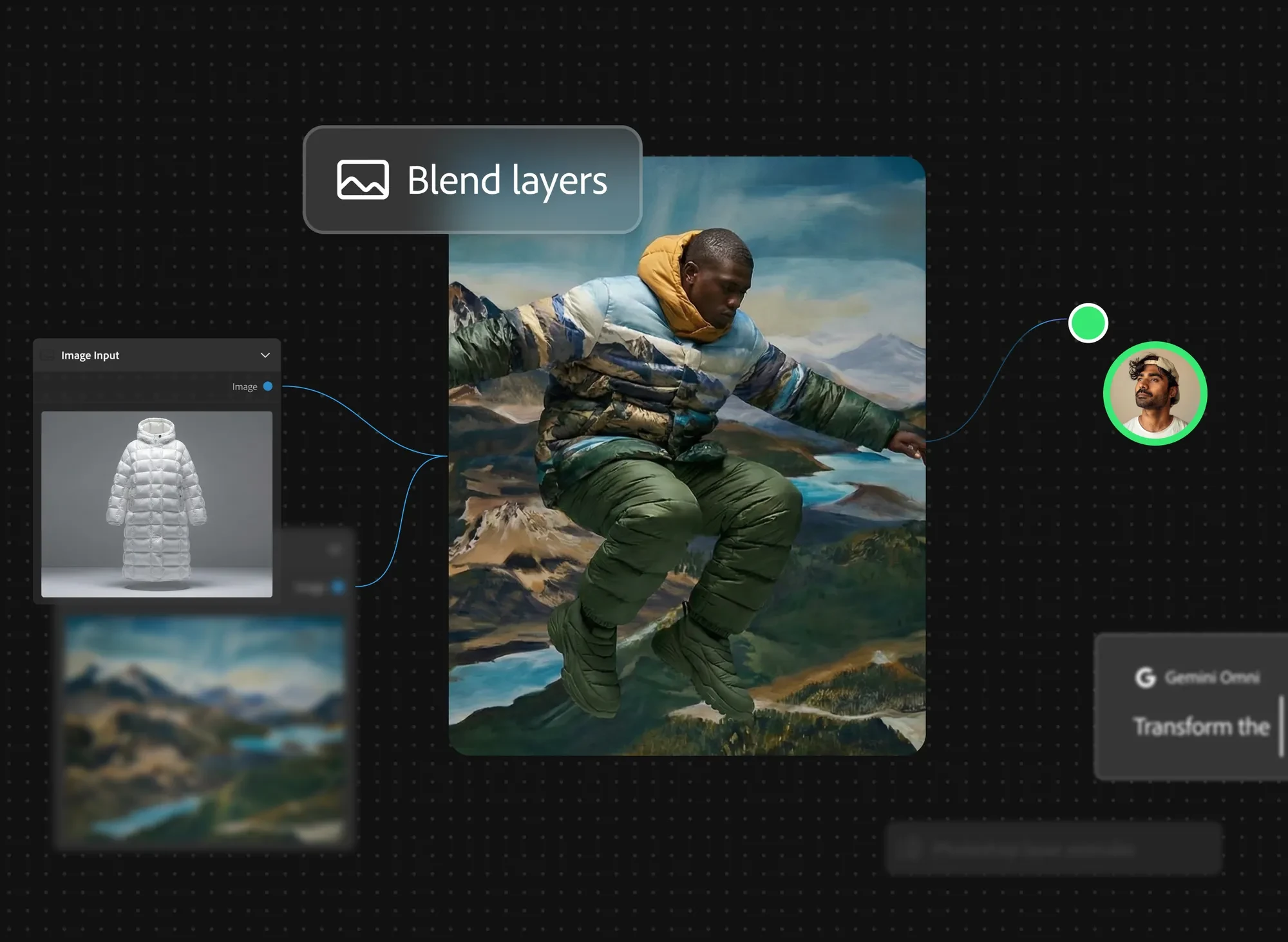
AI Assistant and Firefly Design: The difference
Firefly Graph includes a built-in AI Assistant. Creators can describe a desired workflow in natural language and ask the assistant to build or reorganize nodes, explain connections and suggest improvements. They can also begin with a blank canvas or a template.
Adobe also introduced Firefly Design in public beta. This is a different workspace combining raster, vector, motion, 3D and print design on one canvas, with review and export tools. Graph organizes a sequence of operations; Design is a workspace for creating and delivering designs.
Graph builds on the broader expansion of Adobe Creative Agent across Firefly and Creative Cloud. The distinct new capability here is the visual construction and reuse of end-to-end processes, rather than simply talking to an AI assistant.
More information here for Firefly Graph and here for Firefly Design.
Availability and cost
Firefly Graph and Firefly Design were introduced as public betas on November 10, 2026. Graph can be accessed through Adobe Firefly with an Adobe account. Adobe says Design is available to all users during public beta, with tiered access planned for general availability.
Not every Graph node costs credits. Nodes using generative AI models consume generative credits, and the amount varies by model and operation, with the figure displayed before execution. For teams producing many image or video variations, that makes credit usage a real production-budget consideration.
What we think
For photographers and filmmakers, Graph is appealing because it brings structure to workflows that often involve endless exporting, uploading and repeating prompts. If you need twenty versions of a campaign visual for different formats, keeping the same process and swapping inputs could save a lot of time.
The ability to compare several models using identical inputs is particularly useful. They do not interpret faces, products or motion in the same way. Seeing those options side by side within one project makes creative decisions easier, rather than just moving the chaos from one app to another.
There is a practical catch: a workflow with several generative steps may consume a substantial number of credits each time it runs. I would start with small tests and keep a manual quality-control stage for client work, especially where faces, products and fine details need to remain faithful.
Frequently asked questions
Does Firefly Graph require coding?
No. Creators connect nodes visually and can ask the built-in AI Assistant for help.
Can different AI models run in one workflow?
Yes. Graph supports connecting and comparing supported Adobe and partner models.
Is Firefly Graph usage unlimited?
Not necessarily. Generative AI nodes consume credits according to the model and operation, while other nodes do not.