


Summary
- Nikon ZR firmware 2.00 will add 3D LUT output over HDMI, limited to Full HD.
- High ISO NR gains four settings in H.265 Log and ProRes 422 HQ/N-Log.
- Focus peaking in R3D NE, physical controls and black-level consistency also improve.
- The update is planned before the end of 2026 and is not yet available.
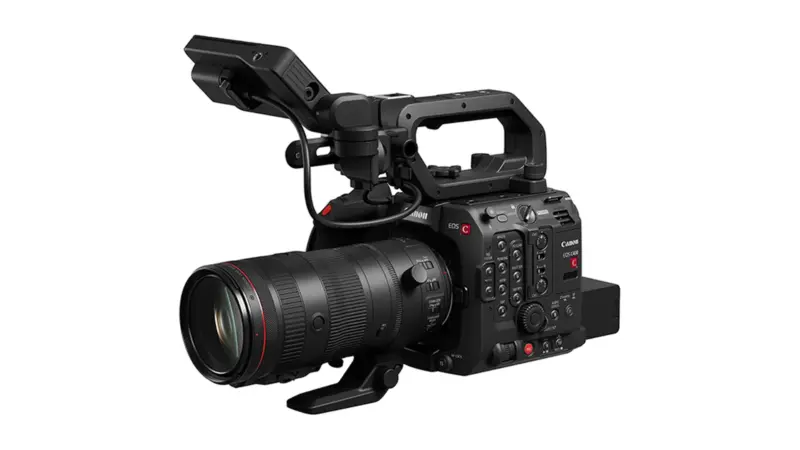
Nikon has detailed firmware 2.00 for the ZR, adding four noise-reduction levels and 3D LUT output over HDMI to give filmmakers more control of their images on set.
On 4 November 2026, the company outlined the first major update for its full-frame Z CINEMA camera. RED Log in H.265 had been announced in September; the latest details explain what will change in monitoring, camera controls and noise processing. Firmware 2.00 is planned before the end of 2026 and is not yet available to install.
3D LUT over HDMI comes with a key limitation
Applying a 3D LUT to the HDMI feed lets the director, focus puller or client see an image closer to the intended final look on an external monitor, rather than a flat Log preview. On a small production, that can make colour and exposure conversations easier without configuring a separate LUT on every display.
There is an important catch in Nikon’s European documentation: with a 3D LUT applied to HDMI, output is limited to Full HD. At 50p/60p, the nominal output frame rate stays the same, but the displayed image refresh rate is halved. Certain video settings can also interrupt the HDMI connection. These are monitoring limitations, not an announced reduction in the camera’s internal recording resolution.
When recording in R3D NE, focus peaking will also remain visible with a 3D LUT applied. That makes it easier to check precise focus while previewing the desired colour treatment, without having to switch back to a flat Log display.

Four noise-reduction levels, including in ProRes
High ISO NR gains four defined settings: Off, Low, Normal and High. They will be available in H.265 with Log3G10 or N-Log, as well as ProRes 422 HQ with N-Log. ProRes support matters to filmmakers already using that codec who want more control over how much processing is applied before their footage reaches the editing suite.
Lower noise reduction leaves more of the image’s original texture and character available for post-production work, while stronger processing is designed to produce a smoother in-camera result. The best choice will depend on the shot: a low-light portrait and a fast-moving scene with fine textures may call for different approaches.
RED Log3G10 in smaller H.265 files
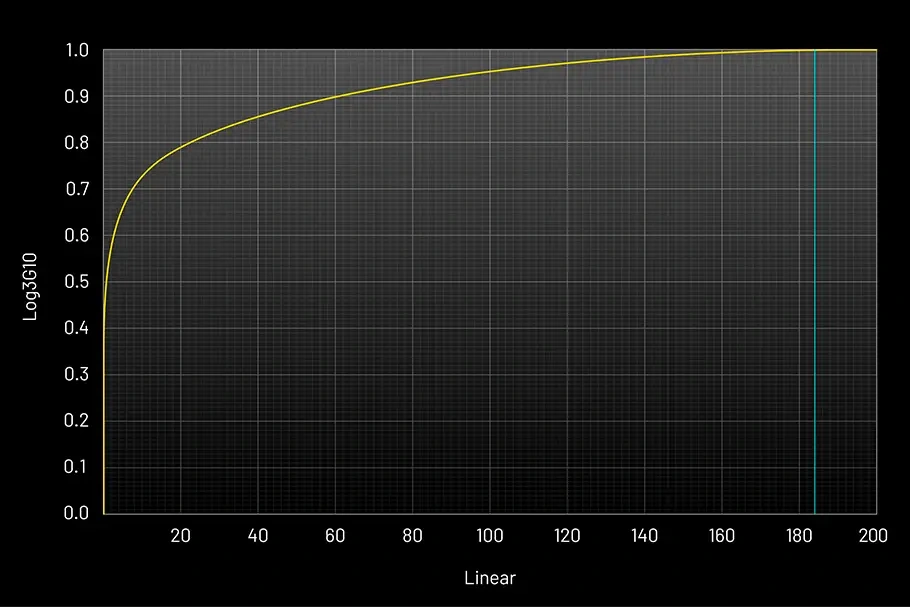
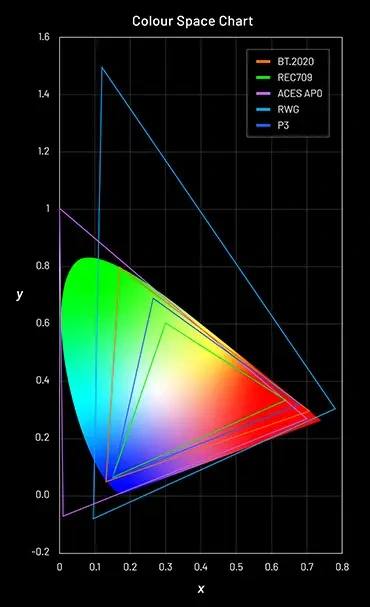
As outlined in the September firmware 2.00 announcement, the ZR will support the Log3G10 transfer curve and REDWideGamutRGB colour space when recording H.265. Filmmakers can therefore work from that RED colour foundation in a more storage-efficient codec, without choosing R3D NE RAW for every shot.
H.265 is still a compressed recording format and does not gain RAW capabilities just because it uses RED Log. This option offers a different balance of grading flexibility, storage requirements and turnaround speed.
More direct controls and more consistent shadows
The front and rear command dials can be assigned ISO, exposure compensation, white balance and colour temperature. A function button can also control 3D LUT/View Assist. Nikon specifies that View Assist may be toggled while recording, whereas switching the 3D LUT itself on or off requires recording to stop.
Updated processing suppresses frame-to-frame black-level fluctuations, reducing flicker in shadow areas. For night footage, indoor documentary work or scenes with deep blacks, that promises more consistent source footage before grading. The control changes build on the firmware 1.10 improvements to file naming and timecode.
When will Nikon ZR firmware 2.00 be available?
As of 5 November 2026, the official Nikon Download Center page for the ZR still lists version 1.11 as the available firmware. Version 2.00 is scheduled before the end of 2026, with no exact release date announced. Nikon’s firmware 2.00 feature page also says the free download is coming soon.
Open gate recording and anamorphic desqueeze display are not part of this update; Nikon is developing them separately with a 2027 target.
For details about the Nikon ZR camera itself, more information here.
What we think
For a small crew, sending the camera’s intended look straight to an external monitor is genuinely useful. There is less explaining why Log looks flat, and less time spent loading matching LUTs onto different displays. Peaking on top of that preview is another welcome improvement when pulling focus manually.
The Full HD HDMI cap with a LUT enabled is something to plan for, though, especially if detailed external monitoring is central to the shoot. So is the halved display refresh at 50p/60p: the monitor can show the right colours while giving a less responsive impression of fast action.
We also like the freedom to choose how much noise reduction happens in-camera. Off may be the right starting point for a colourist who wants to retain fine texture, while a stronger setting may suit a job with a tight turnaround. Together with the improved physical controls, these are the kinds of changes that make a camera easier to use while the shot is actually happening.