

Summary
- ArtCraft is expanding into office work with WordCraft, GridCraft and DeckCraft.
- The applications support DOCX, XLSX and PPTX files respectively.
- Free packages are available for macOS, Windows and Linux, alongside automation tools.
- Development continues, and compatibility with real professional files needs checking.
After photography and video tools, ArtCraft is moving into office work with WordCraft, GridCraft and DeckCraft: three free, open-source applications modelled on the workflows of Word, Excel and PowerPoint.
The expansion follows ArtCraft’s seven creative applications for photography, video and design. This time, it addresses the other half of a creator’s working day: quotations, production budgets and client presentations.
AI-assisted development is part of the story, but the practical question is simpler: can we move our files across and keep working? Downloads are available, although the applications remain in development and are not official Microsoft releases.
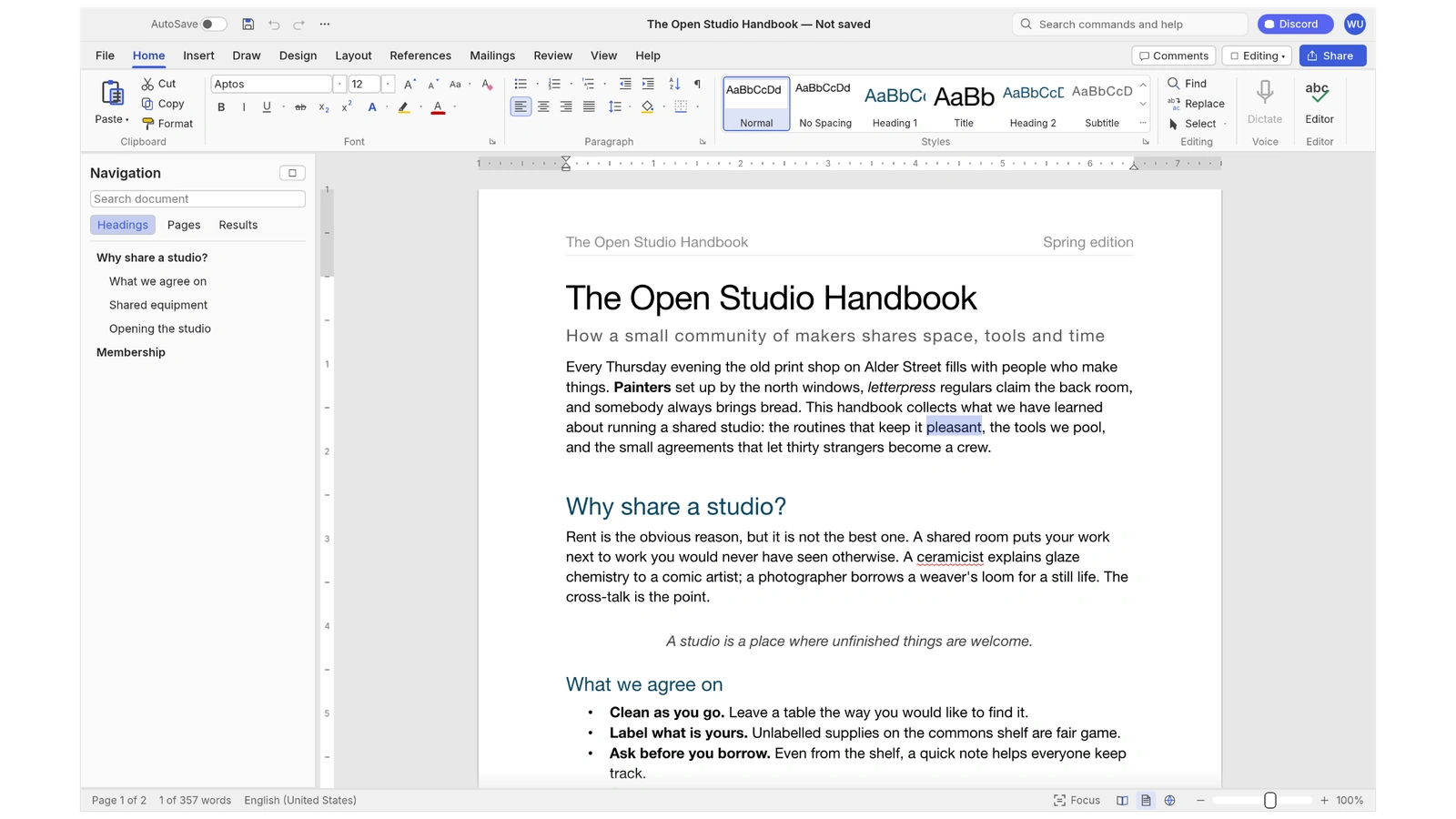
WordCraft: Writing, revisions and Word documents
WordCraft adopts the familiar ribbon, paragraph styles, tables and mail merge. Its official description lists DOCX reading and writing, import and export for ODT, RTF, HTML, Markdown and plain text, plus PDF export with selectable text.
For documents passed between collaborators, tracked changes, comments and document comparison are particularly relevant. Tables of contents, footnotes and bibliographic references are included too. One detail matters for Greek readers: the repository documents spelling and grammar support for English and Polish; it does not establish equivalent support for Greek.
GridCraft: Taking the production budget into a spreadsheet
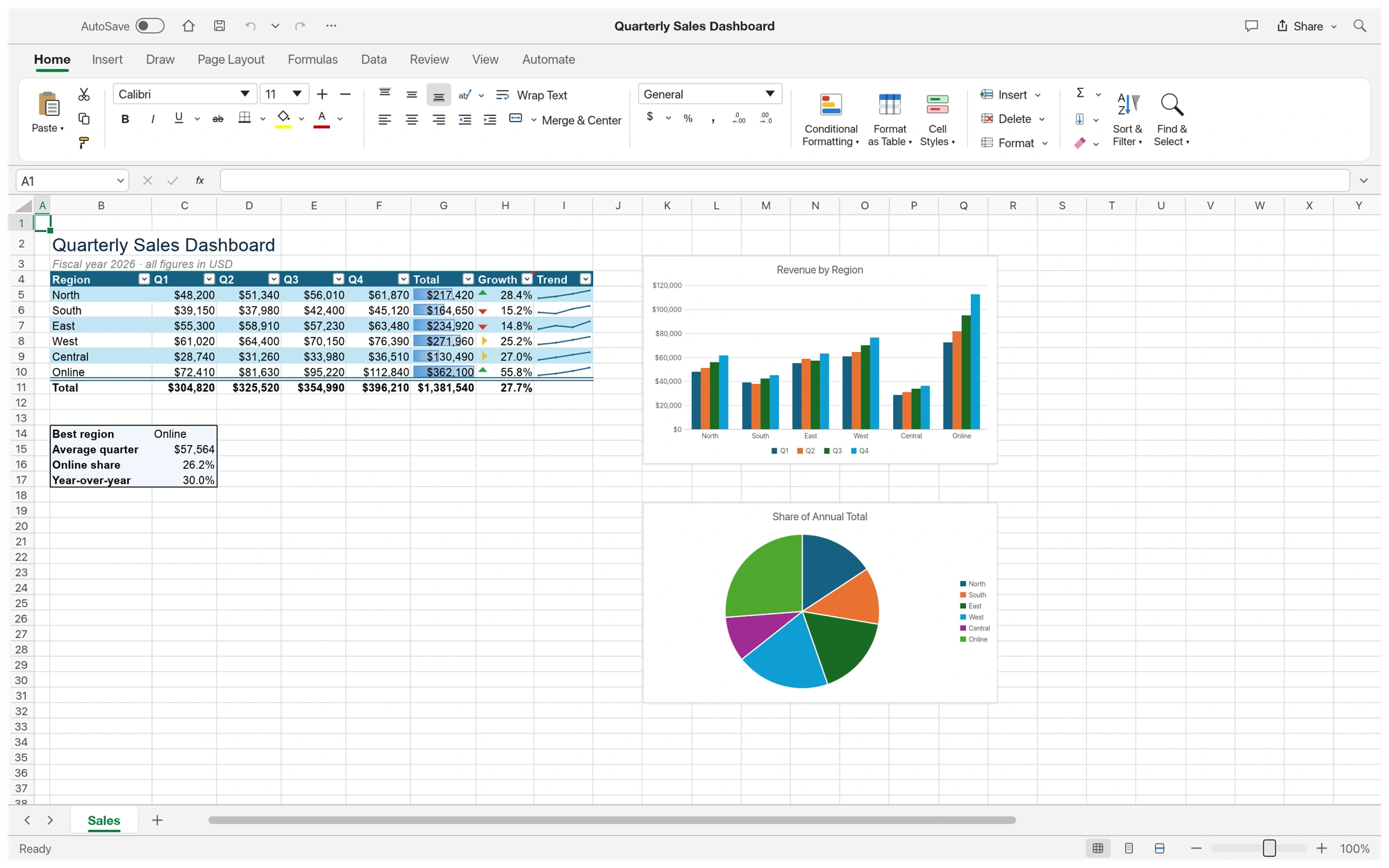
GridCraft targets the work usually handled in Excel: calculations, data organisation and charts. It uses XLSX and includes more than 500 functions, dynamic arrays, conditional formatting and PivotTables. The team also lists 17 chart types and functions such as LET and LAMBDA.
For filmmakers, a sheet containing shoot days, crew fees and equipment rentals is an obvious test case. The documentation includes CSV and TSV, while specifying that legacy XLS import handles values, formulas and number formats, but not yet formatting and objects. Compatibility therefore needs to be considered format by format.
DeckCraft: From the pitch to the presentation
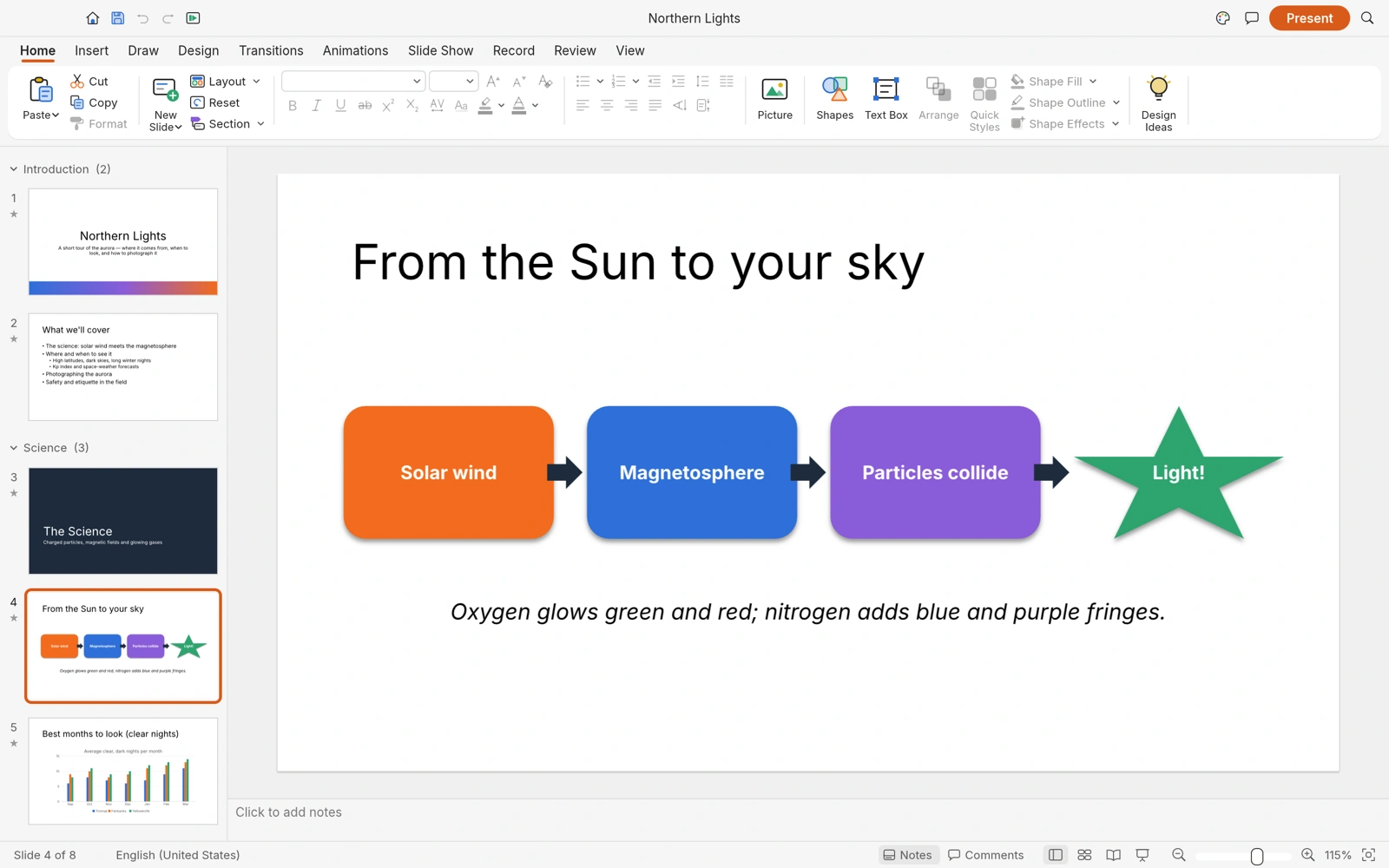
DeckCraft handles slides, with PPTX opening and saving, slide masters, themes, more than 150 preset shapes, transitions and animations. Presenter view includes notes, a preview of the next slide and timers. PDF and slide-image export are also supported.
That makes it a candidate for a creative pitch or a photography project presentation, where images, text and a clear visual structure matter. Its repository describes it as alpha: opening a PPTX does not demonstrate that every complex presentation will reproduce exactly as it does in PowerPoint.
Price and availability
At the time of checking, all three application pages offer version 0.5.0, free for macOS, Windows and Linux. Users can install them individually or use ArtCraft Launcher to select the appropriate build and manage updates. WebAssembly builds are also available for self-hosting; that does not automatically mean a ready-to-use online service equivalent to Office on the web.
All three projects offer a choice of MIT or Apache 2.0 licensing. Working locally on files does not require an application subscription. Paid image and video generation tools in the wider ArtCraft ecosystem are a separate part of the service.
The applications also support automation through command-line interfaces and MCP, allowing AI agents to act on documents, cells and slides. This is a way for external tools to control the software, not a requirement to use AI whenever you write a document.
The official WordCraft, GridCraft and DeckCraft pages collect their features and available downloads.
What we think
Being able to work from image editing through to a client quotation without mandatory subscriptions has real value, particularly for small creative studios. The decisive test is whether a real file retains its layout, calculations and appearance when it goes back to a collaborator. That is where ArtCraft will earn its place, so we would start with copies of actual projects and inspect the final exports.
Frequently asked questions
Are these free versions of Microsoft Office?
No. They are independent ArtCraft applications with familiar interfaces and support for Office files. They are neither Microsoft products nor certified equivalents of every Microsoft feature.
Do I need to build them from source?
Not on platforms with ready-made packages: the official pages provide installers and the Launcher. Building from source remains an optional route for anyone who wants to work with the code.