

Summary
- Capture One 16.8.2 was released on June 25, 2026.
- Its main addition is Multi-User Sessions in beta.
- The feature allows multiple users to work inside the same Session over a local network.
- Hosting requires Capture One Studio and the beta is currently Mac-only.
- The update also adds Leica SL3-P support and file support for 24 Panasonic cameras.
Capture One released version 16.8.2 on June 25, 2026, adding the new Multi-User Sessions feature, support for the Leica SL3-P, and file support for 24 Panasonic cameras.
The update matters for professional productions because it reduces the need for repeated file handoffs between photographers, digital techs, editors, and art directors, giving each team member access to the same workflow in real time.
How Multi-User Sessions work
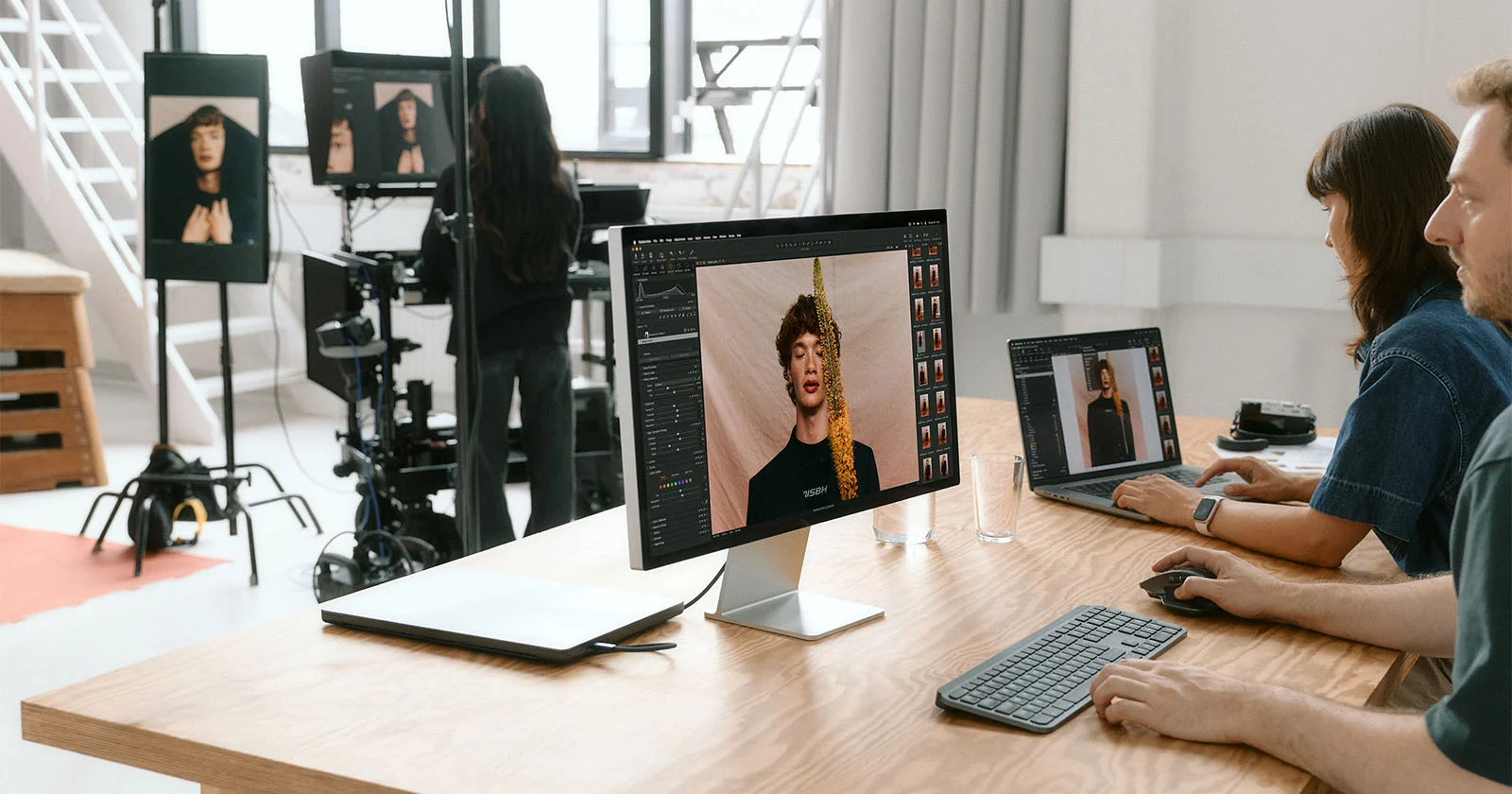
The new feature allows multiple users to work inside the same Capture One Session at the same time, with full-resolution RAW files appearing and syncing across collaborators’ systems.
The system is built around one host, who keeps core control over the Session. The host manages imports, tethered captures, folders, and file moving or renaming, while collaborators can work on variants, adjustments, ratings, color tags, and keywords.
It is not cloud collaboration
Multi-User Sessions do not work as a remote cloud service. Collaboration happens over a local network, either via Wi-Fi or wired connection, which means files remain inside the studio and do not need to be uploaded online.
This is especially important for productions with large RAW files, commercial shoots, or projects where speed and data control are a priority.
Availability and limitations
The feature launches in beta and, for now, is Mac-only. Hosting a Session requires Capture One Studio, while invited collaborators can join from any plan.
According to the release notes, Studio and Studio for Teams support up to two collaborators, while Studio for Enterprise supports an unlimited number of collaborators.
Camera support and other changes
Version 16.8.2 adds day-zero support for the Leica SL3-P, including file support, wired tethering, and Live View. It also adds file support for 24 Panasonic cameras, including Lumix G, FZ, TZ, ZS, and TX models.
The update also adds the ability to delete unused Enhanced Denoise sidecar files and expands AppleScript support for Subject, Background, and People Masking.
What we think
The new feature shows that Capture One is clearly targeting professional studios and production teams with demanding tethered workflows. Keeping collaboration local instead of cloud-based is the right choice for speed and control, although Mac-only beta availability and the Capture One Studio requirement limit its initial reach.
More here.
Frequently asked questions
What are Multi-User Sessions in Capture One?
They are a new feature that allows multiple team members to work simultaneously inside the same Capture One Session, with real-time syncing of files, adjustments, and selections.
Does it work through the cloud?
No. Collaboration happens over a local network, either through Wi-Fi or a wired connection, so files remain inside the studio.
Is it available on Windows?
For now, the beta is Mac-only, with Windows parity expected later.
Which plan is required for hosting?
Hosting a Multi-User Session requires Capture One Studio. Collaborators can join from any plan, as long as they are invited.
What else does Capture One 16.8.2 add?
The release adds support for the Leica SL3-P, file support for 24 Panasonic cameras, Enhanced Denoise improvements, and expanded AppleScript support for masking tools.