Summary
- Capture One Mobile 4.0 adds Enhanced Denoise Color Balance Heal and Clone and Keywords
- Enhanced Denoise currently supports Bayer RAW files but not Fujifilm X-Trans
- Color Balance provides separate control over shadows mid-tones and highlights
- Crop Orientation is improved during tethered capture and copy apply adjustments
- The app is available on iPhone and iPad running iOS or iPadOS 17 and later
- Enhanced Denoise is now on mobile
- There is still an important Fujifilm X-Trans limitation
- Color Balance brings more serious grading away from desktop
- Heal and Clone keeps retouching inside Capture One
- Keywords are less dramatic but critical for larger jobs
- Crop Orientation is also improved during tethering
- Capture One Mobile has changed significantly in one year
- Can an iPad now replace a laptop?
- Price and availability in Greece
- What we think
- Frequently asked questions
Capture One Mobile 4.0 adds Enhanced Denoise, Color Balance, Heal and Clone, and Keywords to iPhone and iPad, moving a larger part of the professional RAW workflow away from the computer.
Capture One is now offering version 4.0.0 of its mobile application, confirming four major additions in the official Capture One Mobile changelog: Enhanced Denoise, Color Balance, Heal and Clone, and Keywords. The update also changes how crops follow each image’s orientation during tethered capture and when copying and applying adjustments.
The update matters for more than simply adding new sliders. These tools cover denoising, color grading, local retouching and file management — different stages of a genuine photographic workflow. Combined with tethering, Layers, Masks, Sessions and external-storage support already available in the application, Capture One Mobile is becoming significantly more capable of completing jobs that previously required a return to a laptop or desktop computer.
Enhanced Denoise is now on mobile
The most technically significant tool in version 4.0 is Enhanced Denoise, which first arrived in Capture One 16.8 for desktop in May 2026 and has now moved to the mobile application.
According to the official Enhanced Denoise documentation, the system is primarily designed for high-ISO RAW files. Processing takes place in the background, is calculated once for each image and can then be reused by all variants of the same capture. Capture One says the effect becomes particularly noticeable at around ISO 3200 and above.
The tool includes an Impact slider that lets the photographer choose how much luminance noise remains in the image. At its default value, Capture One aims to retain fine natural texture rather than producing an excessively cleaned result. Chroma noise is handled automatically.
For concert, wedding, event and news photographers, or anyone working regularly at high ISO, this has direct practical value: a demanding RAW image can now receive more advanced noise reduction before Capture One Pro is even opened on a computer.
There is still an important Fujifilm X-Trans limitation
Enhanced Denoise does not yet work with every RAW file.
Current official documentation states that it supports Bayer-pattern RAW files only and excludes formats including Fujifilm X-Trans RAW, iPhone ProRAW, JPEG, TIFF, PNG, monochrome RAW and Canon or Nikon SRAW/MRAW. Capture One says support for X-Trans is planned for the future.
This is particularly important for Fujifilm users. The arrival of Enhanced Denoise in Capture One Mobile 4.0 does not mean that most X-Series owners using X-Trans sensors can already use it.
Color Balance brings more serious grading away from desktop
The second major tool arriving on mobile is Color Balance.
In its official Color Balance description, Capture One explains that the tool provides separate controls for Shadows, Mid-tones and Highlights, along with hue, saturation and lightness adjustments. A Master control is also available for overall color adjustments.
That gives iPhone and particularly iPad users something more advanced than basic white-balance and saturation changes. Photographers can push shadows and highlights in different color directions, establish a specific visual look and create more consistent color across a set of images without immediately returning to the desktop application.
For photographers delivering images on location, Color Balance may be just as important as Enhanced Denoise because it allows photographs to get much closer to their intended final appearance within the same application.
Heal and Clone keeps retouching inside Capture One
Heal and Clone fills another gap in the mobile workflow.
Heal allows users to correct a problematic area using information sampled from another part of the image, while Clone copies visual information from one area to another. Capture One describes the new mobile feature as the ability to clone or heal areas in order to remove or duplicate elements.
In practice, it can be used for minor imperfections, sensor dust, unwanted background objects or localized retouching.
The addition makes particular sense on iPad, where directly interacting with the image suits localized adjustments. More importantly, it removes a common reason for exporting a photograph to another application before delivery.
Keywords are less dramatic but critical for larger jobs
The fourth addition is Keywords.
Capture One Mobile 4.0 now allows keywords to be added to photographs so they can later be searched and located in the library.
For a casual user, this may appear to be a small change. For photojournalists, event photographers, commercial productions and photographers working with hundreds or thousands of captures, file organization is part of the job.
The mobile workflow therefore becomes less limited to selecting and editing images. The organizational process can now begin while the photographer is still on location.
Crop Orientation is also improved during tethering
Version 4.0 includes a change to Crop Orientation as well.
The crop now follows the orientation of each photograph during tethered capture and when users copy and apply adjustments from one image to others.
It is not the feature likely to headline an announcement, but on productions that frequently alternate between portrait and landscape orientation, it can reduce repeated manual corrections.
Capture One Mobile has changed significantly in one year
Version 4.0 is not arriving in a basic photo-editing application.
Capture One Mobile already includes Layers and Masks, People Masking, Retouch Faces, Sessions and external-storage support, while 2026 has brought new-camera support and faster tethered workflows. The official mobile changelog illustrates how quickly new functions and compatible devices are being added.
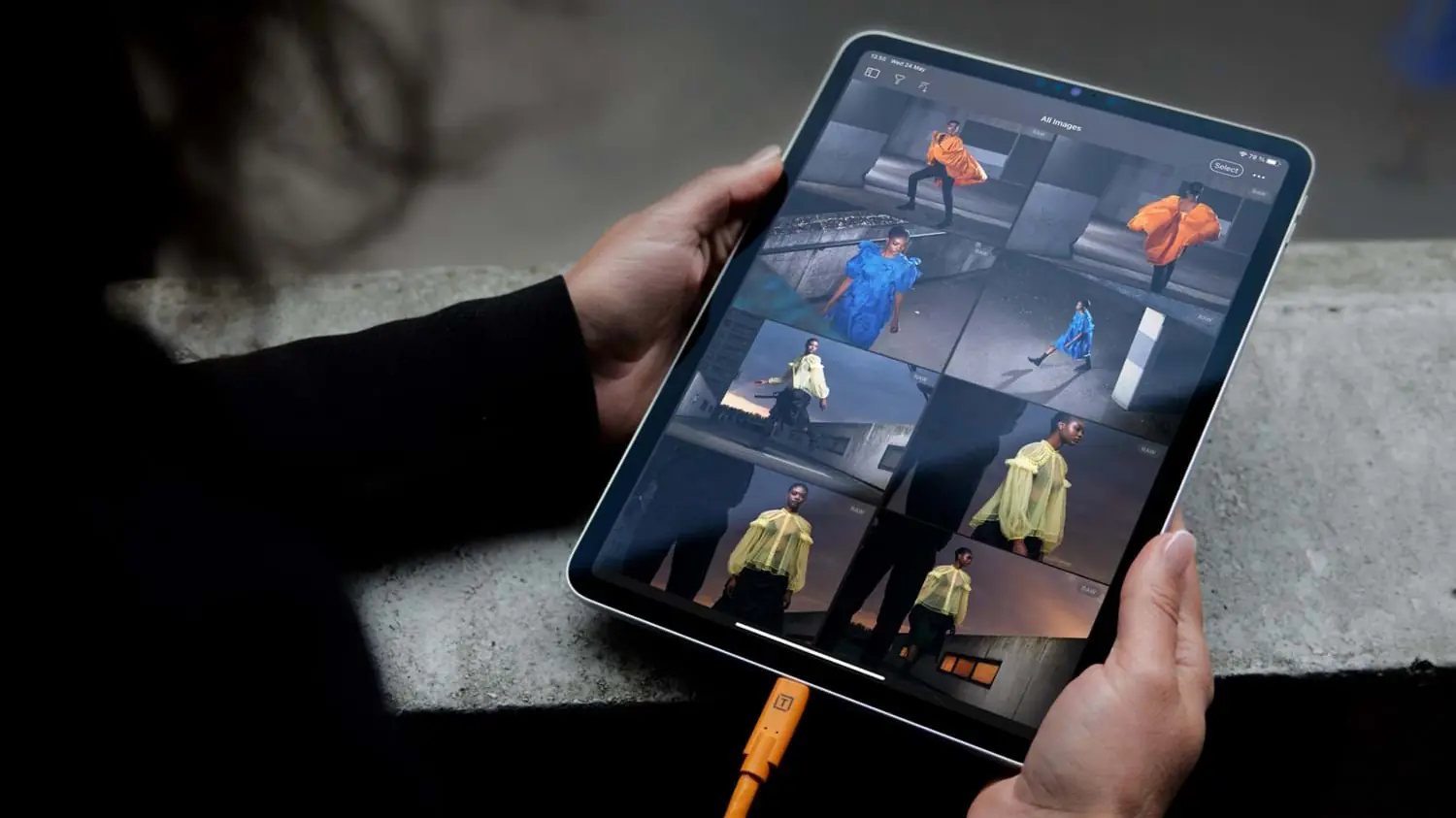
In July, PTTL covered Capture One Mobile’s second-generation wireless tethering for the Canon EOS R1 and EOS R5 Mark II. The technology rapidly transfers an editable RAW file to the mobile device while the full-resolution file follows in the background.
Capture One Mobile 4.0 extends that logic: it is no longer enough for the photograph to arrive quickly on the iPad. Capture One increasingly wants more of the final editing process to happen there as well.
Can an iPad now replace a laptop?
For some jobs, the answer is moving closer to “yes.” For a complete Capture One workflow, however, differences remain.
Capture One officially positions the mobile application as a tool for tethering, editing and delivery on location, with support for more than 550 cameras.
At the same time, the official iPad and iPhone feature comparison shows that differences remain even between the two mobile platforms. On iPad, for example, users can create and manage Styles and Presets directly in the app, stack Styles, access the Filmstrip in Viewer and use additional interface options that are not available in the same way on iPhone.
Capture One Mobile 4.0 therefore does not automatically turn an iPad into a complete copy of Capture One Pro. For photographers who need rapid tethering, selection, RAW processing, retouching, color grading and delivery on location, however, the need for a laptop is becoming smaller.
Price and availability in Greece
Capture One Mobile 4.0 is available for iPhone and iPad. The Greek App Store listing requires at least iOS 17.0 on iPhone and iPadOS 17.0 on iPad and offers a seven-day trial.
In-app purchases list Capture One Mobile at €9.99 and €99, while All in One options are shown at €44.99 and €349.99. The All in One package includes Capture One Pro for desktop, Capture One Mobile, Capture One Live Unlimited and priority support.
What we think
Capture One Mobile 4.0 is an important upgrade because its four new tools are not simply minor conveniences designed for mobile use.
Enhanced Denoise, Color Balance and Heal/Clone can directly affect whether a RAW photograph is ready for delivery, while Keywords add an organizational component that becomes essential on larger projects.
The Bayer-only limitation of Enhanced Denoise remains significant, especially for the many Fujifilm photographers who use Capture One. The mobile application also remains short of full desktop parity.
The direction, however, is clear: Capture One Mobile is moving from the role of a companion app toward a more complete production tool. For certain professional jobs, an iPad is no longer simply the screen on which photographs are viewed on location; it can increasingly become the place where a large part of the job is finished.
Frequently asked questions
What does Capture One Mobile 4.0 add?
Version 4.0.0 adds Enhanced Denoise, Color Balance, Heal and Clone, and Keywords, while also improving Crop Orientation during tethered capture and copy/apply adjustments.
Does Enhanced Denoise work with Fujifilm X-Trans?
Not yet. Capture One’s current documentation lists Bayer-pattern RAW support and says Fujifilm X-Trans support is planned for a future release.
Is it available on both iPhone and iPad?
Yes. Capture One Mobile is available for both platforms, requiring at least iOS 17.0 or iPadOS 17.0 respectively.
Does it now replace Capture One Pro?
Not completely. The mobile workflow has become significantly more capable, but features and options still differ between desktop, iPad and iPhone.