

Summary
- The digiKam 9.2 packages are listed in KDE’s stable download directory.
- A report describes new RAW compatibility for Sony and Canon.
- AI search runs locally, while MariaDB replaces MySQL for client-server installations.
Version 9.2.0 of digiKam is listed in KDE’s official stable download directory, with packages for Windows, macOS (Intel and Apple Silicon) and Linux dated 26–27 November 2026.
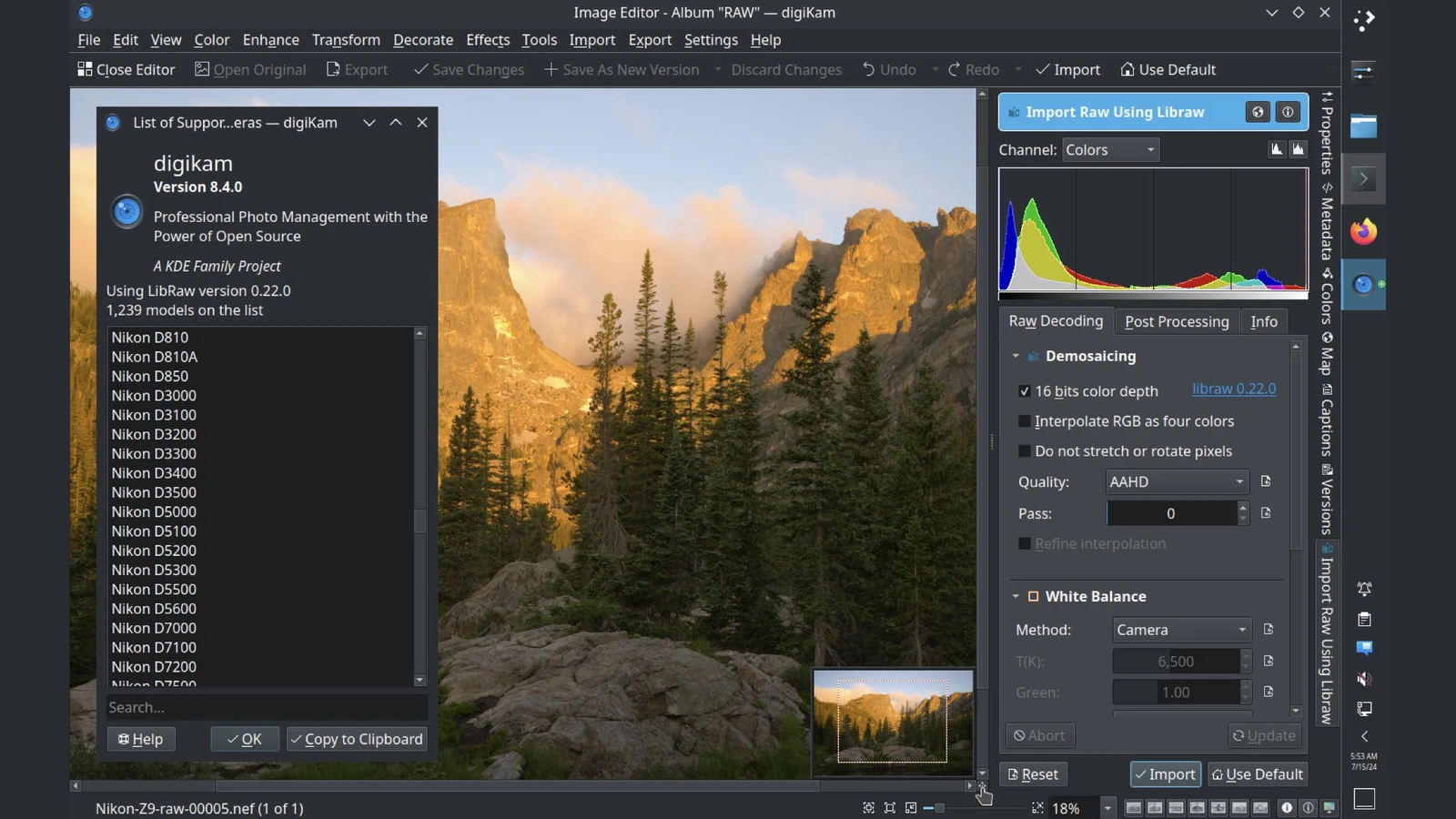
digiKam is a free, open-source application for organising and editing photographs, not just a RAW converter. From version 7.7.0 to today, extending compatibility with new cameras has remained a central part of its development.
What changes for RAW files
According to a report by Marius Nestor on 27 November, the new release adds RAW support for the Sony a7 V (ILCE-7M5), Canon EOS R50 V and Sony ARW6 CRAW HQ format. This specific compatibility has not yet been verified in our own tests or against the detailed official changelog.
digiKam uses the LibRaw library to decode RAW files. An ARW or CR3 extension alone does not guarantee compatibility with every compression variant. A thumbnail may also come from an embedded JPEG and is not proof that the actual sensor data has been decoded.
AI-powered photo search on your computer
The new natural language search lets you describe what you are looking for instead of manually filling in the Advanced Search fields. The AI model converts the description into digiKam search criteria and runs on your own computer.
The optional model listed in the manual is Qwen2.5-1.5B-Instruct, with a download size of around 1.1 GB. For example, you can look for photos from a particular year rated at least four stars, or videos longer than a certain duration.
There is an important limitation, however: according to the manual, natural language search does not yet cover camera and EXIF details or geolocation. Conventional advanced search remains available for those fields. The feature relies on the catalogue’s search criteria and metadata, so keeping your archive organised still matters.
Database and software changes
From version 9.2.0, MySQL support is removed and MariaDB is now supported for client-server database installations. Local SQLite remains available. Anyone who has already organised a large archive using MySQL should back up the database and plan the migration before installing the new version.
The transition to Qt6 is also completed, including the version for Intel-based Macs, and Qt5 support is removed. Installers are listed in the official KDE download directory.
What we think
digiKam is particularly valuable as an independent photo archive management tool. Natural language search, without having to upload your material to a cloud service, is useful when you have thousands of photographs from different assignments. For Sony a7 V or Canon EOS R50 V owners, we would start with a few RAW files in each compression mode: open them in the editor, check the colours and export to TIFF or JPEG. If that process works correctly, digiKam can take on part of your daily management workflow without requiring a subscription or a change of your main RAW editor.