

Summary
- Final Cut Pro gains Generate Captions and Edit Detection powered by on-device AI.
- Mac users get Auto Mask, improved Match Color, and Advanced Trimming.
- Pixelmator Pro now connects more deeply with Final Cut Pro, Keynote, Pages, and Numbers.
- Motion, Compressor, and Final Cut Camera receive major workflow updates.
- Logic Pro and MainStage add new music creation tools, including an improved Chord ID and new Alchemy features.
- Apple Creator Studio remains available as a subscription, while one-time purchases continue for key pro apps.
- Final Cut Pro with Generate Captions and Edit Detection
- New Creator Themes and more content options
- Auto Mask, Match Color, and Advanced Trimming on Mac
- Direct connection with Pixelmator Pro
- Shape generation, Image Generation, and Content Hub
- Motion and Compressor get new capabilities
- Final Cut Camera with Clean HDMI Out and ProRes LT
- New tools in Keynote, Pages, Numbers, and Freeform
- Logic Pro, MainStage, and new music production tools
- Pricing and availability
- Requirements and limitations
- What we think
- Frequently Asked Questions
Apple has announced major updates to Apple Creator Studio, with Final Cut Pro gaining one of the most requested features among creators.
The company introduced new features for Final Cut Pro, Pixelmator Pro, Motion, Compressor, Final Cut Camera, Logic Pro, MainStage, Keynote, Pages, Numbers, and Freeform, focusing on artificial intelligence, better app integration, and faster creative workflows.
The update matters because it is not limited to a single application, but affects a broader creative ecosystem for video, photography, graphics, presentations, documents, music, and social media production.
Final Cut Pro with Generate Captions and Edit Detection
Final Cut Pro for Mac and iPad is getting new AI-powered tools, with Generate Captions as the most important addition.
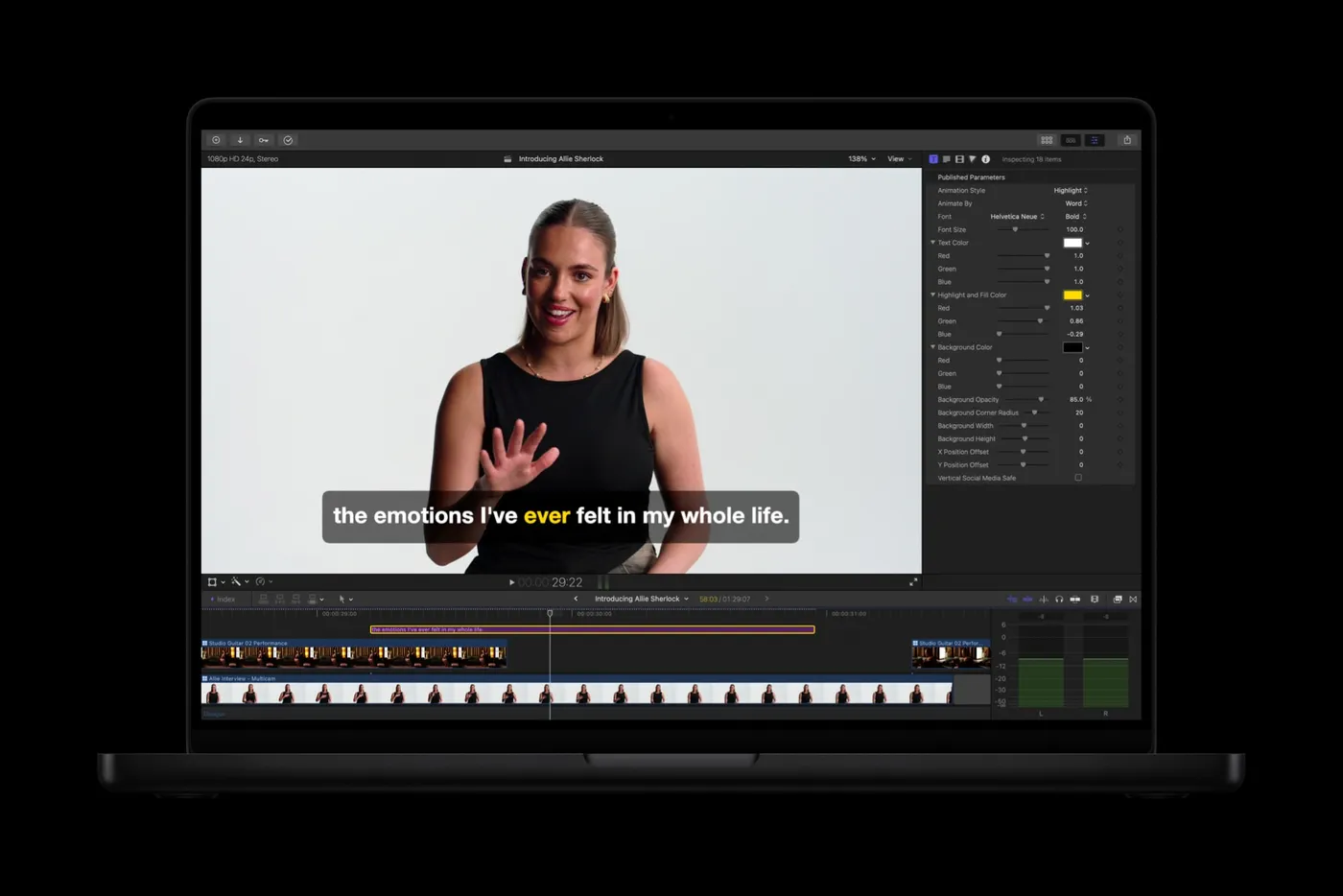
The feature uses on-device AI to automatically transcribe a video’s audio and place captions directly in the timeline. Creators can customize how captions look by changing the font, color, position, and style, while also adding animation to their appearance.
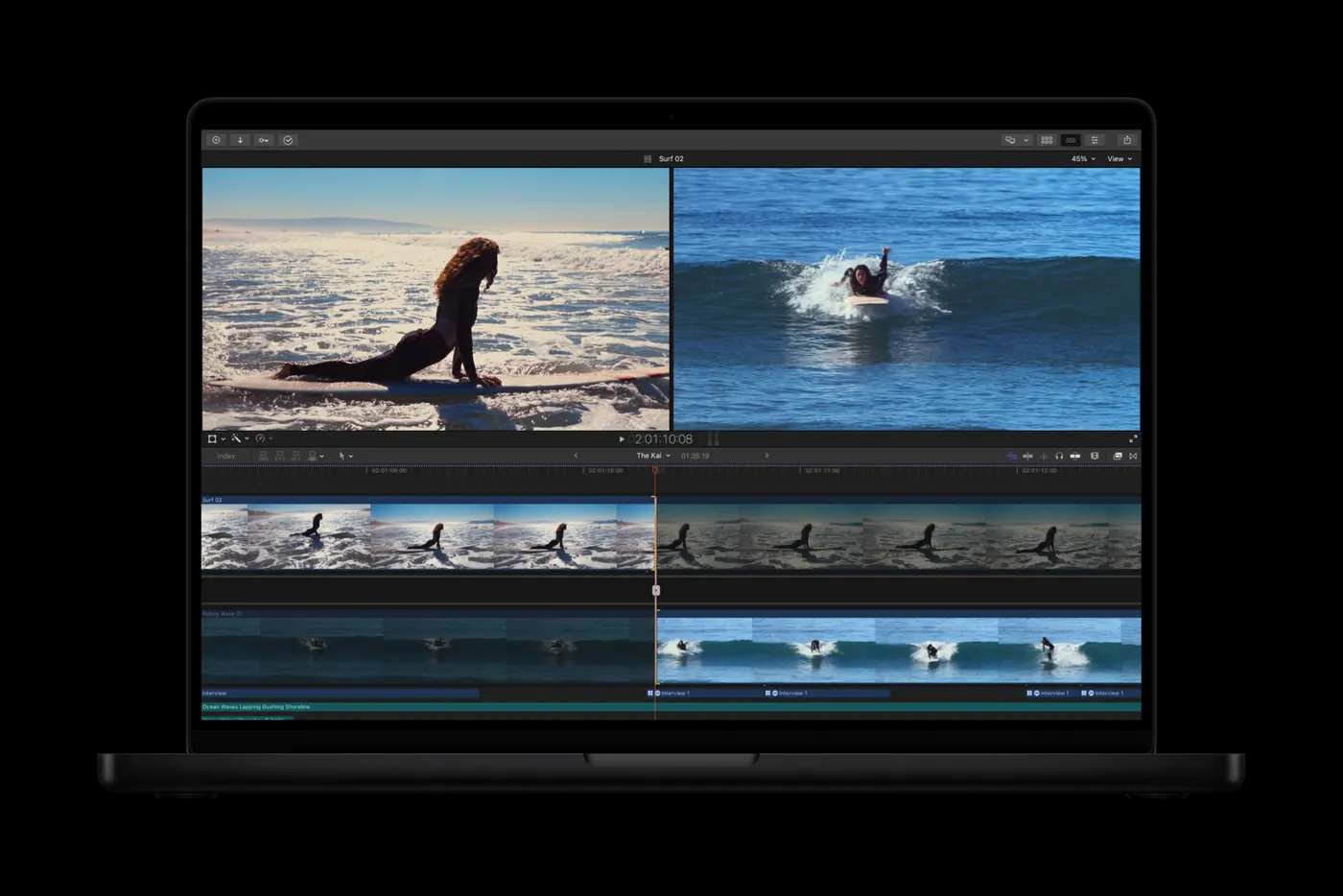
Alongside Generate Captions, Apple is adding Edit Detection, which analyzes an already rendered video and splits it back into its original clips on the timeline. This allows editors to return to a completed file, make changes, or create shorter cut-down clips for social media without manually searching for edit points.
New Creator Themes and more content options
Final Cut Pro also gains new Creator Themes with support for multiple aspect ratios, dynamic titles, and customizable backgrounds.
This addition mainly targets creators who work across different platforms at the same time, including horizontal videos, vertical reels, and square posts, reducing the time needed to adapt a project to different formats.
Auto Mask, Match Color, and Advanced Trimming on Mac
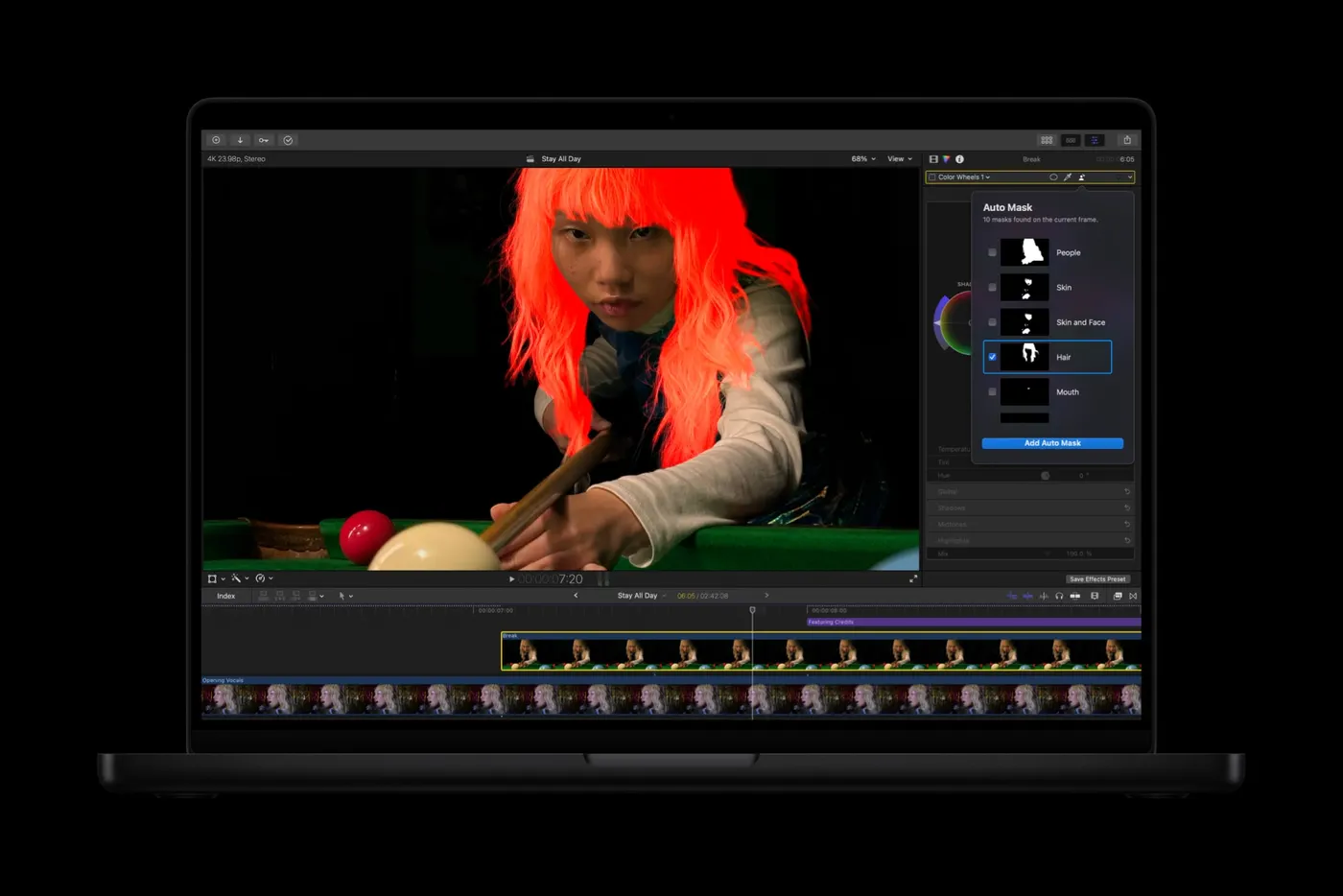
Final Cut Pro for Mac adds Auto Mask, a new tool for isolating and refining specific elements within footage.
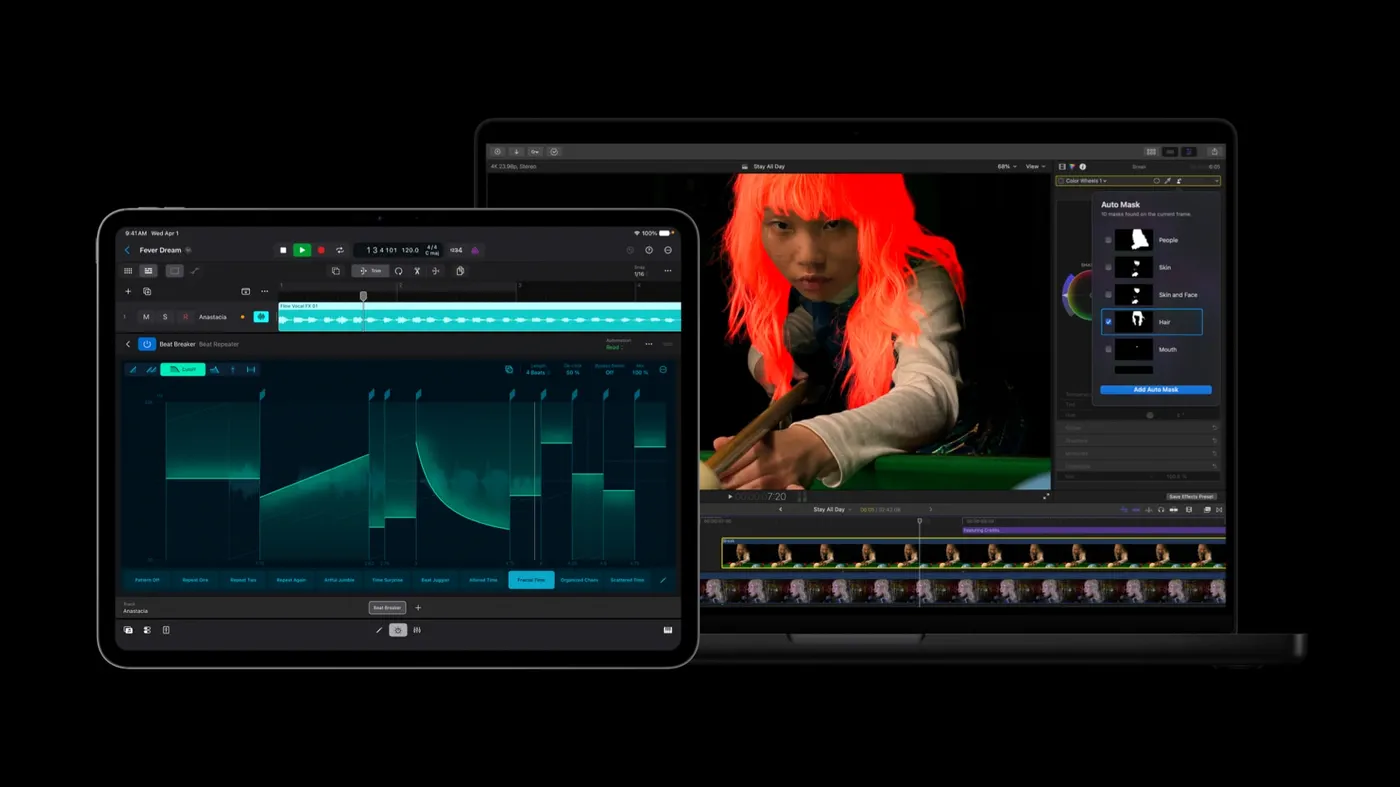
The feature is powered by on-device AI and can recognize elements such as skin, hair, sky, foliage, and clothing, with no manual tracking required. Hovering over a clip shows a live preview of the detected elements, while users can also choose from a list in the inspector.
Auto Mask works alongside Magnetic Mask, giving editors greater control over local color corrections, effects, and creative adjustments.
Apple has also improved Match Color, which now provides more natural and accurate color matching across footage captured under different lighting conditions or with different cameras. Users select a reference frame and Final Cut Pro analyzes other shots to bring them closer together visually.
Advanced Trimming allows more precise adjustment of incoming and outgoing frames, one frame at a time, making detailed editing easier at critical points.
Direct connection with Pixelmator Pro
One of the major Apple Creator Studio changes is deeper Pixelmator Pro integration.
Final Cut Pro users can now send a selected frame directly to Pixelmator Pro, create thumbnails or social media graphics, and then bring the result back into the timeline without interrupting their workflow.
This connection also extends to Keynote, Pages, and Numbers. Users can select any image inside a document, presentation, or spreadsheet, open it directly in Pixelmator Pro, edit it with the full suite of tools, and have the changes automatically saved back into the original file.
Shape generation, Image Generation, and Content Hub
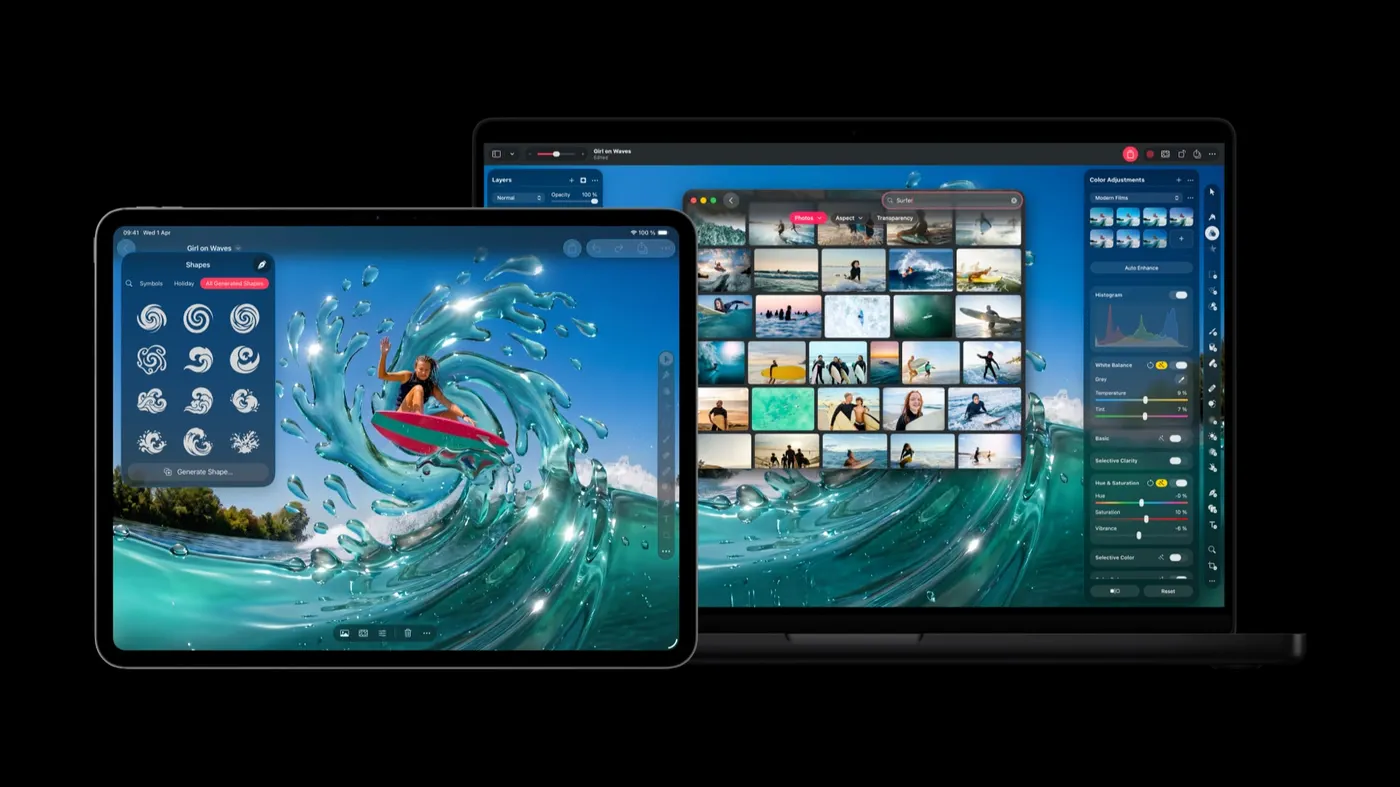
Apple is bringing vector shape generation to Pixelmator Pro, Keynote, Pages, and Numbers.
Users can create shapes for a project, refine them, and save them to a dedicated collection for future use.
Image Generation and Content Hub are also expanding to Pixelmator Pro. With Image Generation, creators can create and edit images using natural language, while Content Hub offers a curated collection of photos, graphics, shapes, and illustrations for use in new designs.
Motion and Compressor get new capabilities
Motion is being updated with native support that keeps vector graphics crisp at any resolution.
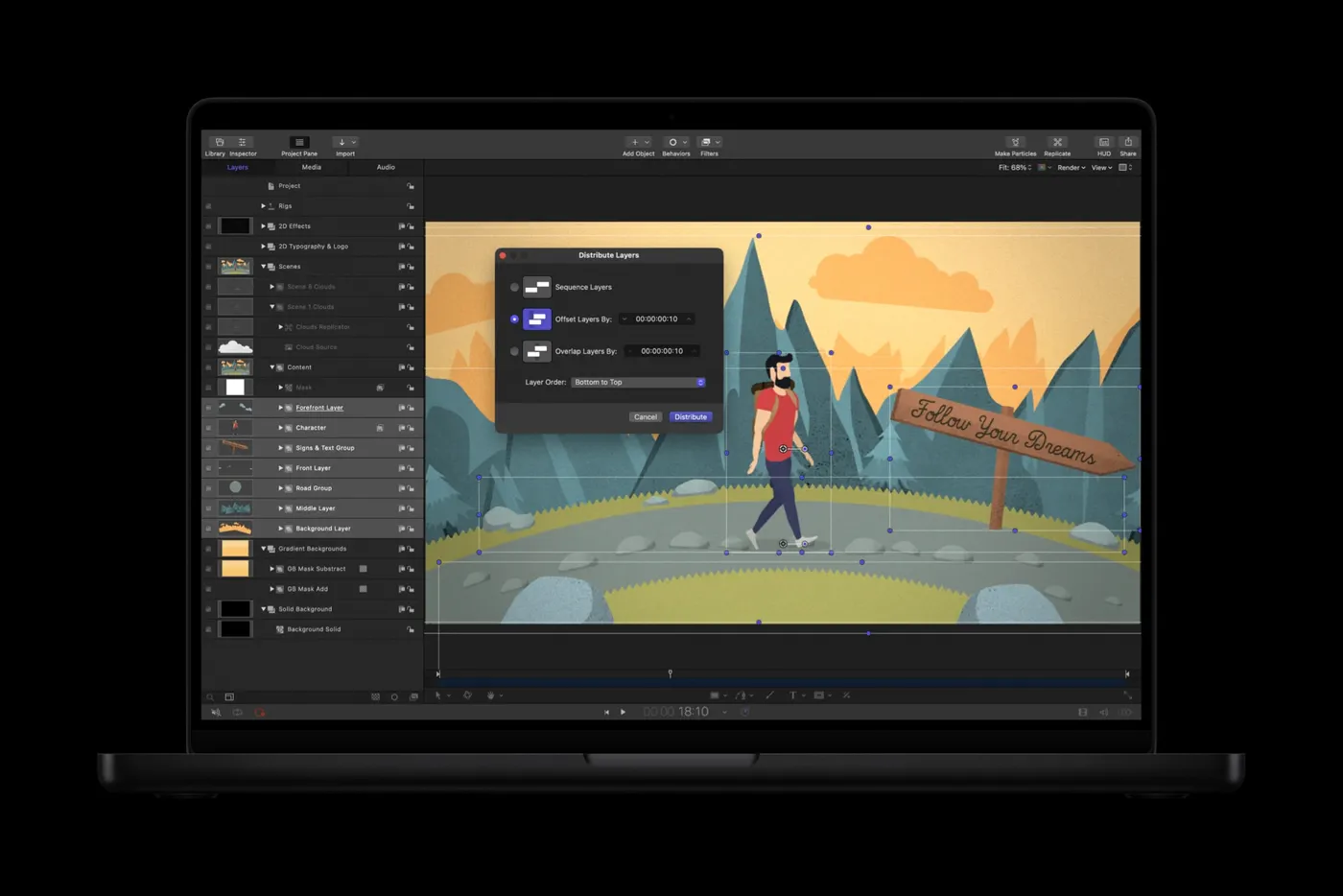
Apple is also adding Distribute Layers, a feature designed to speed up the setup of more complex animations, especially when many layers need to be organized precisely.
Compressor gains Immersive Metadata Viewer, support for the 180-degree Apple Projected Media Profile for Apple Vision Pro, and Anaglyph View for Stereoscopic Video Preview, strengthening workflows for immersive and stereoscopic content.
Final Cut Camera with Clean HDMI Out and ProRes LT
The free Final Cut Camera app for iPhone and iPad now supports Clean HDMI Out, allowing it to send a clean video signal to external monitors and recorders.
Apple is also adding expanded ProRes support, including ProRes LT, giving creators more flexibility when choosing the right codec for each production.
In addition, users can now disable digital zoom, ensuring that every frame is captured at the full optical resolution of the camera system.
New tools in Keynote, Pages, Numbers, and Freeform
Keynote gains new transitions and builds, adding more options for presentations with more dynamic motion.
Pages for iPhone and iPad gains Auto-Hyphenate and Show Invisibles, features that help with more precise text editing and better formatting control.
Numbers becomes more practical for large and complex spreadsheets, with the ability to hide or color-code individual sheets.
With iOS 27, iPadOS 27, and macOS 27, Freeform will gain shape generation, the ability to open an image in Pixelmator Pro, Dark Mode, folders for organizing boards, and support for drawing on Mac.
Logic Pro, MainStage, and new music production tools
Logic Pro for Mac and iPad is getting updates aimed at making music creation more intelligent and immediate.
Chord ID has been redesigned for more accurate harmonic analysis, with support for extended chords and inversions, even when they come from a distorted guitar or a slightly out-of-tune piano. This allows Session Players to respond more effectively to chord changes.
Apple is also adding a new Producer Project featuring the complete Logic Pro session for “Shoulda Never,” produced by Khris Riddick-Tynes. The project includes multitrack recordings, MIDI performances, and vocal takes, offering a closer look at a professional music production session.
Logic Pro and MainStage are also getting a new granular sync mode in Alchemy, Apple’s flagship sample-manipulation synthesizer. Alongside it, Apple is introducing the Granular Alchemy Sound Pack, with loops and presets built specifically for the new mode.
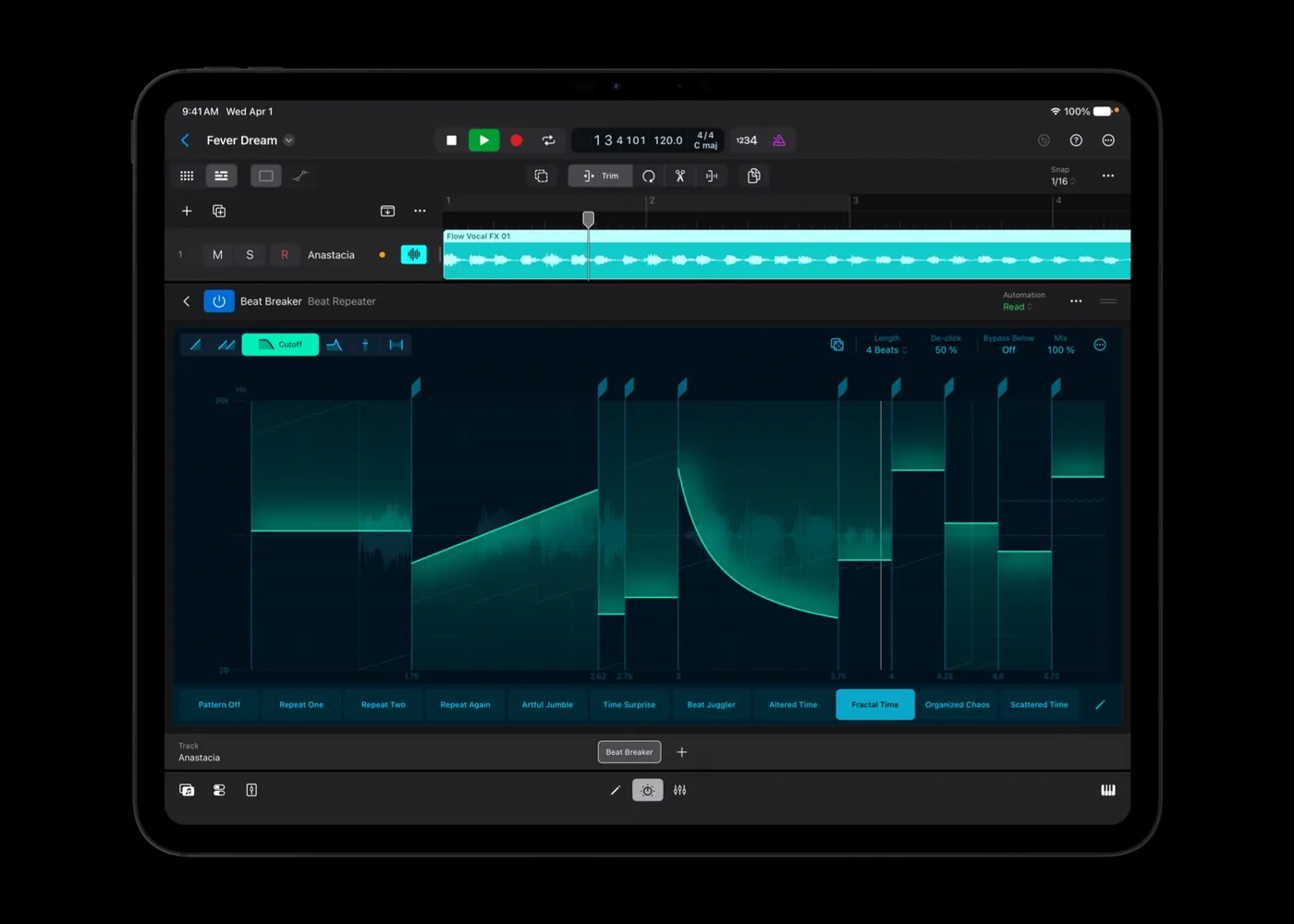
Beat Breaker expands across Mac and iPad with new filter and pan modes, along with more direct randomization controls for creating fills and rhythmic variations.
Pricing and availability
Apple Creator Studio updates are available as a free update for existing subscribers.
For new subscribers, pricing in the U.S. is $12.99 per month or $129 per year, with a one-month free trial. With the purchase of a new Mac or qualifying iPad, users can receive three months of Apple Creator Studio for free.
There is also an education plan for college students and educators priced at $2.99 per month or $29.99 per year in the U.S.
Apple Creator Studio is available on the App Store as a universal purchase and supports Family Sharing for up to six members.
One-time-purchase versions remain available on the Mac App Store for Final Cut Pro, Logic Pro, Pixelmator Pro, Motion, Compressor, and MainStage. The free versions of Keynote, Pages, Numbers, and Freeform continue to be included with every new iPhone, Mac, and iPad.
Requirements and limitations
The Apple Creator Studio version of Final Cut Pro for Mac requires macOS 15.6 or later, while some features require Apple silicon. Final Cut Pro for iPad requires iPadOS 18.6 or later and a compatible iPad.
Generate Captions requires a Mac with Apple silicon and macOS 15.6 or later, or an iPad with an M1 chip or later, iPad with A16, or iPad mini with A17 Pro and iPadOS 26 or later. The feature is available only in U.S. English.
Final Cut Camera requires an iPhone with iOS 18.6 or later or an iPad with iPadOS 18.6 or later. Expanded ProRes support requires iPhone 13 Pro or later, while Clean HDMI Out requires iPhone 17 Pro.
Pixelmator Pro in Apple Creator Studio requires macOS 26 or later, while Pixelmator Pro for iPad requires iPadOS 26 or later and a compatible iPad.
Image Generation and Shape Generation require an Apple Intelligence-capable device, such as iPhone 15 Pro or later, an iPad with A17 Pro or an M-series chip, or a Mac with Apple silicon, along with an Apple Account and iCloud enabled.
What we think
Apple appears to be turning Creator Studio into a more unified production ecosystem, rather than just a collection of separate apps. Automatic captions in Final Cut Pro are the most immediately useful addition for video creators, but the bigger shift is the Pixelmator Pro integration, the new AI tools, and the ability to move content between apps with fewer unnecessary steps. Language and hardware restrictions show that the transition will be gradual, but the direction is clear.
Frequently Asked Questions
What is the most important new feature in Final Cut Pro?
The most important addition is Generate Captions, which automatically creates captions from a video’s audio and places them directly in the timeline.
Does Generate Captions work on Mac and iPad?
Yes, the feature is coming to Mac and iPad, but it requires compatible hardware and is available only in U.S. English.
What does Edit Detection do?
Edit Detection analyzes an already rendered video and splits it back into clips on the timeline, allowing editors to make changes or create shorter versions more easily.
What is new with Pixelmator Pro in Apple Creator Studio?
Pixelmator Pro now connects more directly with Final Cut Pro, Keynote, Pages, and Numbers, allowing users to edit images and return them to the original project without a separate workflow.
Are one-time purchases still available?
Yes, Apple says one-time-purchase versions of Final Cut Pro, Logic Pro, Pixelmator Pro, Motion, Compressor, and MainStage remain available on the Mac App Store.