

Summary
- The Hasselblad X2D II 100C now supports tethered shooting in Capture One.
- Its connection is wired and includes Live View.
- The feature arrives in Capture One 16.9.1 and Mobile 4.3.
- Other supported Hasselblad models currently retain RAW editing support without this tethering capability.
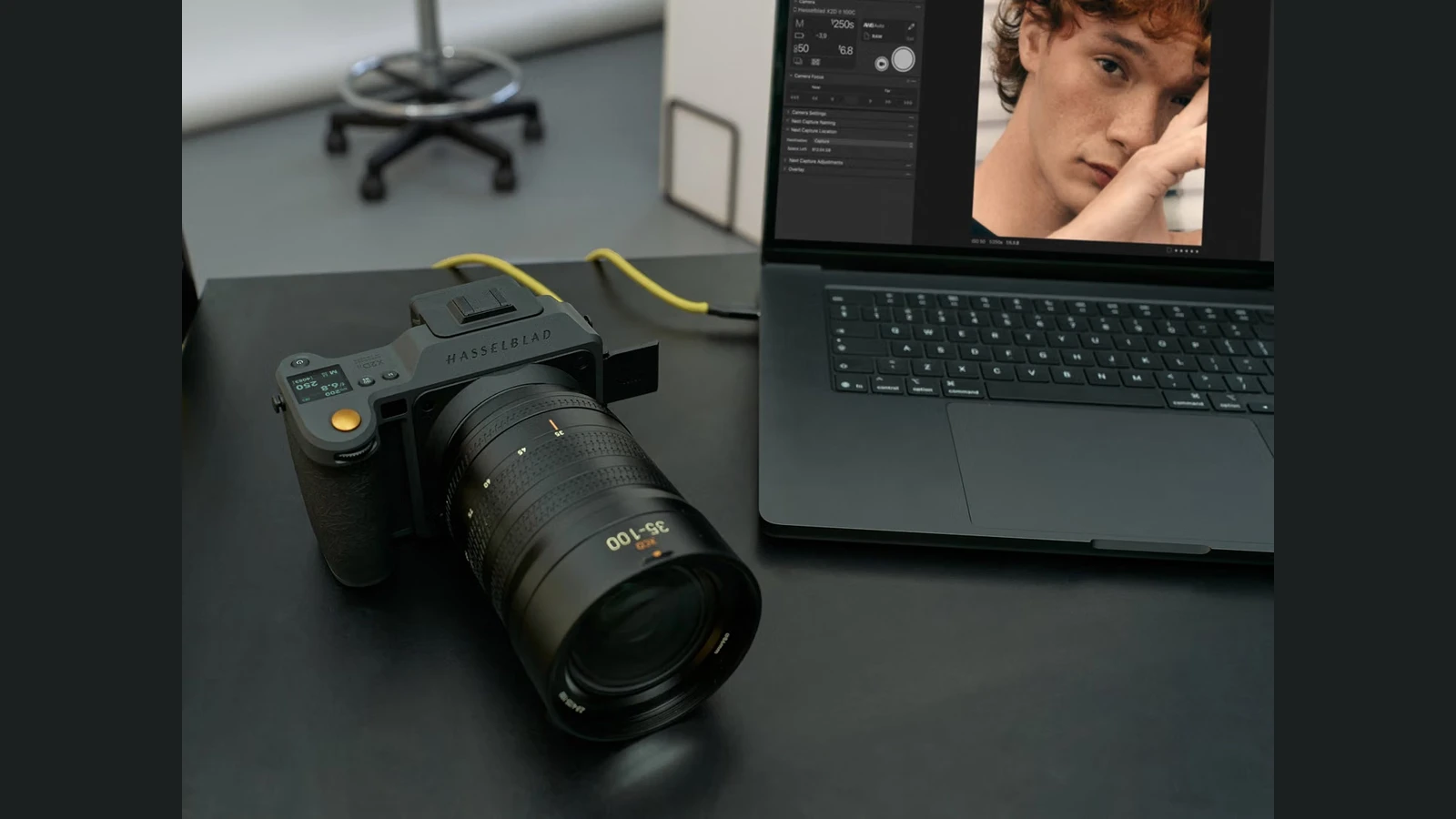
The Hasselblad X2D II 100C can now connect directly to Capture One for tethered shooting, bringing capture and immediate image review into a single workflow.
The feature arrived on November 18, 2026, with Capture One 16.9.1 on desktop and Capture One Mobile 4.3. It is the first Hasselblad camera to support tethering in Capture One.
What the new connection offers
Over a wired connection, the X2D II 100C sends photographs straight into Capture One as they are captured, with Live View support as well. Photographers can review images on a larger screen and manage their shoot without an intermediate import or RAW conversion step.
This matters in portrait, fashion, product and commercial photography, where the photographer, art director and client often need to assess the results during a session. The announced Hasselblad implementation is wired: wireless tethering has not been announced for this camera.
Which Hasselblad cameras are supported
The companies’ earlier partnership introduced native Hasselblad .3FR RAW editing in Capture One 16.8.3. File support covers the X2D II 100C, X2D 100C and CFV 100C digital back, alongside correction profiles for 19 XCD lenses.
For now, however, the new tethered capture feature is exclusive to the X2D II 100C. RAW file support for the other two devices does not automatically mean they can shoot directly into the application. Capture One’s wireless tethering for selected Canon cameras is a separate implementation, not the connection offered here for Hasselblad.
More information here.
What else is new in Capture One 16.9.1
The release also adds barcode and QR-code recognition in new tethered captures for Studio for Enterprise. Other changes include editable skin masks in Body Skin Retouching, AI Crop within Next Capture Adjustments via AppleScript on macOS, more stable Multi-User Sessions and bug fixes.
Additional support includes the Phase One iXM-RS250 Achromatic with wired tethering and Live View, and the Leica APO-SUMMICRON-M 35mm f/2 lens. Sessions and Catalogs created in versions earlier than 16.9.0 need to be upgraded to open in 16.9.1.
What we think
For a Hasselblad photographer working in a studio, this is more useful than another minor editing tool. Seeing every frame immediately on the computer, with Live View and the full Capture One workflow, makes decisions about lighting, styling, fine details and selects easier to make while shooting.
A cable is not necessarily a drawback. For a controlled fashion or product shoot, a stable connection may be exactly what the team needs. Photographers who need to move freely, though, should be clear that this release does not add wireless tethering for Hasselblad.
The next feature we would like to see is tethered support for the original X2D 100C. Until then, the distinction between editing a camera’s RAW files and shooting directly into Capture One is important when planning a studio setup.
Frequently asked questions
Does the X2D II 100C support wireless tethering?
Not as part of this release. Capture One specifies a wired connection for the X2D II 100C.
Can the X2D 100C and CFV 100C shoot tethered?
Both support native RAW processing, but the new tethered capture feature is available only for the X2D II 100C.
Which software versions include the feature?
Capture One 16.9.1 for desktop and Capture One Mobile 4.3 for mobile devices.