

Summary
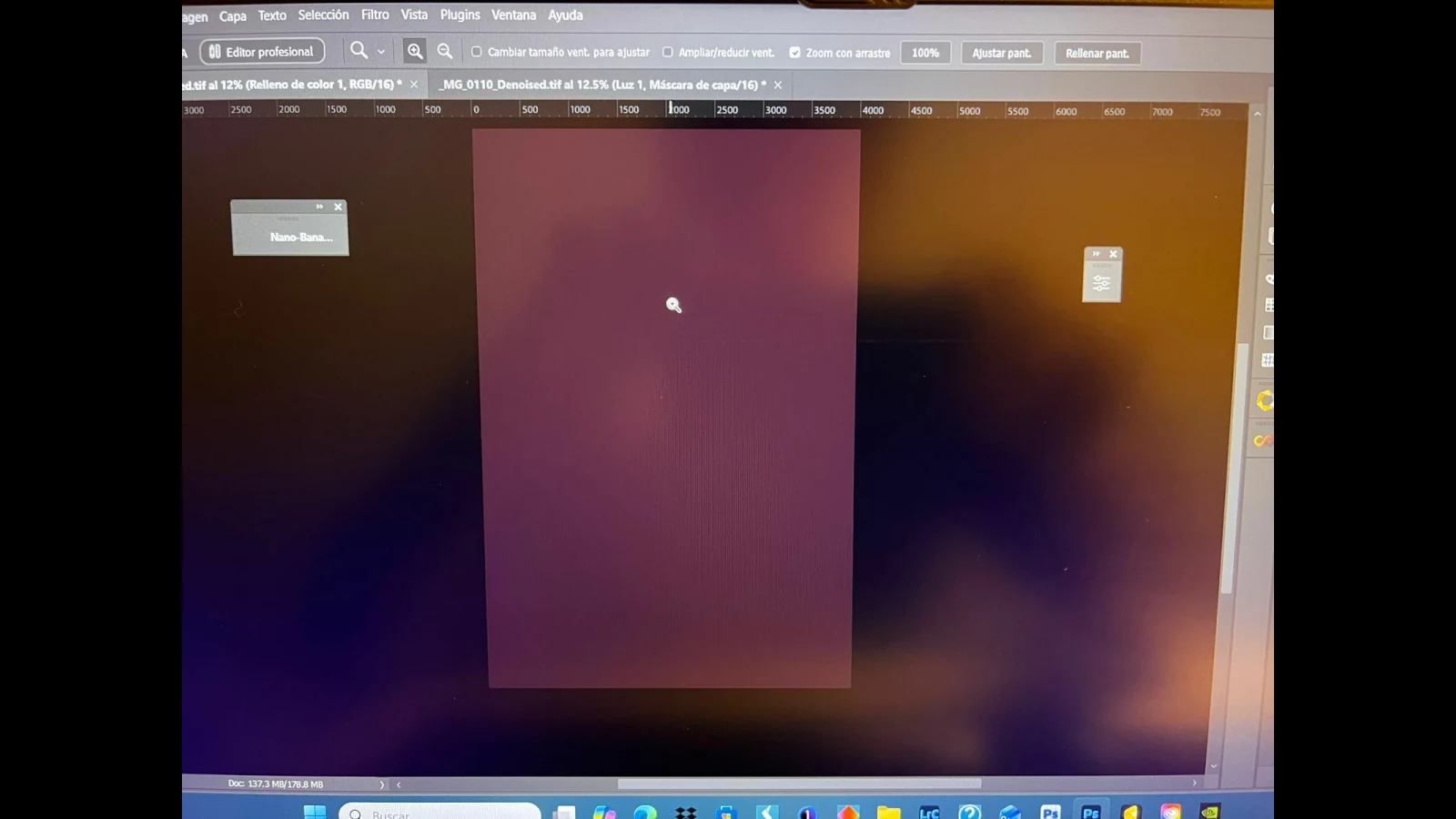
Photoshop 27.10 users report that the main canvas takes on a warm red cast even though the exported file and other previews show the expected colour.
The report was posted to the official Adobe Community on August 28 and has attracted more than one hundred replies. The issue does not appear to modify file pixels. It concerns how the GPU-accelerated canvas temporarily renders colour on screen.
Why it matters for editing
Even if the stored file remains correct, an inaccurate preview can prompt compensating edits. Reducing red or changing white balance to correct the faulty canvas could make the actual output too cool or otherwise inaccurate.
Evidence that isolates the issue
Users say the image looks correct in Camera Raw, print preview, Export and external viewers. The discrepancy disappears when “Use Graphics Processor” is disabled, supporting the view that this is a canvas-rendering fault rather than an incorrect file profile.
Adobe’s response and temporary workarounds
Adobe representative Anshul Saini said the issue had been escalated to the Photoshop product team as a potential regression. Until a confirmed fix arrives, the reported workarounds are disabling the GPU or reverting to version 27.9.1. Disabling GPU acceleration may reduce performance and make some features unavailable.
How to check your installation
Open a familiar image with neutral tones and compare the main canvas with Camera Raw or Export preview. Do not change the embedded profile or recalibrate the display solely because of this behaviour. It has not been confirmed on every system, so verify before making changes.
What we think
A colour-preview bug is serious because it undermines trust in the primary workspace. Distinguishing canvas appearance from the actual file data is the first step in avoiding incorrect edits.
Frequently asked questions
Are exported files corrupted?
Current reports indicate that exported files display correctly.
What is the temporary workaround?
Disable GPU acceleration or revert to 27.9.1, noting that the first option reduces performance and functionality.
Has Adobe acknowledged it?
Yes. A representative said it was escalated as a potential regression.