

Summary
Adobe has introduced a major set of new Creative Cloud features designed to accelerate every stage of the creative process.
The new additions target photographers, video creators, designers and creative professionals, bringing improvements to Lightroom, Photoshop, Premiere Pro, After Effects and Illustrator. According to the company, the updates focus on reducing time-consuming tasks and helping users complete projects faster.
The announcements are part of Adobe’s broader strategy to integrate artificial intelligence throughout its software ecosystem, with an emphasis on automating repetitive tasks and improving productivity.
Lightroom: Faster Culling and New AI Capabilities
Adobe continues to transform Lightroom into a complete photography workflow hub. One of the most important additions is Assisted Culling, which helps photographers quickly identify the best shots from large image collections. The feature includes a new Face View and advanced filtering options for more efficient image selection.
At the same time, Lightroom gains the ability to generate video from still photographs using generative AI. Users can transform a static image into a short video clip by adding motion through Adobe Firefly and Google Veo technologies.
New Video Tools in Premiere Pro and After Effects
For video creators, Adobe is focusing heavily on speeding up complex editing workflows.
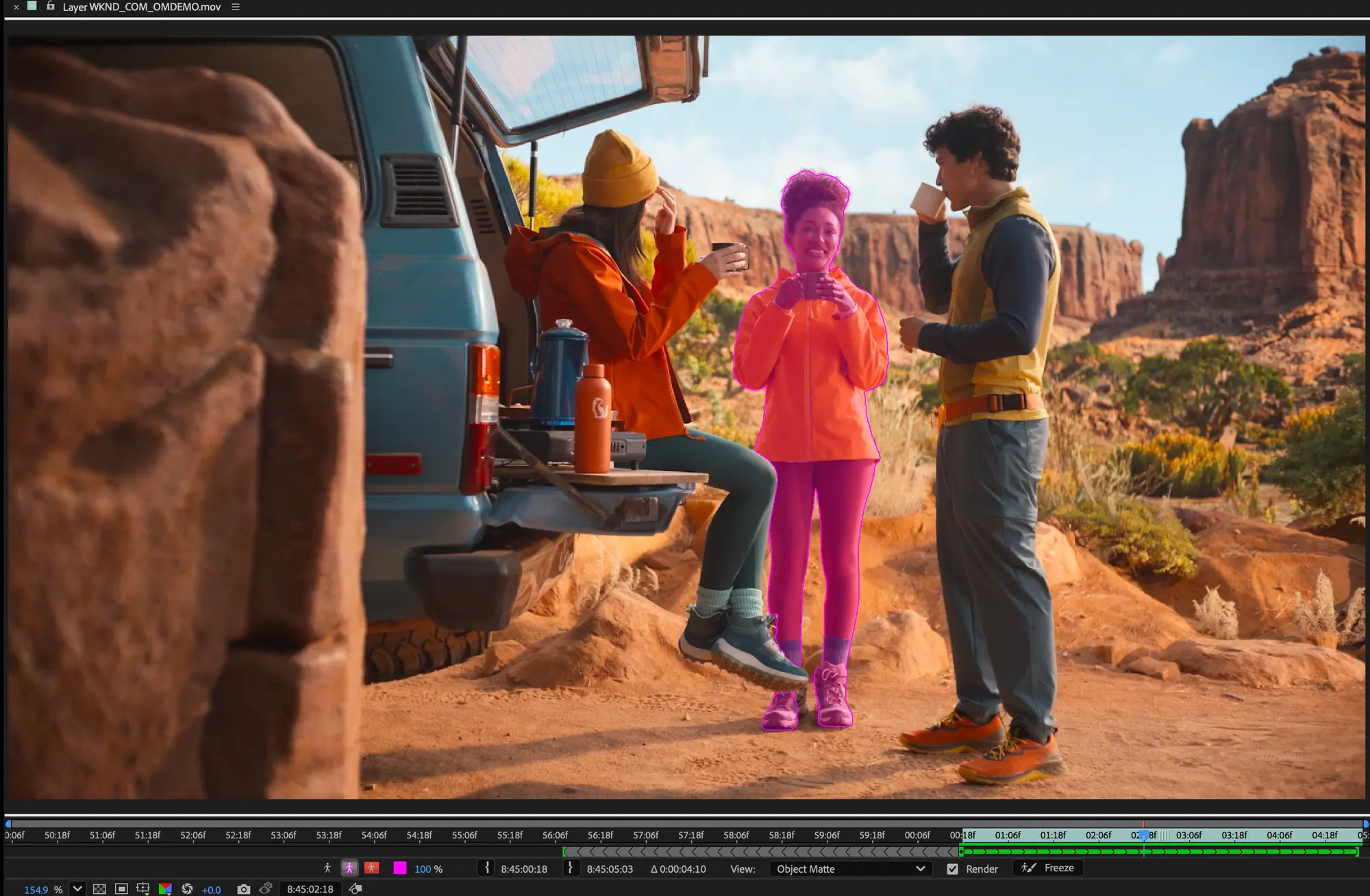
After Effects introduces the new Object Matte tool, which reimagines the rotoscoping process. Instead of relying solely on the traditional Roto Brush workflow, users now have access to four AI-powered selection tools designed to deliver faster and more accurate results.
Premiere Pro also receives several improvements aimed at accelerating video editing and project organization, enhancing overall productivity for editors.
Photoshop: More Control for Image Cleanup
In Photoshop, Adobe has upgraded the Remove Tool, providing greater control over reflection removal and image cleanup tasks.
Particularly noteworthy is the ability to use generative AI models directly on the device for certain functions, reducing dependence on an internet connection. Technologies such as Reflection Removal also become more flexible within the Photoshop workflow.
Illustrator: From Sketch to Vector
For graphic designers, the standout Illustrator feature is Concept to Vector.
The tool enables rough sketches or low-resolution images to be transformed into fully editable vector artwork, significantly reducing the time required to create clean vector files.
What We Think
These updates clearly show that Adobe continues to invest in artificial intelligence as a productivity tool rather than simply a content-generation feature. For photographers and video creators in particular, features such as Assisted Culling, Generate Video and Object Matte have the potential to save significant time in daily workflows, leaving more room for creative work.
Frequently Asked Questions
Which application receives the most new features?
Lightroom appears to receive the most significant additions, including new image selection tools and AI-powered video generation.
Can Photoshop use AI without an internet connection?
Yes. Certain functions of the upgraded Remove Tool can use AI models locally on the device.
What is Object Matte in After Effects?
It is a new object selection tool that uses artificial intelligence to deliver faster and more accurate rotoscoping.
What does Concept to Vector do in Illustrator?
It converts rough sketches or low-resolution images into editable vector artwork.