Summary
- Adobe has introduced a unified plugin for ChatGPT.
- It brings together more than 70 creative and productivity tools.
- It supports images, videos, designs, data and professional PDF documents.
- Users can start as guests, while an Adobe account provides access to Creative Cloud.
- The plugin is available globally on ChatGPT web and its apps.
- More than 70 tools in one plugin
- Photo editing and campaign creation
- Video for different platforms
- Templates, designs and ready-to-share PDFs
- Turning data into professional documents
- Guest access or an Adobe account
- Continuing the project in Adobe applications
- Expansion across more AI services
- Availability
- What we think
- Frequently asked questions
Adobe has introduced a unified plugin for ChatGPT that brings together more than 70 creative, editing and productivity tools within the conversation.
Adobe for ChatGPT allows users to create and edit images, videos, designs and documents using technologies from applications including Photoshop, Firefly, Premiere, Acrobat, Lightroom, Illustrator, InDesign, Adobe Express and Adobe Stock. The plugin works across ChatGPT Work and Codex, selecting the appropriate tools behind the scenes according to the user’s description and intended result.
The announcement is significant because it attempts to move complete creative workflows into a single conversation. Instead of constantly moving between different applications, users can start with an idea, produce the initial material, adjust it and save the final result, while retaining the ability to continue editing in Adobe’s applications.
More than 70 tools in one plugin
The new plugin combines capabilities from Adobe’s professional creative and document management suites. According to the company, it is not simply a shortcut to individual applications but a unified system capable of using different tools during the same project.
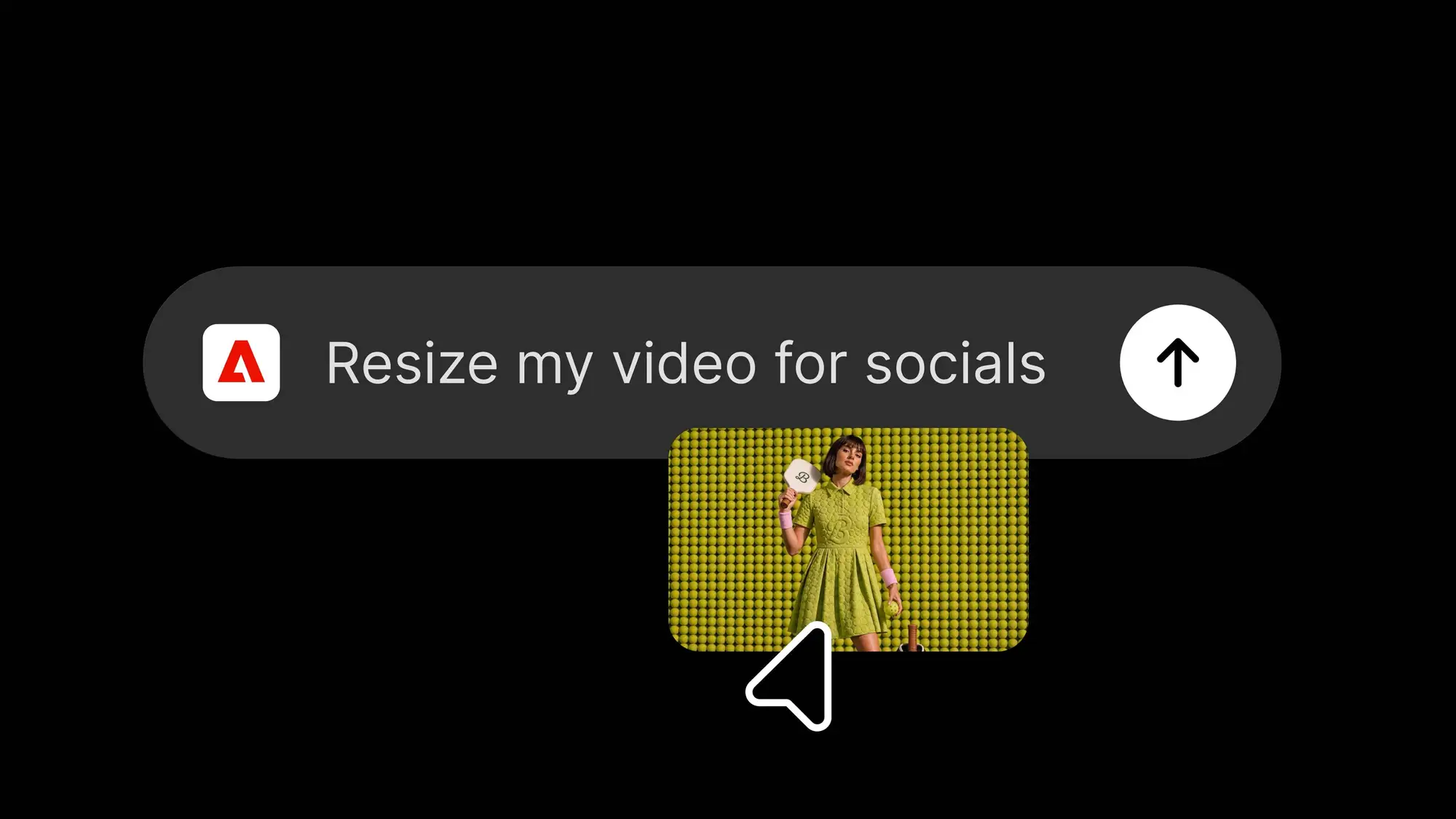
Users activate Adobe inside ChatGPT and describe the desired result in natural language. The system then combines the appropriate functions without requiring the manual selection of each application or tool.
In Adobe’s announcement, OpenAI’s ChatGPT Ecosystem product lead, Vibhor Chhabra, said the partnership is being expanded so users can access Adobe’s creative and productivity capabilities through ChatGPT.
Photo editing and campaign creation
One of Adobe’s examples involves batch editing photographs for an advertising campaign. Users can upload the original images, describe the desired visual style and request that a consistent look be applied across the complete set.
The finished files can be saved to Creative Cloud, while the strongest image can be transformed into a product presentation or packaging mockup. The same conversation can therefore cover both photo correction and the creation of additional campaign material.
Video for different platforms
The plugin can also process long-form footage and create shorter videos for social platforms. A long video can be transformed into a highlight reel and then adapted to different aspect ratios and services.
Adobe mentions YouTube Shorts and Instagram Reels as examples, showing how the same core production can generate multiple versions without restarting the editing process for each platform.
Templates, designs and ready-to-share PDFs
Through Adobe Express, users can browse thousands of templates and view interactive previews within the conversation. After selecting a design, they can change the copy and colors, add animation for social media or convert it into a PDF for digital distribution or printing.
The capability covers content such as social posts, posters, presentations and other communication assets, reducing the number of intermediate steps between selecting a template and exporting the finished work.
Turning data into professional documents
Adobe for ChatGPT is not limited to visual content. Users can upload a spreadsheet or dataset and describe the type of document they need.
The plugin can organize the information and create formatted PDFs, including event badges, catalogs, infographics and other documents intended for customers or partners. This workflow combines the processing of the original information with page layout and final presentation.
Guest access or an Adobe account
To activate the plugin, users open the Plugins section in ChatGPT and add Adobe. In a new conversation, they can type “@Adobe” and select it from the menu or open it through the add button.
Users can begin without signing in and access a broad collection of tools. Signing in with an Adobe account unlocks additional generative capabilities, provides access to Creative Cloud files and allows progress to be saved between sessions.
Continuing the project in Adobe applications
Although many tasks can be completed inside ChatGPT, Adobe maintains the connection with its full applications. When greater control, detailed editing or pixel-level precision is required, the file can be opened in the corresponding application and the work can continue from where it stopped.
For example, a set of product photographs can initially be batch edited through ChatGPT. The campaign’s main image can then be opened in Photoshop to composite multiple elements, work with layers and masks and refine the final result.
Expansion across more AI services
Adobe has already made its tools available through AI platforms including ChatGPT, Claude and Copilot. The company says similar integrations for Slack and Gemini are coming.
The new plugin is differentiated by bringing more Adobe applications and functions into a unified experience, using tools similar to those that power the agents inside Adobe’s own applications.
Availability
Adobe for ChatGPT is available globally from August 6, 2026, on both the ChatGPT web experience and its applications. Adobe says it will continue adding creative and productivity tools based on how people use the initial version of the plugin.
What we think
Bringing Adobe’s tools together in a unified plugin could noticeably reduce the intermediate steps involved in everyday content creation. Its practical value will depend on the quality of the results, the degree of control retained by creators and how smoothly files move into the full Adobe applications. Photoshop, Premiere and the rest of the professional software will remain essential for complex productions, but ChatGPT can now serve as a shared starting point and coordination layer.
Frequently asked questions
What is Adobe for ChatGPT?
It is a unified plugin that brings more than 70 Adobe creative, editing and document management tools into ChatGPT.
Which Adobe applications are supported?
It includes capabilities from Adobe Express, Photoshop, Firefly, Premiere, Acrobat, Lightroom, Illustrator, InDesign, Adobe Stock and other Adobe services.
Is an Adobe account required?
Users can begin as guests. Signing in with an Adobe account adds generative features, Creative Cloud access and the ability to save work between sessions.
Can editing continue in Photoshop or Premiere?
Yes. Files can be moved into Adobe’s full applications when advanced tools, greater precision or more detailed control are required.
Where is the plugin available?
Adobe for ChatGPT is available globally through the ChatGPT web experience and its applications.