Summary
- Capture One 16.9 adds assisted stray hair removal with manual controls.
- New retouching tools refine skin tones on faces and bodies.
- The Advanced Color Editor gains a Target picker, exact RGB/HSL values and Uniformity.
- Multi-User Sessions leaves beta, alongside the release of Capture One Mobile 4.2.
The Capture One 16.9 release brings assisted stray hair removal, more deliberate skin retouching and substantially more targeted color changes into the same RAW editing workflow.
The new desktop version arrived on October 29, 2026, alongside Capture One Mobile 4.2 for iPhone and iPad. Its headline changes are particularly relevant to portraits, fashion and studio photography, where time between capture and delivery matters.
Stray Hair Removal: Less strand-by-strand cleanup
A flyaway crossing a face or standing out against a plain background can take surprisingly long to clean up. The new Stray Hair Removal tool uses a trained model to detect and reduce unwanted hairs both around the outside of the hairstyle and within it.
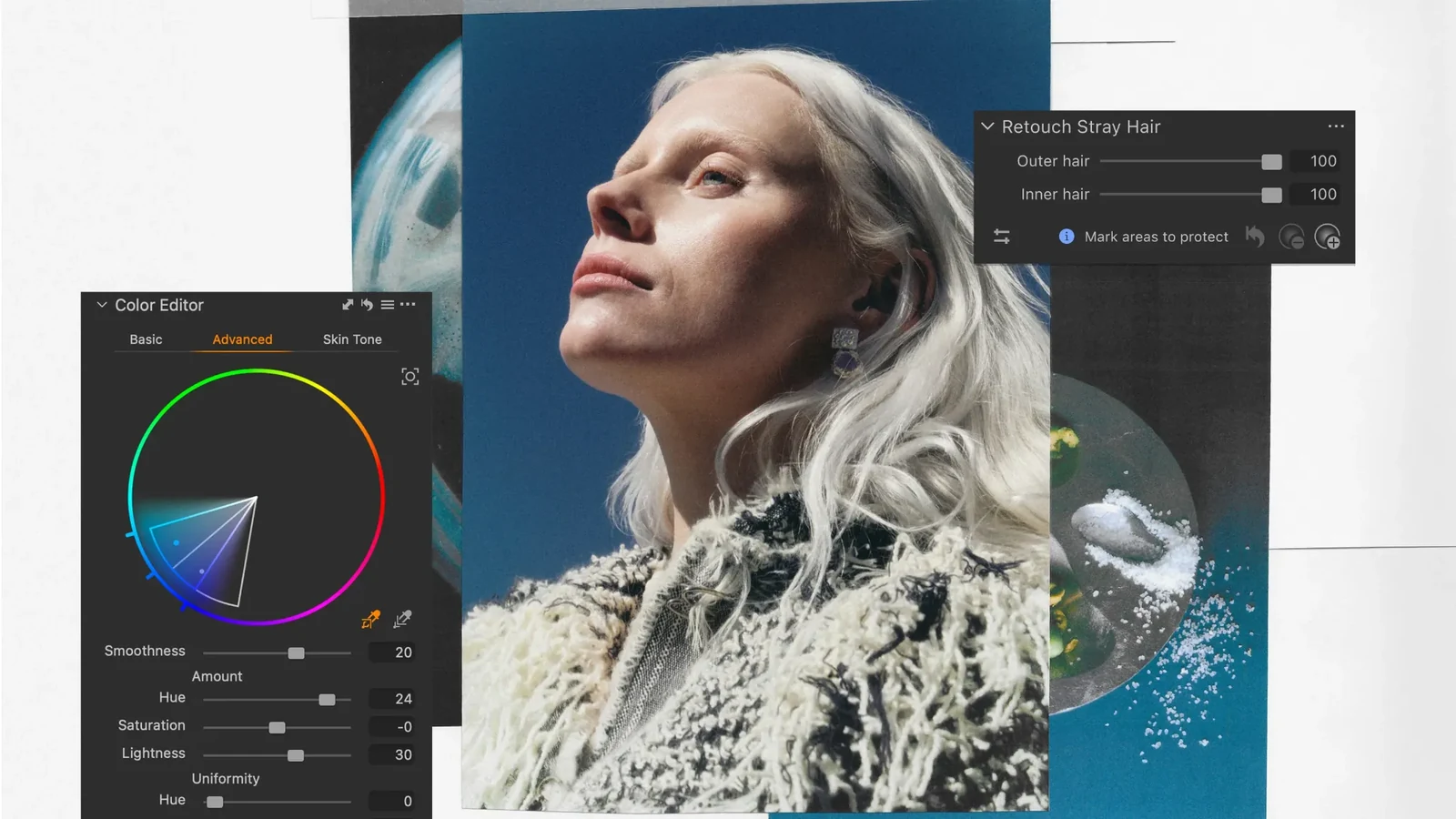
Rather than enforcing a single automatic result, separate Outer hair and Inner hair sliders control the strength of the removal. A protection brush allows photographers to preserve strands that belong in the picture. That matters for windblown looks, curls and delicate hairs near a face.
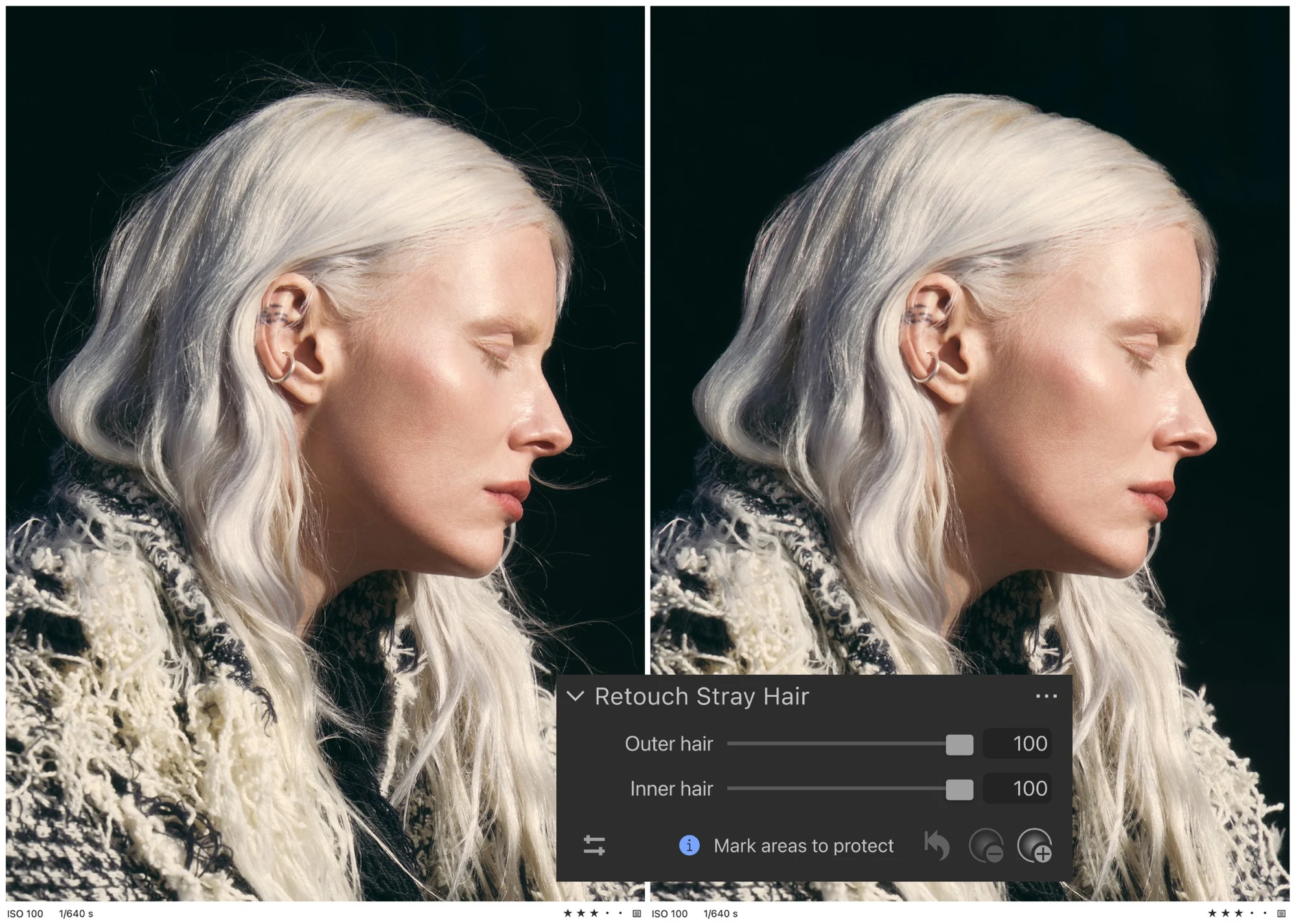
Capture One says its development team initially trained the tool on wigs and mannequins before working with real portraits. The release was pushed back to allow additional testing with professional portrait photographers. The feature does not make aesthetic decisions for a retoucher; it takes on much of the repetitive cleanup.
Skin Tone and Body Skin Retouching: Beyond faces
Skin Tone Retouching lets photographers even out tones across the face, the body or all visible skin. The separate Body Skin Retouching feature targets minor contrast and texture variations, helping arms, legs and other areas look more consistent within a photograph.
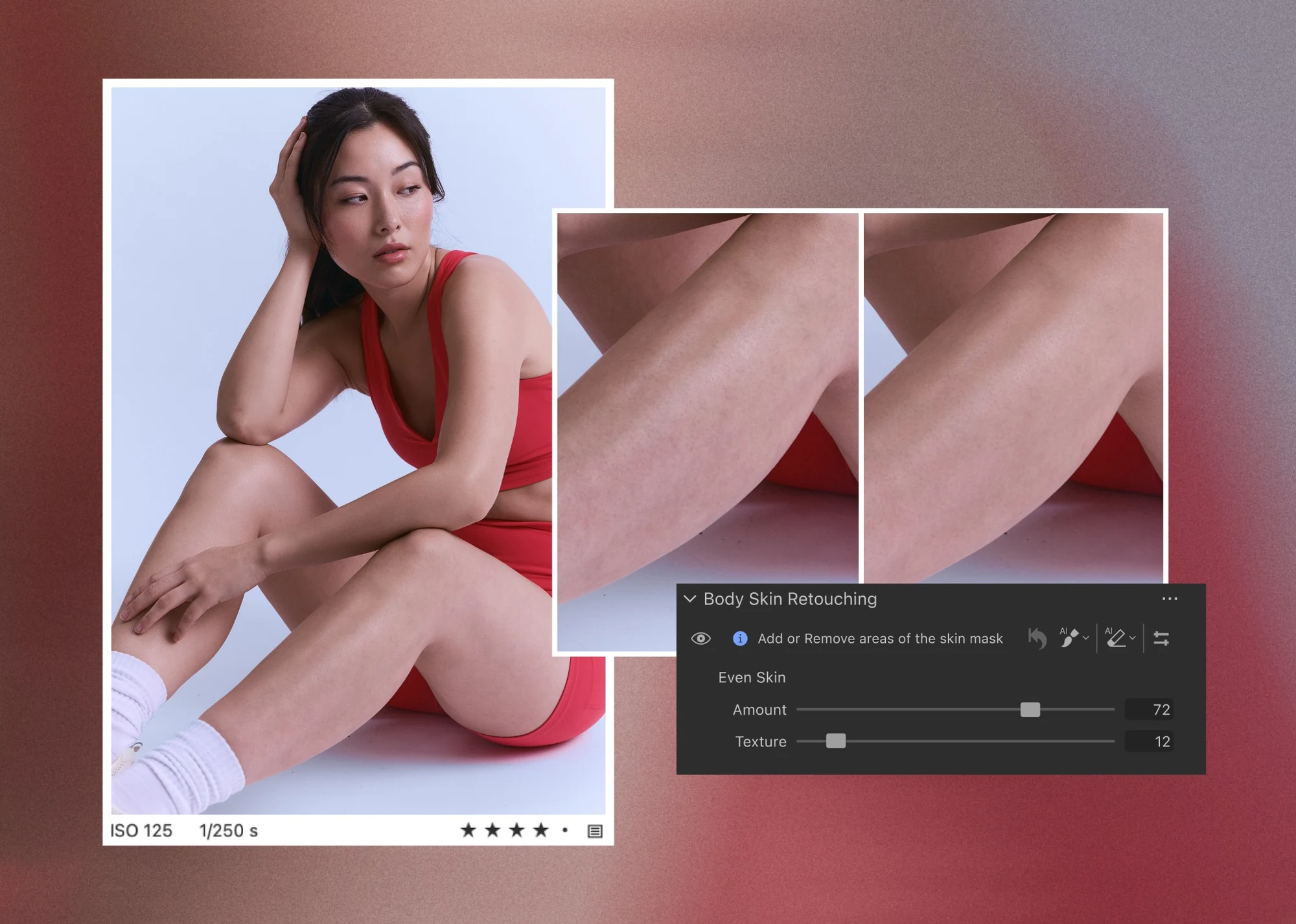
For fashion and beauty shoots, where a frame can include considerably more skin than just the face, the new tools reduce the need for numerous separate adjustments. Preserving natural texture remains a creative choice, with independent Amount and Texture controls visible in the product example.
Advanced Color Editor: Changes with an exact target
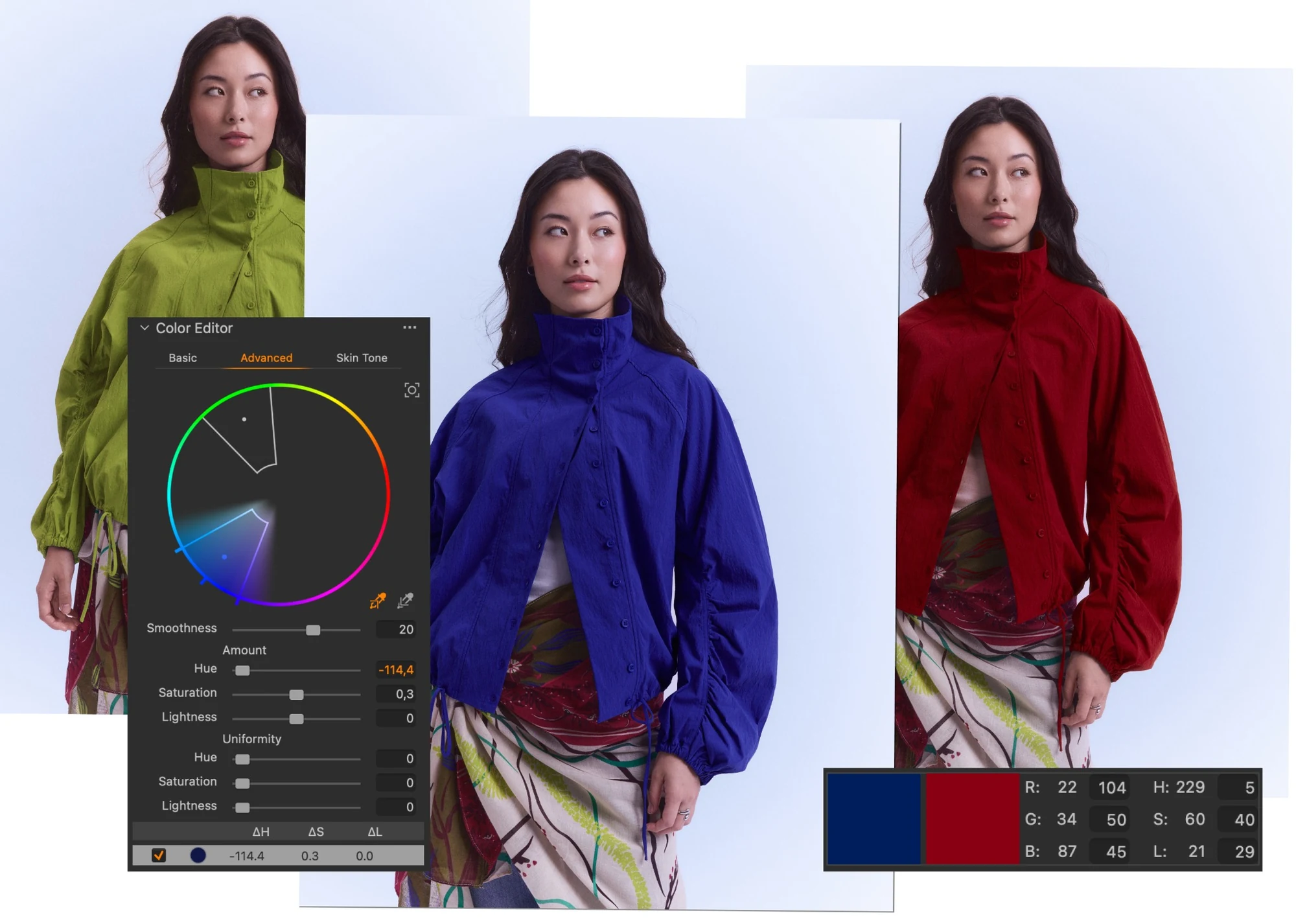
Another major update is the redesigned Advanced Color Editor. Its new color wheel and Target picker make it possible to move a selected color to another hue with fewer steps. Photographers can also type exact RGB or HSL target values instead of relying entirely on visual estimation.
Consider a catalog shoot where the same garment must appear in three colorways. A photographer or digital technician can show clients and art directors alternative colors while the shoot is still underway. The new Uniformity control helps reduce small variations across a colored surface, which is useful for consistent results across many frames.
Multi-User Sessions and other studio changes
Multi-User Sessions is out of beta on desktop. Collaborators can now export photographs, use Follow to track the most recent capture and check image synchronization status. For studios bringing together a photographer, digital technician and retoucher, these changes reduce uncertainty about the version of an image each person is seeing.
Other desktop changes include per-face focus and closed-eye indicators within the Assisted Review Viewer. Base Characteristics now only shows controls relevant to the current image, while the new Source Filename Token allows export names to follow the original filenames. Capture One also announces file support for the Nikon Z5 IIC and OM System PEN on desktop and mobile.
Availability and versions
Capture One 16.9 is available for desktop, alongside Capture One Mobile 4.2 for iOS. Updates are offered to existing users covered by their subscription update entitlements. A seven-day free trial is advertised for new users. No verified European launch price was identified for this release.
The new Stray Hair Removal and Body Skin Retouching features, as well as the revised Advanced Color Editor, are described as desktop tools. The simultaneous release of Mobile 4.2 does not mean all these controls are available on iPhone and iPad. Mobile previously gained Enhanced Denoise, Color Balance and Heal/Clone with version 4.0.
Capture One Pro — More information here.
Capture One Mobile — More information here.
What we think
Anyone who has spent an evening cleaning up hundreds of stray hairs across a set of headshots knows it can take longer than the rest of the retouching. That makes Stray Hair Removal one of the most useful changes here. The protection brush may be its best part: hair should not be made to look like a rigid plastic shape just because the software can remove flyaways.
The updated Color Editor may have an even greater impact on commercial product work. Being able to preview a different color while the client is still on set cuts down on revision cycles and helps settle creative decisions in real time. Exact RGB and HSL targets are equally practical when matching a reference sample.
There is an important distinction, though. Recoloring a garment digitally can help with creative previews, but it is no substitute for photographing the actual product when faithful representation is required. Likewise, being able to smooth skin or remove hair does not mean every detail needs correction. The software offers more control; the photographer still has to decide what belongs in the final image.
Frequently asked questions
Are the new stray hair tools included in Capture One Mobile 4.2?
This release presents them as features of the 16.9 desktop application. It does not establish that Stray Hair Removal or the redesigned Advanced Color Editor is available in Mobile 4.2.
Can I keep hair strands I want to remain visible?
Yes. Stray Hair Removal has a protection brush and separate strength controls for outer flyaways and inner hairs.