Summary
- CineMon 2.0 adds simultaneous two-source monitoring on iPad and Mac.
- It supports audio mixing and ProRes or 10-bit HEVC recording with compatible hardware.
- Digital slates, timecode and the Media Library support workflows from set to edit.
- Advanced features require PRO Packs or a subscription.
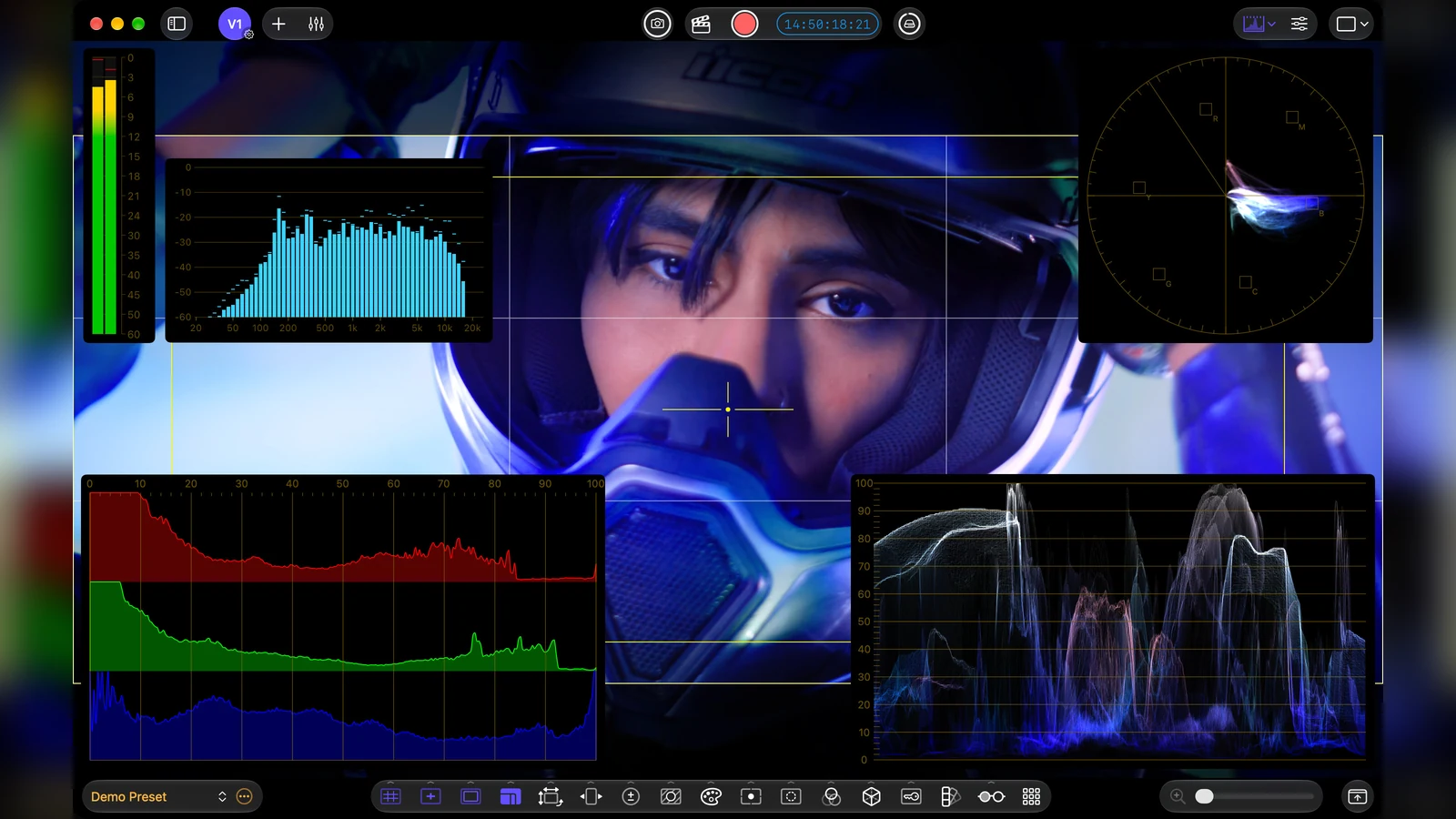
CineMon 2.0 turns a compatible iPad or Mac into a two-source video monitoring station with image analysis, audio mixing and ProRes recording capabilities.
Released on October 20, 2026, the CineSpices app brings tools associated with video village and video assist workflows to portable hardware, provided the cameras are connected through suitable capture equipment.
Two video sources on one monitor
V1 and V2 run simultaneously on both iPad and Mac. They can represent two live cameras or one live camera alongside a reference file. Reference Mode offers side-by-side, wipe, overlay and top-and-bottom comparisons for continuity checks and camera matching.
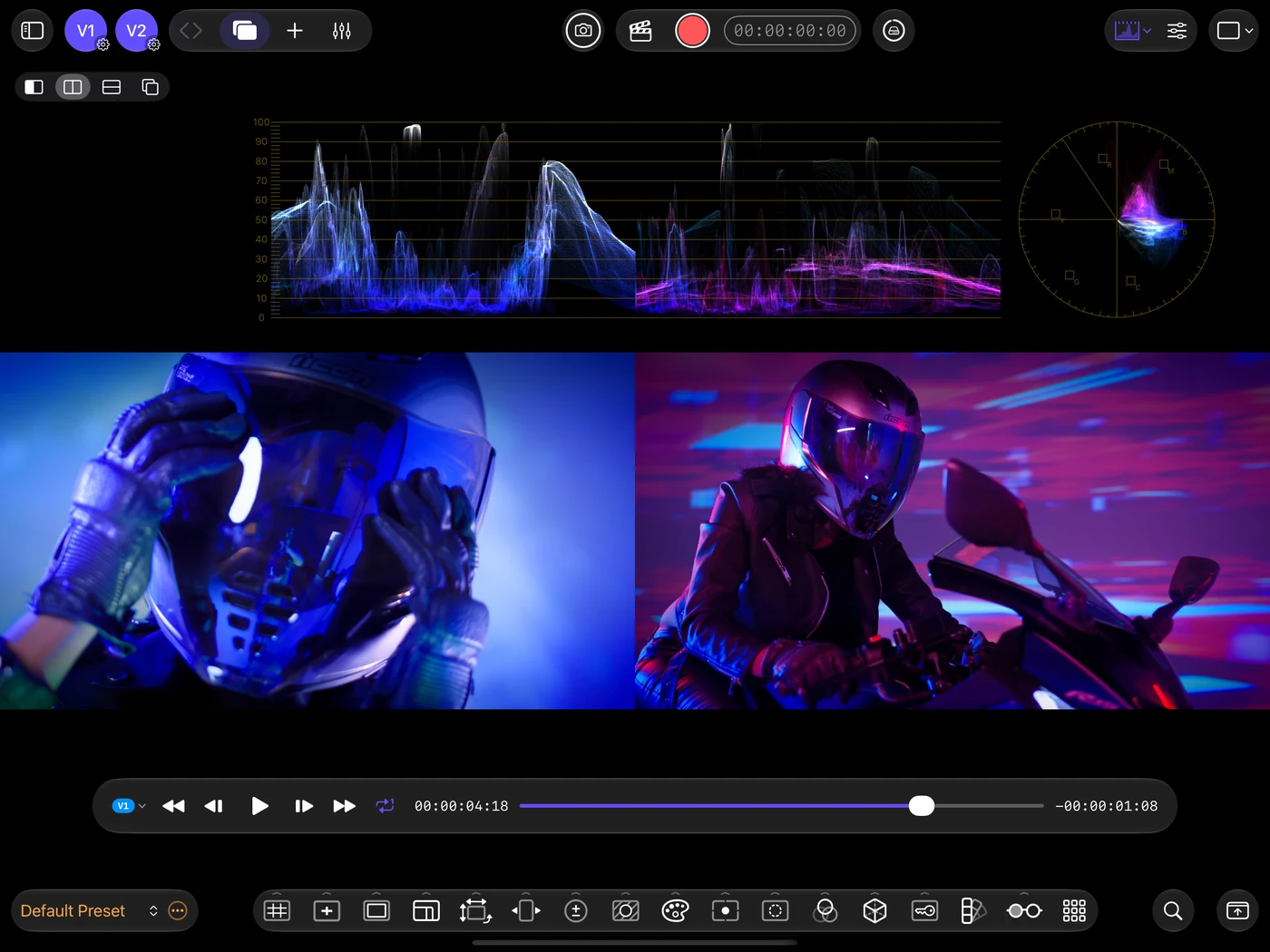
Six monitor layouts combine the picture with waveform, false color, focus peaking, framing crops, LUTs and Input Profiles that save source-specific color settings. A rebuilt 16-bit Metal processing pipeline aims to reduce banding, while iCloud sync keeps profiles and presets available across devices.
Connecting external cameras requires compatible capture hardware: USB capture devices on iPad and Mac, Accsoon SeeMo on iPad, or selected DeckLink and UltraStudio devices on Mac through Blackmagic’s CoreMedia IO webcam adapter. Native DeckLink SDK capture with 10-bit input and hardware timecode is not part of version 2.0.
Audio, recording and metadata for post
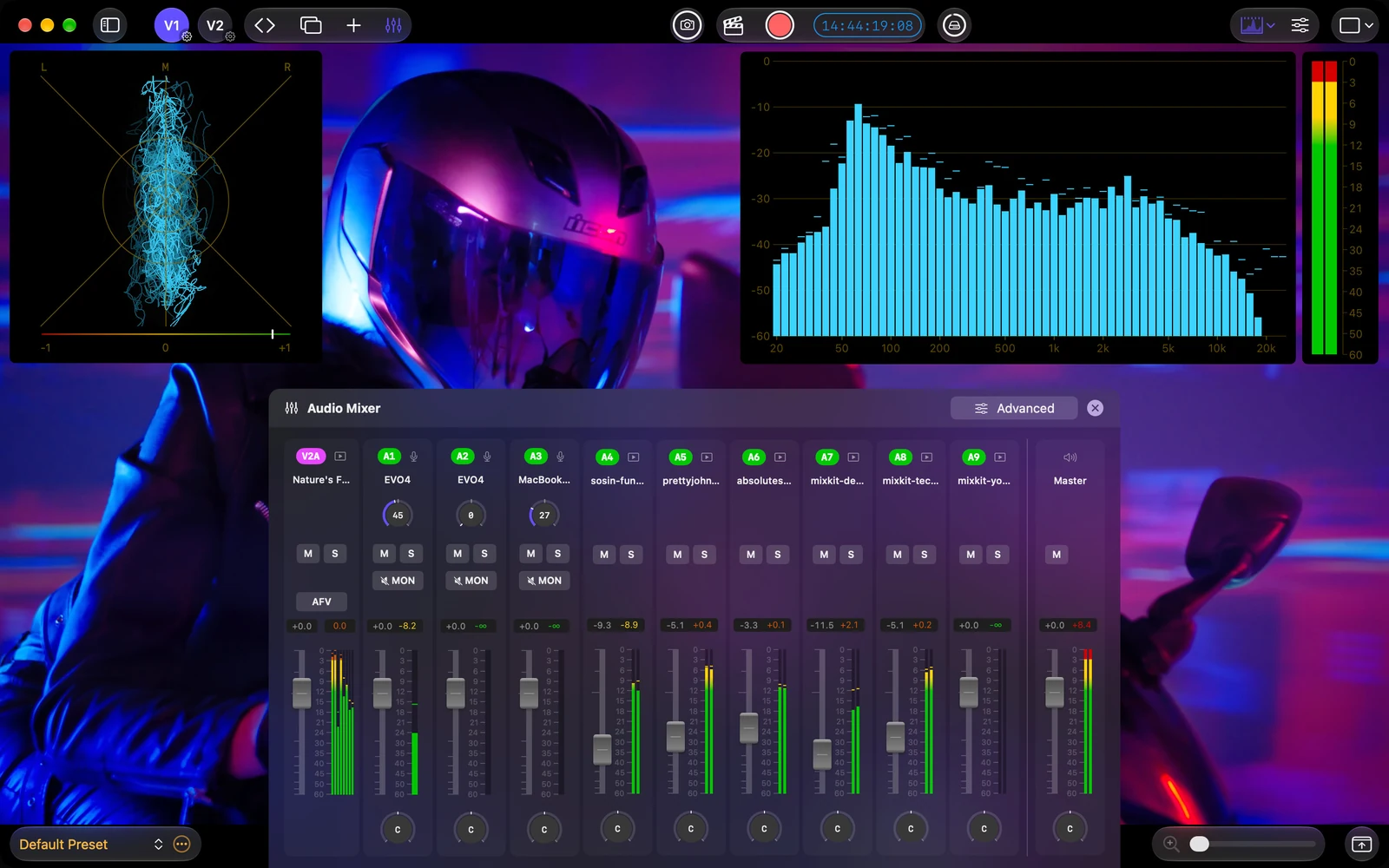
The integrated mixer combines multiple audio inputs even with different sample rates, bit depths and channel arrangements. It offers faders, pan, mute, solo and audio-follows-video. Six audio scopes, including ITU-R BS.1770 loudness measurements, help crews check levels and stereo behavior.
Recording supports ProRes, H.264 and 10-bit HEVC where the hardware and encoder support them, with a choice of original input or processed image. In Reference Mode, Processed Image can record the comparison composite; Raw Input captures the selected source rather than automatically generating two separate recordings.
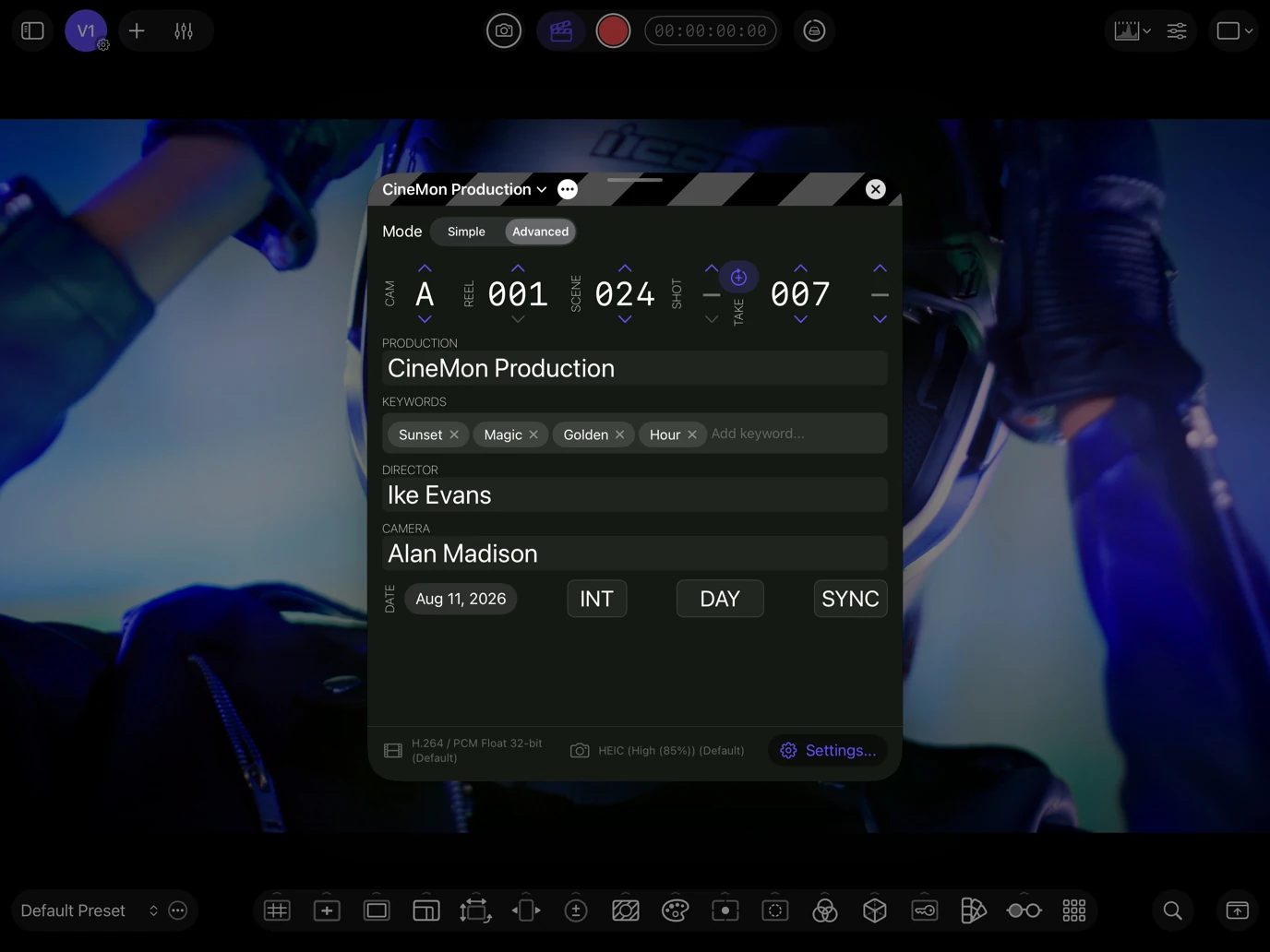
Digital slates attach scene, take, reel, camera and notes to recordings. Record Run, Free Run and external LTC timecode with Jam Sync are supported. The Media Library provides take organization and review, while QuickTime or XMP metadata helps carry production details into editing.
Latency, input resolution and the actual delivered video format depend on the camera and capture adapter. The monitoring tools for GoPro MISSION illustrate the growing usefulness of waveform and false color on set; CineMon addresses a broader multi-input workflow.
More information here.
Price and availability
CineMon 2.0 is a free App Store download for USB-C iPads running iPadOS 26 or later and Macs running macOS Tahoe 26 or later. Basic monitoring tools are free, while advanced features require one-time PRO Packs or a subscription.
U.S. introductory pricing is $149.99 for Video Monitoring, $49.99 for Audio Monitoring, $99.99 for Recording and $279.99 for the combined bundle. The PRO Pass costs $15.99 monthly or $149.99 annually. Local prices are shown in the App Store.
What we think
For a small crew already carrying an iPad or Mac, CineMon offers a practical way to compare cameras, check audio and organize takes within one workspace. That could be genuinely helpful during a two-camera interview or a lean documentary shoot.
But we would not replace a dedicated recorder solely because the app lists ProRes. Signal quality and latency depend on the capture chain, and monitoring two live inputs does not automatically mean recording two independent master files. We would test the complete setup—including timecode and post-production handoff—before relying on it for a paid shoot.