

Summary
- Instagram now allows editing published Stories for 15 minutes.
- Users can change text, music, stickers and drawings.
- Existing views, likes and replies are preserved.
- The feature is rolling out gradually and is not yet available to everyone.
If you publish an Instagram Story and immediately spot a mistake, you can now correct it without deleting and reposting the Story — provided the new option has reached your account.
On November 18, 2026, Instagram head Adam Mosseri announced a 15-minute editing window for selected elements of an already published Story. Existing views, likes and replies are preserved.
That removes the need to delete and upload a Story again just to fix a word or change a song. The feature is rolling out gradually, so not everyone will see it right away.
What you can change after publishing
The new “Edit story” option covers four types of changes: text, music, stickers and drawings added on top of the Story. For example, you can fix a typo, change a sticker or replace the accompanying music.
Instagram has not announced the ability to replace the underlying photo or video. An edited Story also shows an “Edited” label so viewers can tell that changes were made.
The time limit is familiar from Instagram comment editing, which also gives users 15 minutes after posting to make corrections.
Where to find “Edit story”
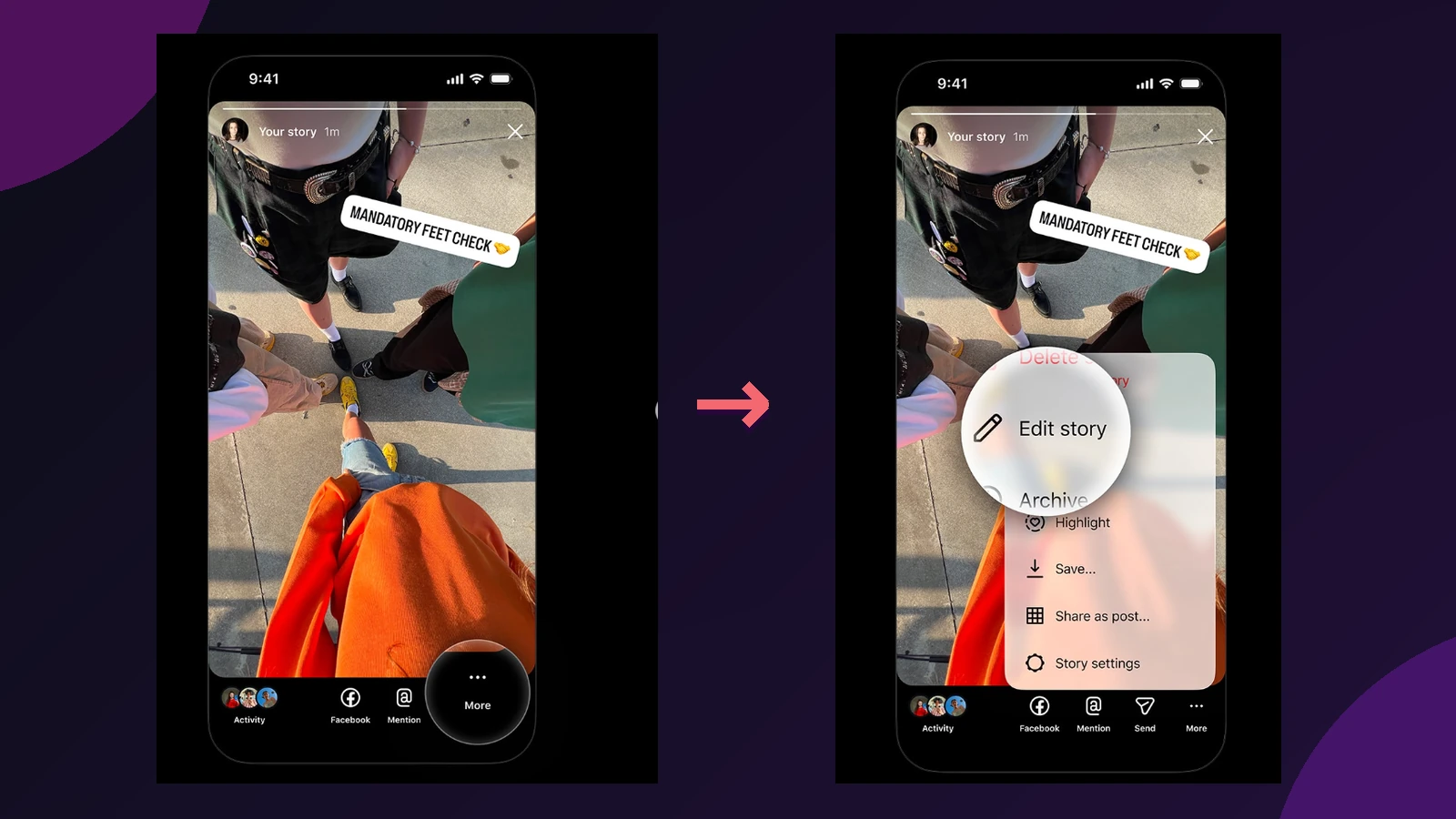
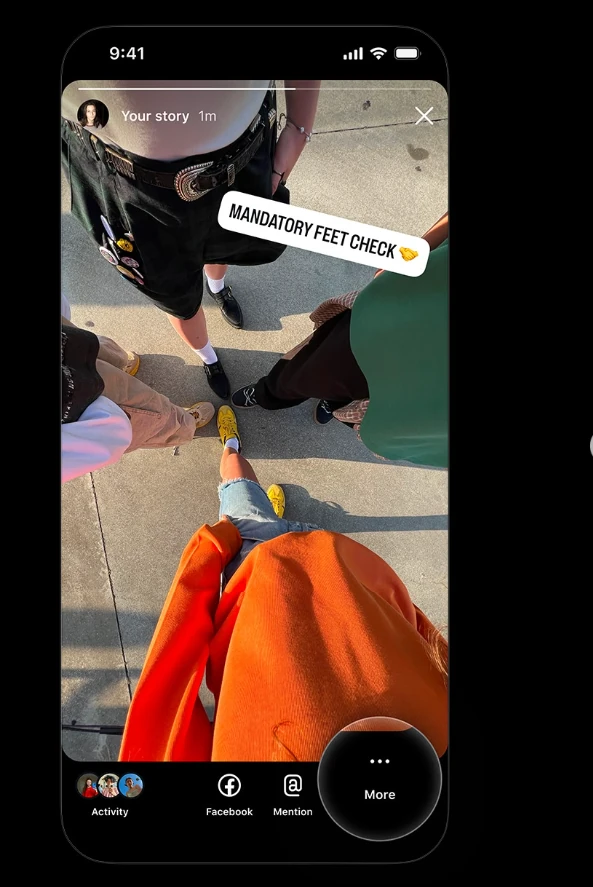
Open one of your own Stories published less than 15 minutes ago, then tap the three-dot “More” button at the bottom right. Choose “Edit story” from the menu to return to the editing tools.
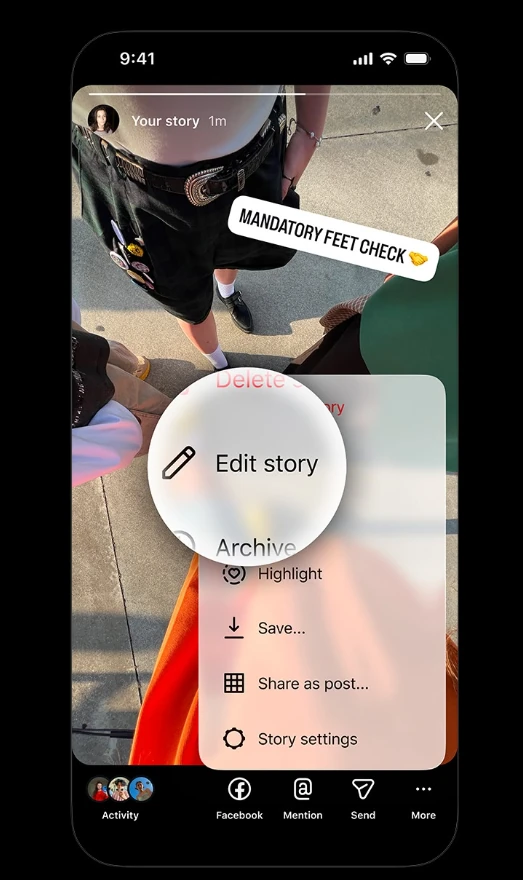
The timer starts when the Story was originally published, not when you open the menu. Once the 15 minutes are over, this editing option is no longer available.
Why you might not see the option yet
Instagram is rolling out the feature gradually. If you cannot find “Edit story”, update the app and try again with a newly published Story while it is still within the 15-minute window. Its absence does not necessarily mean you did anything wrong: the feature may simply not have reached your account yet.
Instagram has not provided a firm date for when every account will have access, so it would be inaccurate to describe the feature as universally available already.
Other changes coming to Stories tools
The same update brings more fonts, colors and shapes for stickers, a new “sticker sheets” layout, improvements to selecting multiple photos, and more background options including colors, gradients and blur. These are separate additions from the ability to edit an already published Story.
For creators exploring more ambitious visual changes, Meta AI Restyle for Instagram Stories focuses on altering photos and videos during creation rather than the new post-publication editing window.
What we think
Anyone posting Stories regularly from shoots, events or film sets knows how easily a typo or misplaced sticker can slip through. Until now, fixing it often meant deleting the Story and starting over. That is awkward when people have already watched or replied, or when the Story belongs to a sequence you want to keep in order.
The useful part is correcting that mistake without resetting engagement. Fifteen minutes is not a generous window, but it can be enough for a quick check immediately after posting. We would also like the flexibility to address mistakes in the underlying photo or video, although that is not part of what Instagram has announced.
Frequently asked questions
Why can’t I see “Edit story”?
Update Instagram and check one of your own Stories within 15 minutes of publishing it. The feature is rolling out gradually and may not yet be enabled for your account.
Can I replace the original photo or video?
The announced editing tools cover text, music, stickers and drawings. Instagram has not announced replacement of the underlying photo or video.
Will editing remove my views or replies?
No. The new editing option retains existing Story views, likes and replies.