Summary
- WhiteWall FrameFinder analyses photographs and suggests three frame options.
- Its new overview brings together more than 100 frame profiles.
- The 3D configurator allows several prints to be arranged on one virtual wall.
- Saving a complete gallery-wall layout is not yet supported.
WhiteWall is bringing artificial intelligence into the frame-selection process: FrameFinder analyses a photograph and suggests three options, while an updated configurator helps photographers plan how their prints will look together on a wall.
Presented in September 2026, these tools do not change the pixels in a photograph. They focus on what happens next, when an image becomes a physical print ready to display.
How FrameFinder recommends a frame
After uploading a photograph, customers can use FrameFinder to request suggestions. According to WhiteWall, its AI model analyses visual characteristics, proposes three frame options and explains which aspects of the photograph informed each recommendation. This is useful when the decision involves material, colour and visual character rather than a simple black-versus-white choice.
These are starting points for comparison, not objective judgements about how a piece of work must be displayed. The photographer still makes the final choice.
More than 100 frame profiles in one overview
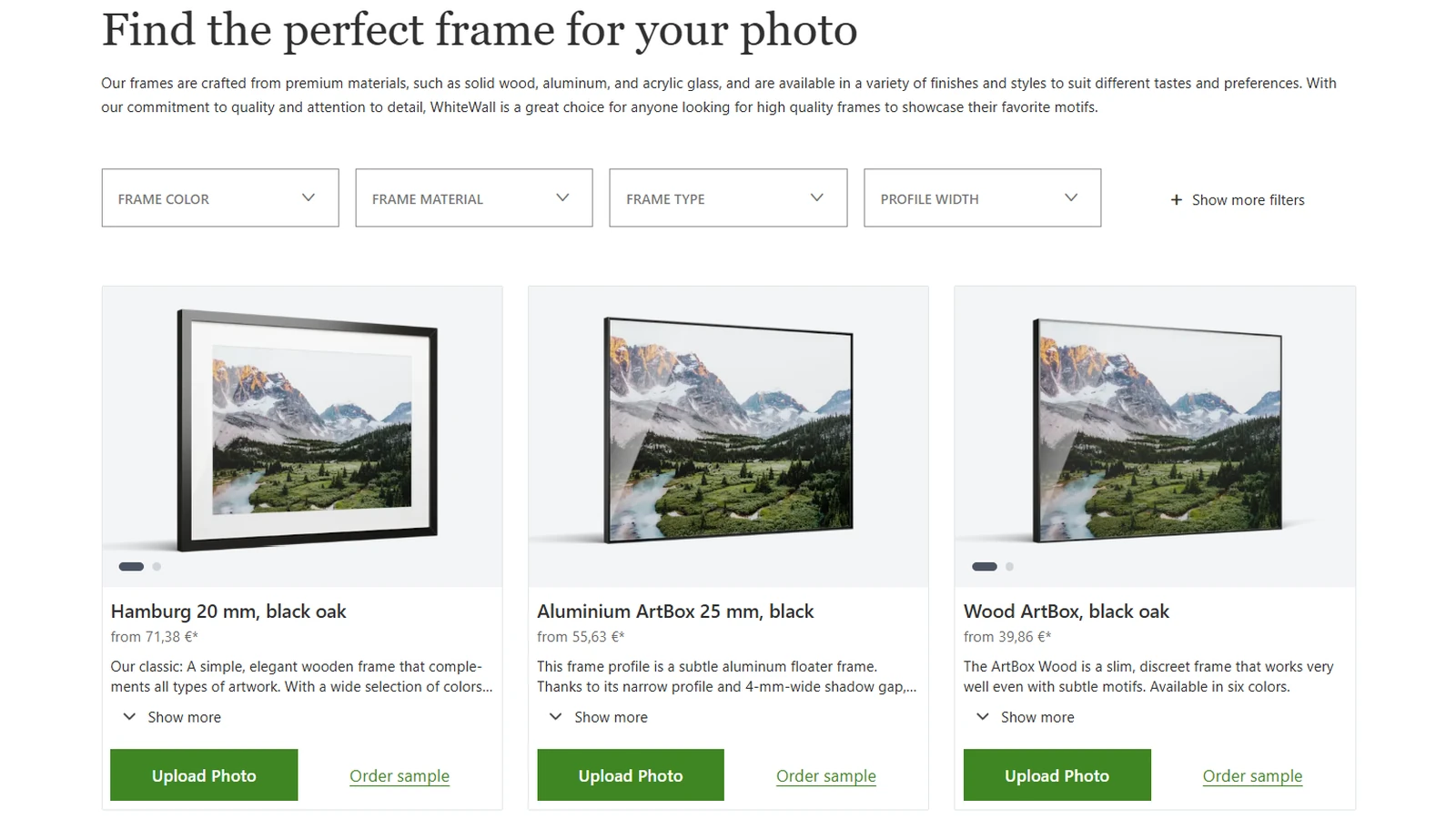
The new frame overview brings together more than 100 frame profiles, with filters for colour, material, frame type and profile width. Options include wood, aluminium, ArtBox and shadow-gap designs.
The screenshot shows this frame catalogue, including three products and its filter controls. It does not show the AI recommendation screen, and the three pictured frames should not be mistaken for FrameFinder suggestions.
Photographers can browse the WhiteWall frame overview before configuring a print.
Planning multiple photographs in one 3D space
The other major addition is multi-print planning. The updated configurator lets users add several prints, customise their dimensions, materials, finishes and frames individually, then move them around on a shared virtual wall. Different versions of the same image can also be compared.
For artists preparing a series or exhibition, this matters because size, spacing and relationships between prints affect how the work is read. WhiteWall has also supported the presentation of the 2025 Leica Oskar Barnack Award finalists, a separate example of how important physical presentation can be for photography.
There is a practical limitation. WhiteWall states that configurations can currently be saved for a single product, while saving an entire gallery-wall arrangement is a future feature. The company also lists JPG, TIFF and HEIC among accepted files for wall-art printing.
More information here.
What we think
Framing can seem like a secondary concern while editing on a monitor. With an actual print, the frame profile, surrounding space and relationship with neighbouring pictures can significantly affect how viewers experience the work. It makes sense to consider presentation earlier in the process.
AI can be a useful way to narrow more than a hundred options down to three ideas. But a model analysing one image cannot fully understand an exhibition space, the coherence of a photographic sequence or the artist’s intentions. A visually harmonious frame is not necessarily the most interesting artistic choice.
For photographers selling prints or planning exhibitions, the shared 3D preview may prove more useful. It allows them to test a multi-image arrangement before spending money on production. The inability to save a complete layout, however, currently limits its usefulness for more complex projects.
Frequently asked questions
Does FrameFinder edit the photograph?
Not by changing the photograph’s content. It analyses the image to recommend three frame options.
Can I save a multi-print gallery-wall layout?
According to WhiteWall’s current documentation, saving is available for single-product configurations, but not yet for an entire gallery-wall arrangement.