Summary
- Canva has introduced Craft, its own image-generation model.
- It emphasizes composition, typography and training with human-designed templates.
- Canva published strong DesignArena results across several categories.
- The model is available through Dream Lab and an API.
Canva has introduced Craft, its own AI image-generation model built to combine photorealism, typography and more deliberate control over composition.
Announced on October 22, 2026, the model was developed by Canva Research. Canva emphasizes training with millions of human-designed templates, placing design structure at the centre of its approach rather than focusing exclusively on photographic imagery.
What Canva Craft does differently
Craft generates images from text prompts and is designed to handle not only portraits, landscapes and objects but also element placement, visual hierarchy and text within an image. Its architecture works in two stages: planning the composition and then rendering the final image.
Canva reports output up to 2K resolution, more than 30 aspect ratios and text rendering in 55 languages. These features matter for banners, posters, thumbnails, advertising and social content, where title placement can be as important as the visual itself.
Training on templates does not establish that every photograph was excluded from the complete training dataset. Canva’s stated distinction is a particular emphasis on structured design composition.
What the examples and DesignArena results show
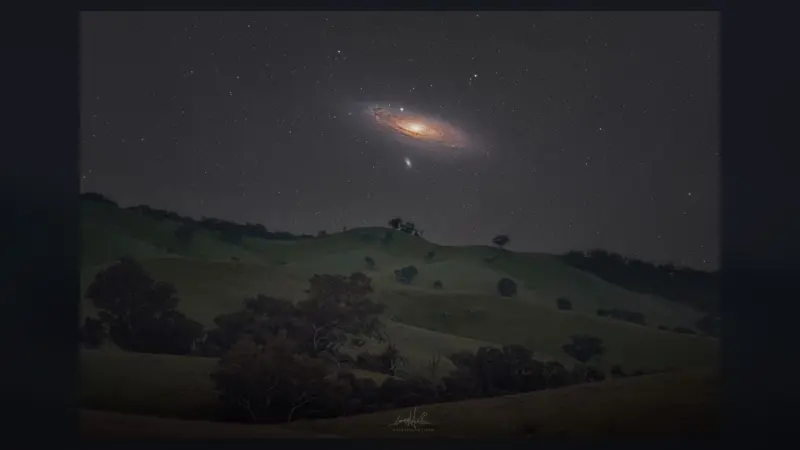
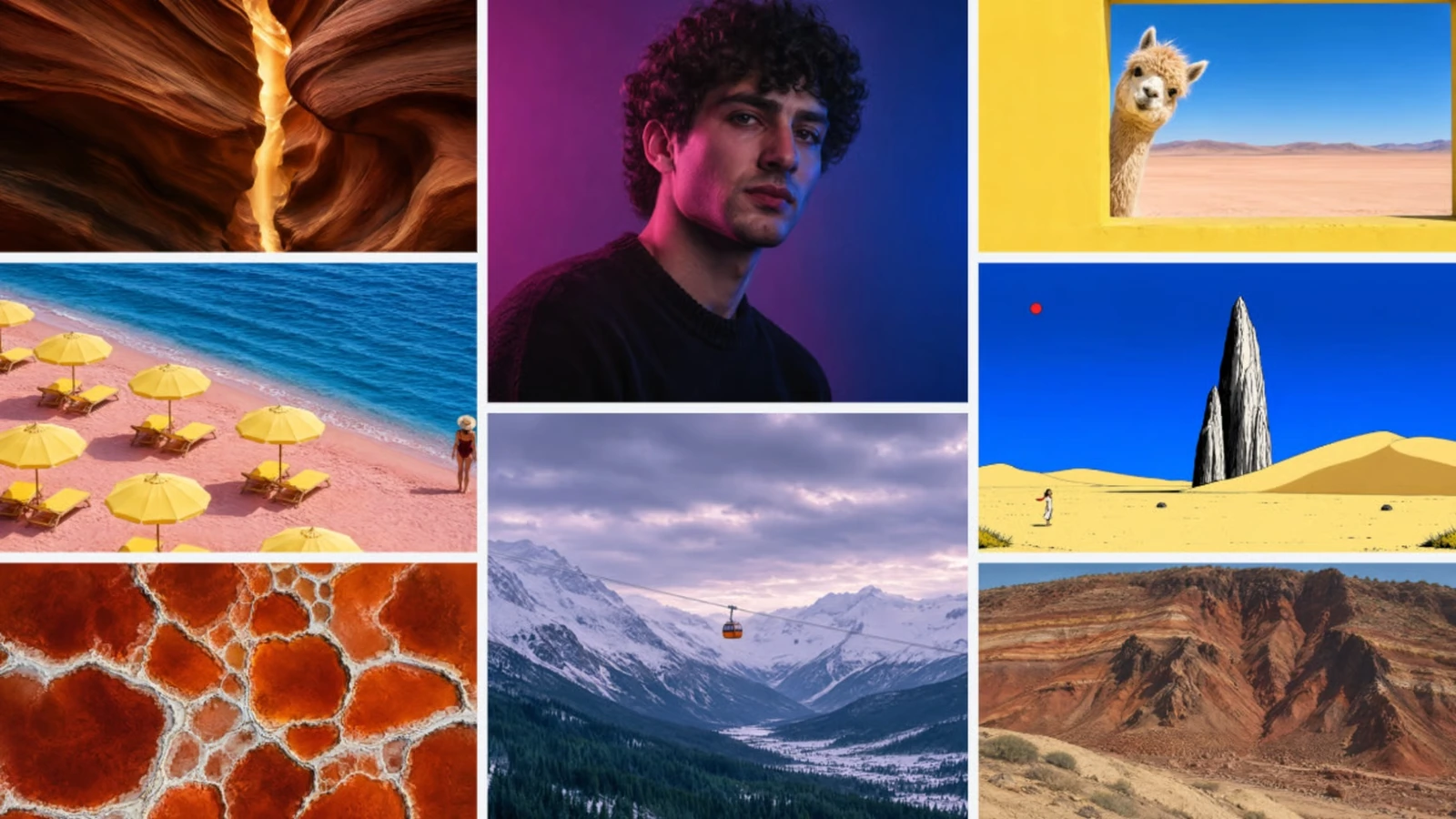
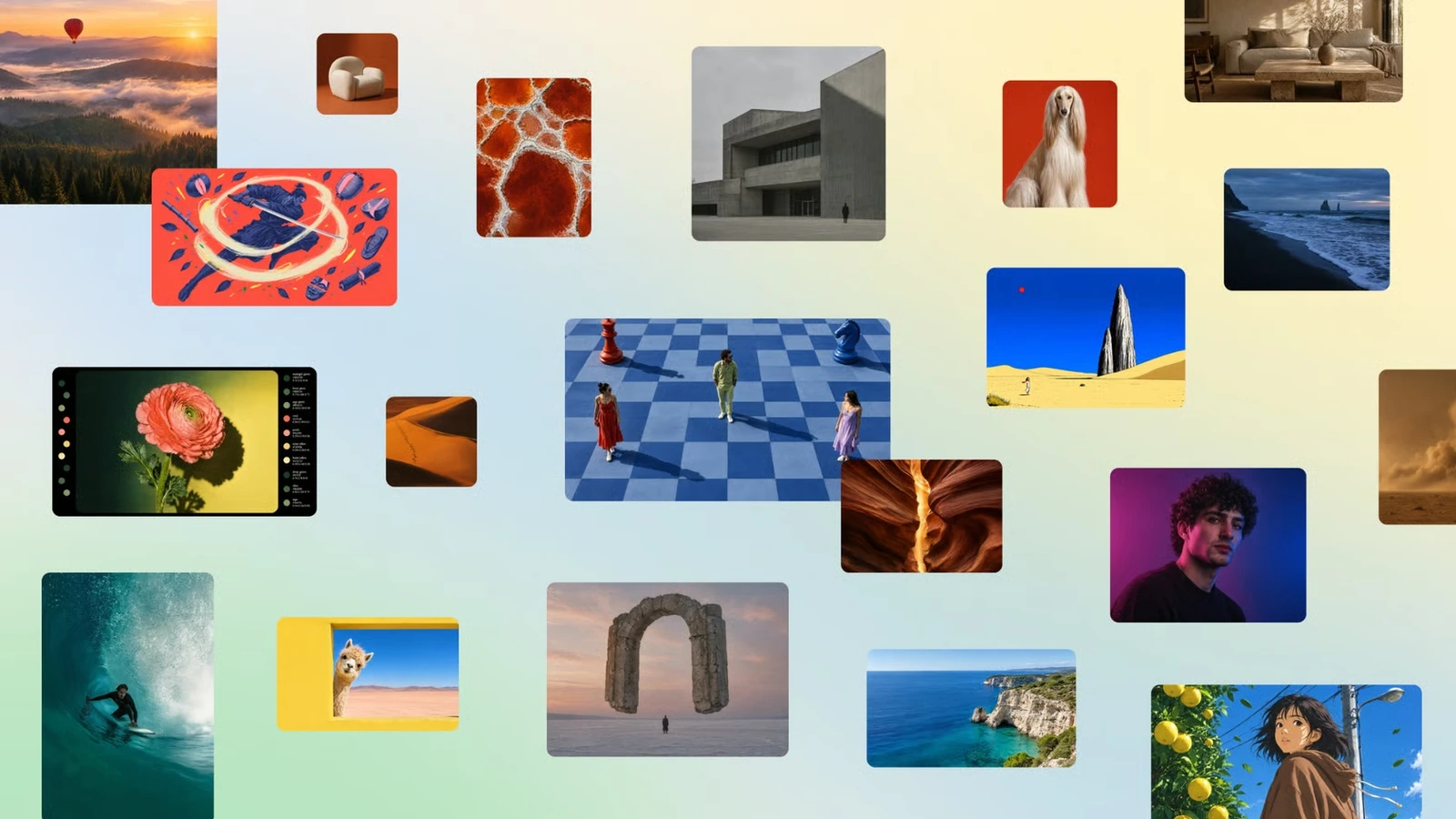
The company’s examples range from human portraits and nature scenes to abstract compositions and highly stylized visuals. That breadth is significant for a tool intended for multiple kinds of creators.
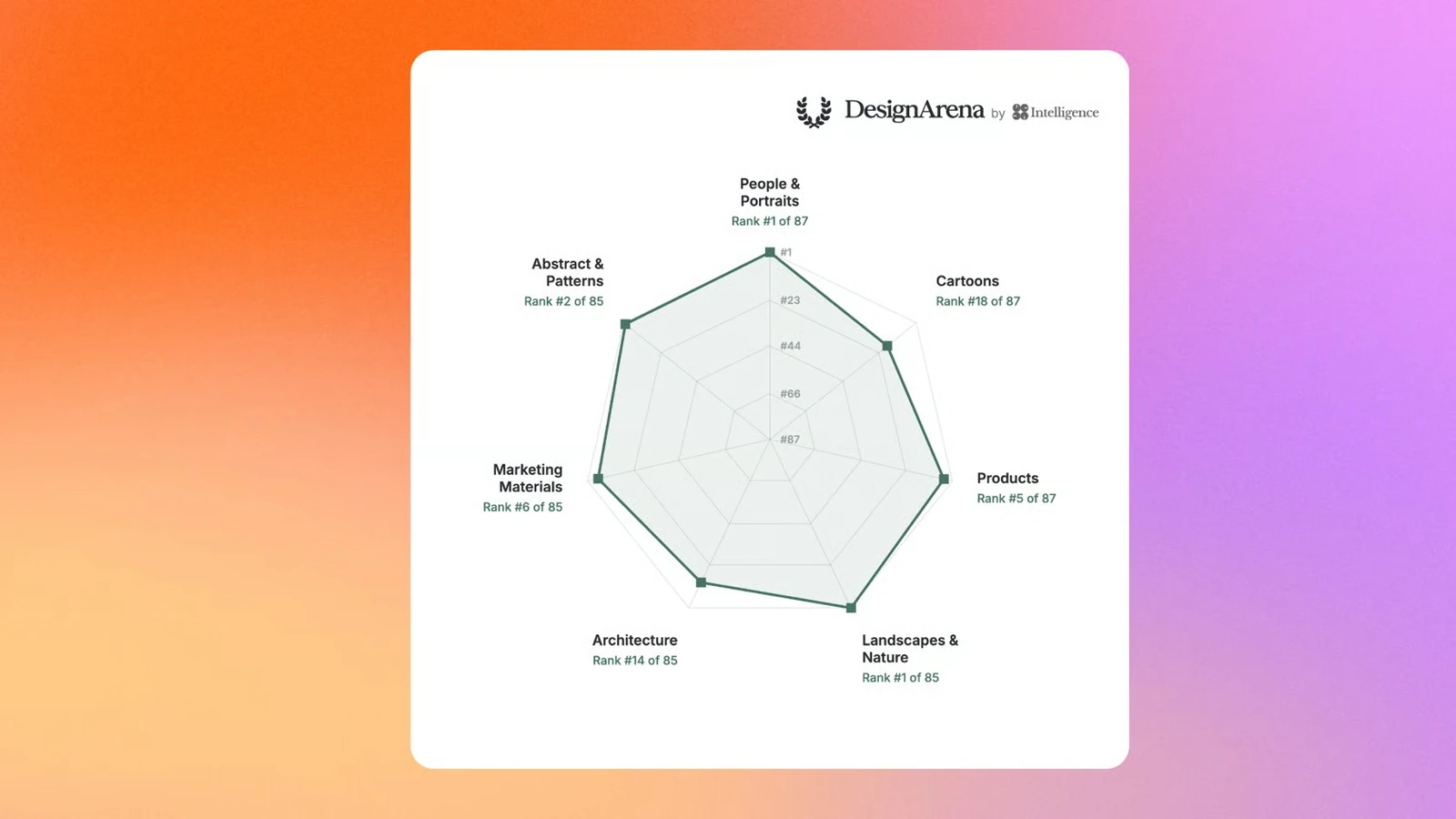
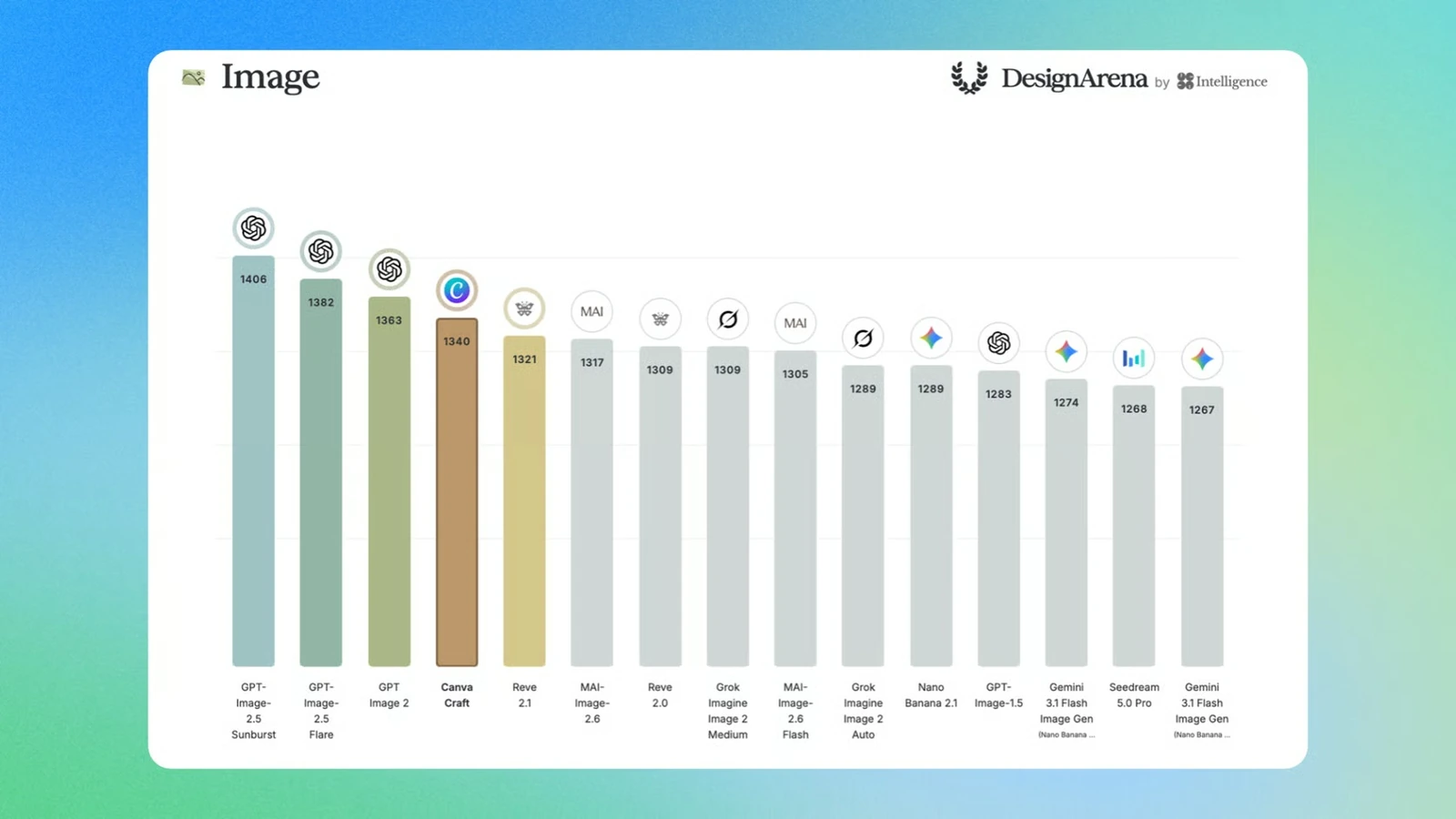
In Canva’s DesignArena category chart, Craft ranks first for People & Portraits and Landscapes & Nature, second for Abstract & Patterns and fifth for Products. Performance varies by category, making the overall ranking less informative on its own.
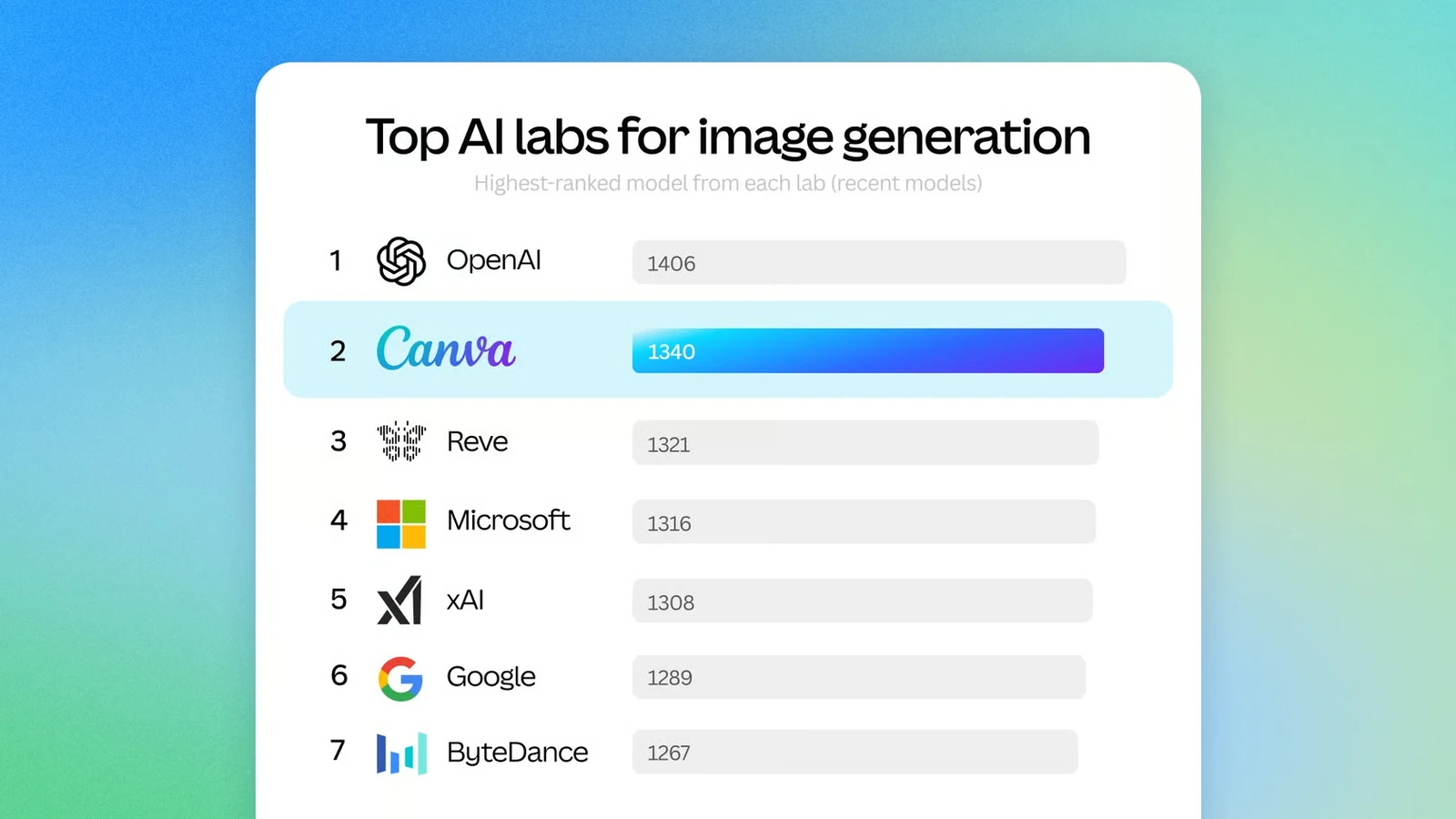
In the «Top AI labs for image generation» graphic, Canva ranks second at 1340, behind OpenAI at 1406. A separate chart comparing individual image models places Craft behind three OpenAI models. These are ranking snapshots published by Canva, not independent tests conducted by us.
How creators might use it
Craft fits the wider direction of the Canva Creative Operating System, which brings imaging, design and content production together. For photographers and filmmakers, likely uses include concept visuals, campaign drafts, storyboards and social creatives, rather than replacing documentary photography of real events.
The model is available through Canva Dream Lab and an API. Exact access and usage limits depend on the user’s plan and service. More information here.
What we think
What makes this launch useful is Canva’s focus on more than producing a striking picture. Anyone who has made posters, thumbnails or client graphics knows that a visually impressive AI output can be difficult to use when it leaves no room for a headline or gets the balance of the layout wrong.
The leaderboard results catch the eye, but I would not choose an image tool on a single score. I want to know whether faces, fine details and type stay consistent through repeated revisions, whether a targeted edit leaves everything else intact, and what kind of file I can bring into a professional editing workflow.
There is also the training-data question. The origin of photographs and design assets, licensing and transparency matter directly to people who earn a living creating images. A catchy headline is not a substitute for those details.
Frequently asked questions
Was Canva Craft trained entirely without photographs?
There is not enough verified information to assert that photographs were completely excluded. Canva emphasizes the role of human-designed templates in its training.
Where can I use Canva Craft?
Canva lists availability through Canva Dream Lab and an API. Access and usage limits may vary by plan.