

Summary
- Apple’s warning about magnetic interference with iPhone cameras dates back to at least January 2024.
- Strong magnets near rear cameras can temporarily affect stabilization and autofocus.
- This does not mean every MagSafe accessory causes trouble.
- Removing the accessory is a practical first troubleshooting step.
An old Apple warning about magnets near iPhone cameras is making the rounds again, drawing attention to a real but specific risk to autofocus and optical stabilization.
The technical guidance was already published by January 22, 2024, as Apple’s earlier localized support pages show. Its renewed circulation should not be confused with a newly discovered defect or fresh product announcement.
How magnets can affect an iPhone camera
Apple explains that some iPhone cameras rely on optical image stabilization (OIS) and closed-loop autofocus. In an OIS system, a gyroscope detects movement and optical elements move to counteract camera shake. Closed-loop AF uses sensors and accelerometers to maintain accurate focus despite gravity and vibration.
The important detail is that lens-position sensors respond to magnetic fields. A strong magnet placed near them can interfere with the sensors or temporarily disable them, reducing positioning accuracy and limiting the lens’s corrective movement.
The camera can still capture images, but it may lose some of the benefits of OIS or closed-loop AF. That can affect sharpness in stills and video, particularly when filming handheld or in low light.
Which accessories warrant attention
Apple specifically warns about certain third-party accessories with strong magnets or magnetizable metal plates near the rear camera array. Examples include magnetic folio closures, detachable cases and rigid mounting systems such as car mounts. This does not mean every case or every MagSafe connection automatically causes interference.
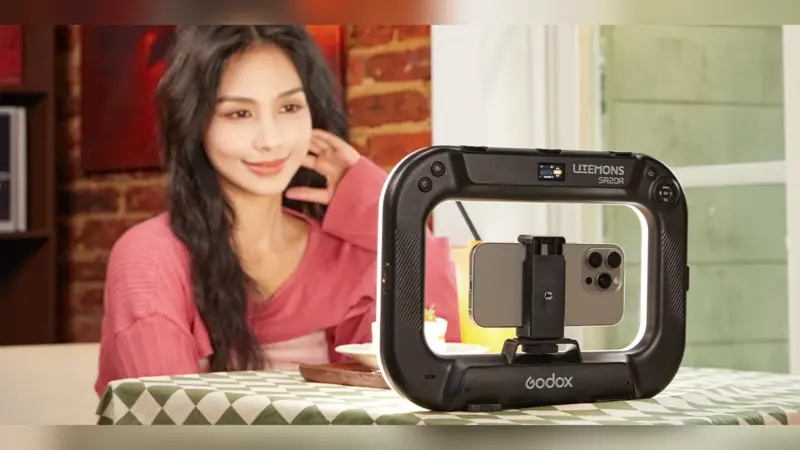
For people using an iPhone as a camera, magnet placement matters. There are also magnetically attached camera grips such as the Telesin Master Grip. Magnetic attachment alone is not evidence of a problem with any particular product; field strength and proximity to the camera sensors are the relevant factors.
Apple advises keeping strong magnets and magnetic metal away from the rear cameras. If focus or stabilization behaves unexpectedly, remove the case or mount and try again. If the issue persists, it calls for further troubleshooting rather than assuming a magnet caused lasting damage.
Which iPhone cameras are covered
Apple’s archived document describes OIS on compatible models from the iPhone 6 Plus onward, with camera-specific exceptions, and closed-loop AF from the iPhone XS onward, including certain iPhone SE models. Not every camera on every iPhone has the same hardware, so their behavior should not be treated as identical.
What we think
There is no newly uncovered flaw here. Apple has explained this technical limitation for years, and it remains useful information for anyone who depends on their phone for photography or video. Going viral again does not turn an old warning into a new development.
If you mount an iPhone on a grip, cage or vehicle holder, the sensible approach is to check where strong magnets sit relative to the cameras. Not every magnetic accessory is a threat, but proximity deserves attention. If autofocus starts acting strangely, test without the accessory before concluding that the camera hardware has failed.
It is equally important not to turn temporary magnetic interference into a claim of permanent camera destruction. Apple describes interference and temporary sensor disabling; that is not evidence that every magnetic case permanently damages an iPhone.
Frequently asked questions
Can a MagSafe accessory damage the camera?
Apple does not say that all MagSafe accessories cause damage. Its guidance discusses possible interference from strong magnetic fields near rear-camera sensors, not a general claim of permanent damage.
What if my iPhone struggles to focus with a case attached?
Remove the case or magnetic attachment and test the camera again. If the problem persists, follow Apple’s support troubleshooting guidance.