Summary
- ArtCraft now lists 13 free, open-source applications.
- Launcher 0.8.1 was released on October 25 for Windows, Mac and Linux.
- Actual downloads differ by app despite the catalog’s general availability labels.
- ArtCraft AI Studio is separate from the Crafting Apps.
ArtCraft has grown from seven to 13 free, open-source applications, and its new Launcher makes installing them on Windows, Mac and Linux more straightforward.
The lineup expands the original seven-app collection for creators with tools for interface design, documents, audio, presentations, CAD and spreadsheets. The more useful change is not just the number: there is now a central place to check available builds and updates.
There is one important catch. The “Installers ready” label on the main catalog does not prove that every app already has a complete, user-friendly installer. Development status and actual downloads need to be checked individually.
What are ArtCraft’s 13 applications?
The family covers image and video editing as well as everyday productivity tasks. The “early alpha” and “in development” labels below come from the official catalog, not from independent stability testing.
| App | Purpose | Status | Official page |
|---|---|---|---|
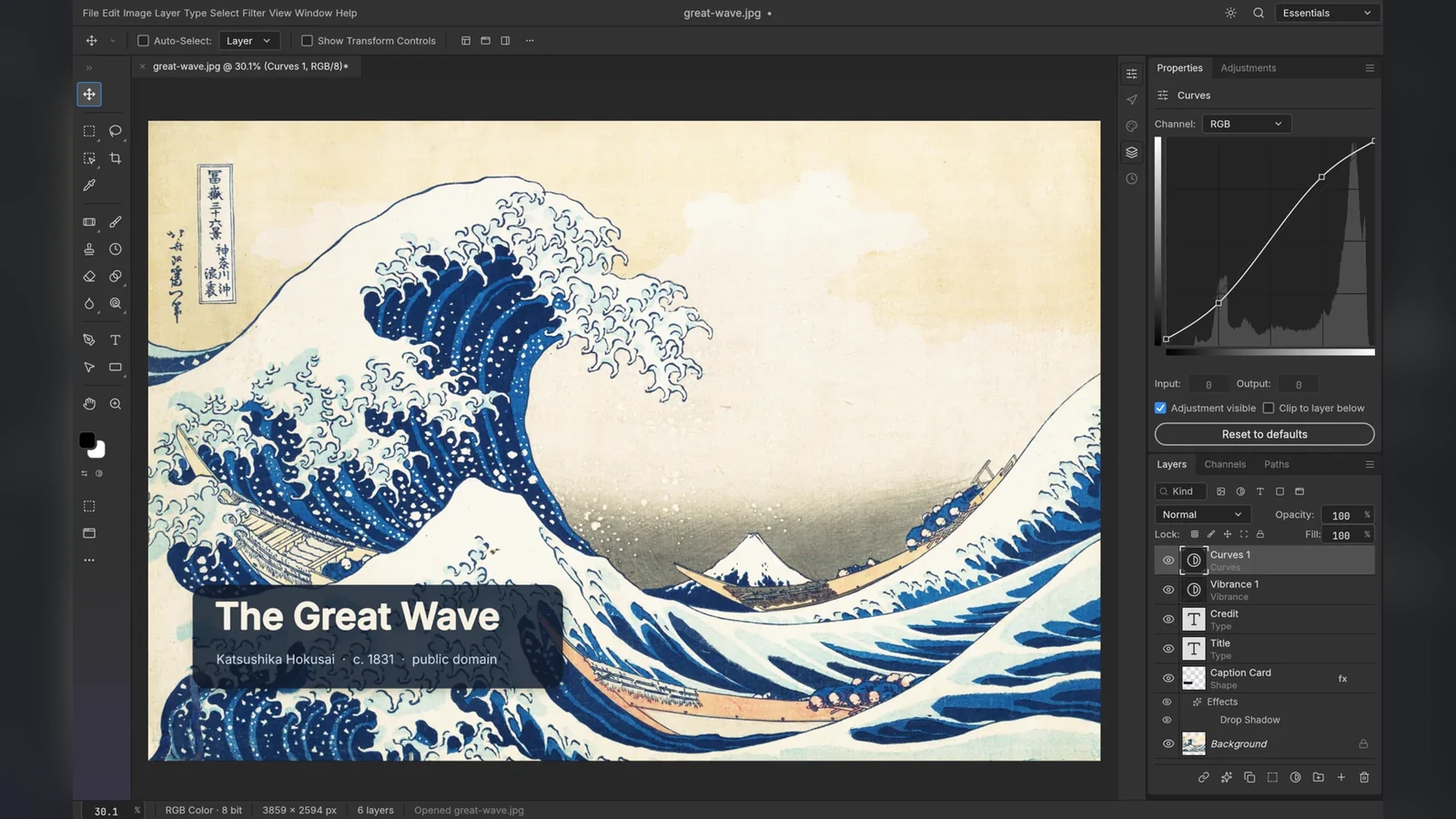
| PhotoCraft | Layered image editing, masks and curves | Early alpha | More information here |
| VectorCraft | Vector graphics and illustration | In development | More information here |
| FilmCraft | Timeline-based video editing, grading and sound | In development | More information here |
| LightCraft | Photo library and non-destructive RAW development | In development | More information here |
| PdfCraft | Read, organize and combine PDFs | Early alpha | More information here |
| EffectCraft | Motion graphics and visual effects | In development | More information here |
| DesignCraft | Page layout and publishing | In development | More information here |
| FigCraft | Interface design and prototyping | Early alpha | More information here |
| WordCraft | Word processing and documents | In development | More information here |
| SoundCraft | Audio recording, editing and mixing | In development | More information here |
| DeckCraft | Slides and presentations | In development | More information here |
| CADCraft | CAD and technical drafting | In development | More information here |
| GridCraft | Spreadsheets and data analysis | In development | More information here |
For photographers, PhotoCraft focuses on layered edits while LightCraft targets photo libraries and RAW development. Filmmakers will look first at FilmCraft; EffectCraft is aimed at motion graphics and VFX. SoundCraft may be relevant for audio work, but should not be assumed ready for production sound workflows.
ArtCraft Launcher 0.8.1: what it does and where to download it
ArtCraft Launcher 0.8.1 was released on October 25, 2026. This is a separate, free app that lists the Crafting Apps, chooses downloads for your operating system and CPU, verifies published SHA-256 checksums, and helps install, launch and update the apps.
Start at the official GitHub release page for version 0.8.1. Under Assets, choose the file appropriate for your computer rather than downloading from a third-party mirror.
Windows: most Windows 10/11 PCs use artcraft-launcher-0.8.1-windows-x64.msi. Windows on Arm users can choose arm64.msi. A portable ZIP is also available: extract it and run the app from the extracted folder without a normal installation.
macOS: download artcraft-launcher-0.8.1-macos-universal.dmg for Apple silicon and Intel Macs on macOS 11 or later. Open the DMG and drag the launcher into Applications.
Linux: choose the x86_64 or ARM64 AppImage for a compatible system, a .deb package for Debian/Ubuntu, or an .rpm for Fedora and related distributions. Make an AppImage executable before running it; use your distribution’s package manager for native packages. The official documentation lists glibc requirements by architecture.
Inside the Launcher, select an app, check whether a build is actually available and use its installation control. It also tracks updates, but it cannot turn an “in development” project into mature production software.
Full installation guidance and file options: More information here.
Standalone downloads versus building from source
Using the Launcher is optional. FilmCraft, for example, lists standalone 0.4.0 downloads for Windows, macOS and Linux, along with portable builds for some platforms. PdfCraft also lists 0.2.1 installers.
By contrast, the individual pages for PhotoCraft and LightCraft say native installers are on the way and offer building from source with Rust as an option available now. That requires development tools and is not equivalent to double-clicking a normal installer.
For any app, visit its own official page, read the “Get / Installers” section and check what is really available. A WebAssembly build or source repository is not necessarily a ready-to-use browser service or a stable desktop release.
ArtCraft Studio versus Crafting Apps: know the difference
The ArtCraft AI Studio focuses on AI-assisted image and video creation and compositing, with a 2D/3D workspace and browser access. The 13 Crafting Apps are separate, open-source programs written in Rust for conventional creative and productivity tasks.
ArtCraft Launcher manages the Crafting Apps, not the installation or updating of the AI Studio. Likewise, the free and open-source status of the Crafting Apps should not be confused with possible charges for AI generation or other Studio services.
What we think
The idea of opening one Launcher and finding tools for RAW, layers, video editing and audio is appealing, especially if you want more control over your files and software. But 13 icons in a catalog do not mean 13 applications ready to take on tomorrow’s paid assignment.
For professional photography, we would first test LightCraft with actual RAW files from the cameras in use, then check exports and the performance of a large catalog. In PhotoCraft, the useful test would involve copies of layered PSDs, complex masks and color management. With FilmCraft, the key questions are the specific codecs, footage and deliverables your workflow needs — not how familiar the timeline looks.
That is why we would start with test assets and backups, never the only copy of a client project. If development continues, these apps could become valuable options for individual jobs. For now, this is a collection worth following and testing against real requirements, rather than treating it as an established replacement for Adobe’s professional apps.
Frequently asked questions
Are all 13 apps ready to install?
Not in the same way. The Launcher organizes the collection, but installer availability, versions and stability differ. Check each app’s own page before downloading.
Does the Launcher also install ArtCraft AI Studio?
No. The Launcher manages the Crafting Apps. The AI Studio has its own access and downloads from ArtCraft.
Do you need programming skills?
Not for apps with standard installers. An app available only as a source build requires Rust and the appropriate development tools.