Summary
- Hasselblad has released Phocus Mobile for Android.
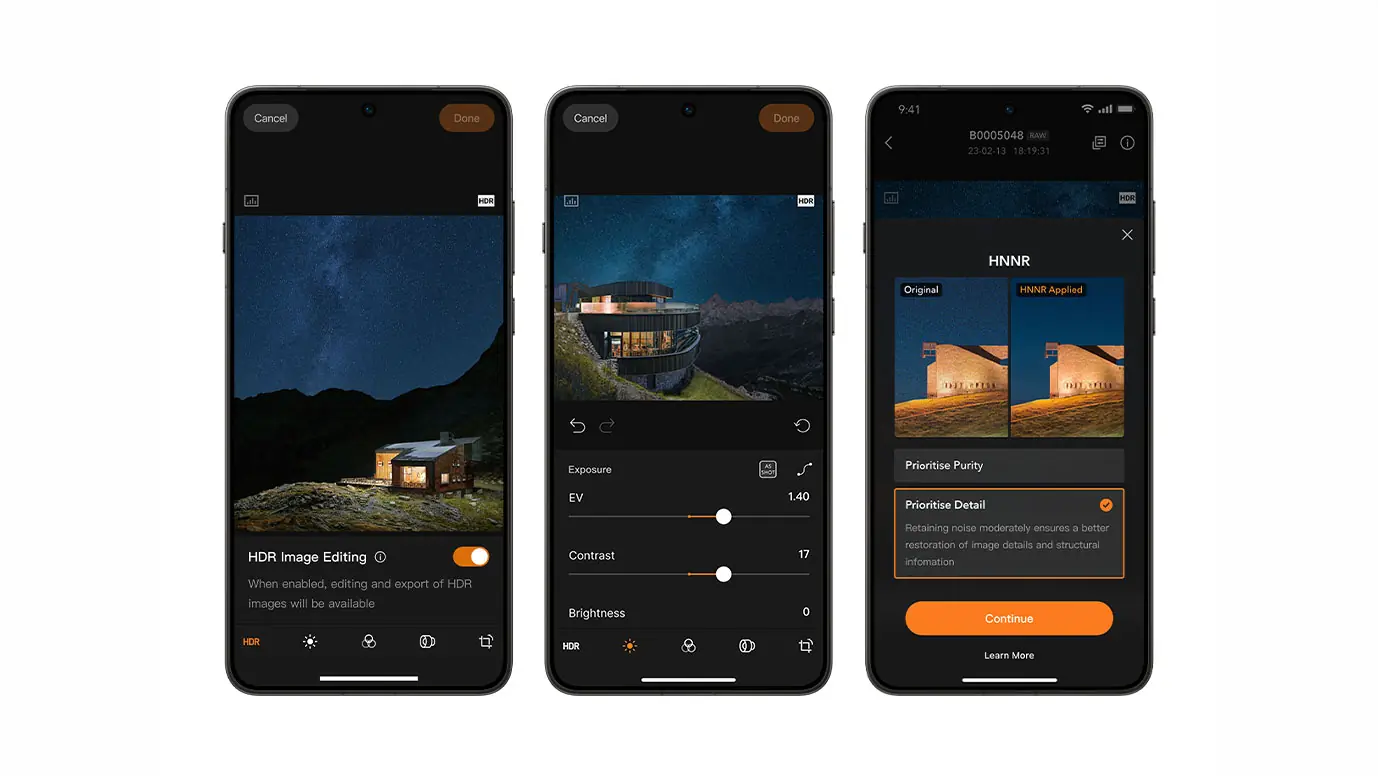
- The app offers RAW editing, HNCS color processing and AI noise reduction.
- It supports selected Hasselblad medium format cameras.
- The app is now available on Google Play.
Hasselblad has officially released Phocus Mobile for Android, ending years of iOS exclusivity.
The company has introduced the first Android version of Phocus Mobile, allowing owners of supported Hasselblad cameras to transfer, organize, edit and export images directly from their Android devices.
This launch gives Android users access to Hasselblad’s complete mobile workflow without requiring an Apple device.
RAW editing on Android
The app supports the Hasselblad X2D II 100C, X2D 100C and 907X & CFV 100C. Users can edit RAW files, organize and rate their images, and export them as JPG, TIFF, HEIF or 3FR RAW.
Editing tools
The Android version includes exposure adjustment, curves, white balance, monochrome conversion, lens correction, noise reduction, sharpening, crop, rotation, keystone correction and HDR Highlight Adjustment.
Hasselblad Natural Colour Solution
The app supports Hasselblad Natural Colour Solution (HNCS), preserving natural colours, smooth tonal transitions and highlight detail throughout the editing workflow.
AI noise reduction
Phocus Mobile also includes Hasselblad Natural Noise Reduction, an AI-powered feature designed to reduce noise while preserving image detail on supported Android devices.
Connectivity
The app connects to supported cameras via Wi-Fi, while the 907X & CFV 100C also supports USB-C connectivity. It is available now on Google Play.
Find it here.
What we think
Bringing Phocus Mobile to Android removes one of the biggest limitations in Hasselblad’s mobile ecosystem and gives photographers greater flexibility regardless of their smartphone platform.
Frequently Asked Questions
Which cameras are supported?
The app supports the Hasselblad X2D II 100C, X2D 100C and 907X & CFV 100C.
Does it support RAW editing?
Yes. Users can edit RAW files and export them in multiple formats.
How does it connect to the camera?
Via Wi-Fi or USB-C on supported models.
Is it free?
Yes, the Android version is available as a free download.