

Summary
- NIKON IMAGE SPACE ends its normal service on October 15, 2026.
- Bulk photo downloads remain available until April 15, 2027.
- Images will not move automatically to Nikon Imaging Cloud.
- Users must download selected photos or albums before the normal service shuts down.
If you have photographs stored on NIKON IMAGE SPACE, October 15 is your last chance to download selected files and albums; after that, only bulk retrieval will remain.
Nikon announced the closure of its photo storage and sharing service on August 25 and updated its notice on September 16. Crucially, the shutdown does not mean every photograph disappears that day. Its official announcement sets separate deadlines for the end of normal service and the final opportunity to retrieve files.
The three deadlines that matter in Greece
| Date and time in Greece | What changes |
|---|---|
| October 15, 2026, 03:00 | Normal NIKON IMAGE SPACE features shut down. |
| October 15, 2026, 06:00 | The dedicated bulk-download period begins. |
| April 15, 2027, 07:00 | Bulk downloads end and Nikon deletes the service data. |
These times are converted from Japan Standard Time in Nikon’s announcement to local time in Greece. After the shutdown, the new bulk-download process will not let users choose individual images or albums, or request album information. That distinction matters if your archive is organised by trip, assignment or client.
How to download your photographs before the shutdown
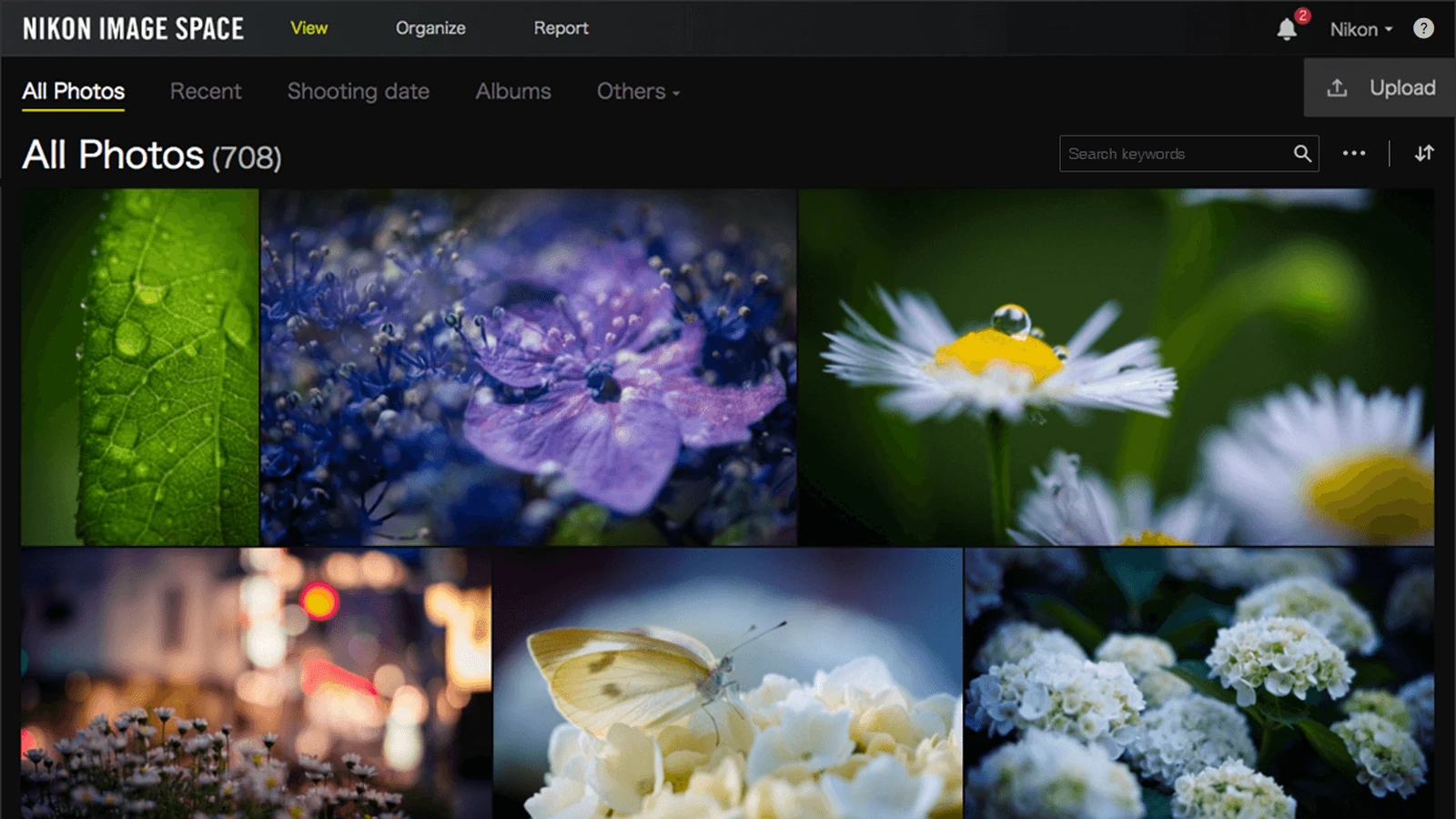
While the normal interface is still available, you have much greater control over what you export. Nikon’s official help instructions describe how to download multiple photos or albums using a computer:
- Sign in to NIKON IMAGE SPACE with your Nikon ID and switch to Organize mode.
- Display the photos or albums you need and select them using the checkboxes. Select All selects everything in the current view.
- Right-click a selected item, choose Download and select the available download size or quality you need.
- If preparation takes time, opt for an email notification. Once the download is ready, retrieve the ZIP and check it on your computer.
- Open a sample of the downloaded files, check that the material you need is there, and keep a second copy on a separate storage device.
For large libraries, Nikon recommends splitting downloads into several batches while the normal download interface is still available. Do not leave selective export or album checks until the final hours.
What if October 15 has already passed?
From 06:00 on October 15 until 07:00 on April 15, 2027, Greece time, Nikon says users will have access only to bulk downloading. You will need to sign in through the website with your Nikon ID; the smartphone app cannot perform this bulk download. Selecting just one album or individual images will no longer be possible.
At the end of the April deadline, Nikon says all stored images and other service data will be deleted. Support for NIKON IMAGE SPACE will also end. Your Nikon ID itself will remain active and can still be used with other Nikon services.
What about Nikon Imaging Cloud?
From October 14, 2026, Nikon plans to add 5 GB of image storage and image-sharing functions to Nikon Imaging Cloud. The announced formats are JPG, RAW, HEIF and TIFF, and Nikon says those new functions can be used regardless of camera body model.
But this is not a hands-off migration: nothing stored in IMAGE SPACE will automatically transfer to Imaging Cloud. You must retrieve your own files and decide where to store them next. A 5 GB allowance can quickly become restrictive for a photographer with a substantial RAW archive.
What we think
Nikon is providing roughly six months for bulk retrieval, which is helpful for anyone who cannot deal with a large archive immediately. Yet the urgent deadline is the earlier one for selective exports. Photographers who have meticulously organised jobs into albums need more than a pile of recovered files: they need to know which photographs belong to which assignment.
The lack of automatic migration to Nikon Imaging Cloud also deserves attention. Even though the services belong to the same company, users must handle the entire move themselves. The new 5 GB allowance is not an equivalent archive solution for someone storing many years of photographs.
The strongest outcome is to ensure that no online service holds the only copy of your work. A considered photo storage and backup strategy using separate copies on drives, a NAS or cloud storage is more useful than simply shifting every file into another account.
Frequently asked questions
Are photographs deleted on October 15, 2026?
No. October 15 marks the end of normal functionality. Bulk retrieval remains available until April 15, 2027, when Nikon says the service data will be permanently deleted.
Can I download just one album after the shutdown?
No. The new bulk process does not support selecting particular albums, individual photographs or album information. You need to make those selections before normal service ends.
Can I use my phone for the bulk download?
Not through the smartphone app. Nikon directs users to the NIKON IMAGE SPACE website, signed in with their Nikon ID. For a large archive, using a computer and checking the downloaded files is the practical option.