Summary
- DxO ViewPoint 6 adds AI Masks to ReShape Fusion for targeted geometry corrections.
- Its adaptive mesh helps preserve more of the original frame.
- The standalone application now supports RAW files and non-destructive sidecars.
- A new license costs €119.99 with a 30-day trial.
DxO ViewPoint 6 tackles one of the most frustrating compromises in perspective correction: straightening a building or reshaping an object without throwing away valuable parts of the original composition.
Announced on October 20, 2026, the release adds AI Masks to ReShape Fusion, a more adaptable local deformation mesh, and RAW editing in the standalone application.
Correct an element rather than the whole photograph
Traditional perspective correction transforms the entire image and often creates empty corners that require cropping. ReShape Fusion allows photographers to target a particular part of a frame: a leaning tower, a distorted object, or something close to the edge.
New AI Masks help define the subject, while adaptive mesh refinement concentrates control points where detailed adjustment is needed. Photographers can move those points and control how the correction blends into the surrounding image. This can preserve more of the frame, although it does not guarantee a perfect result without cropping in every scene.
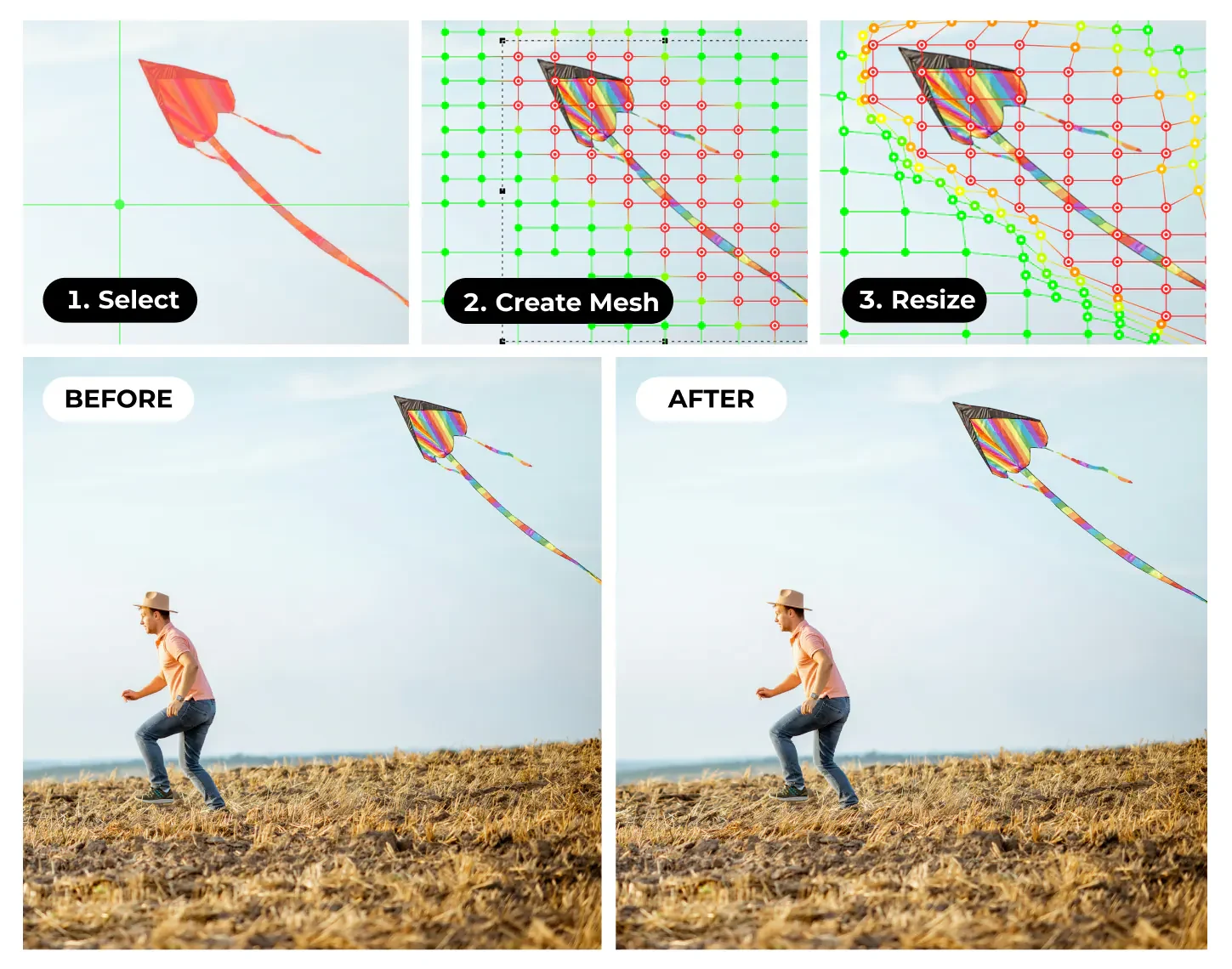
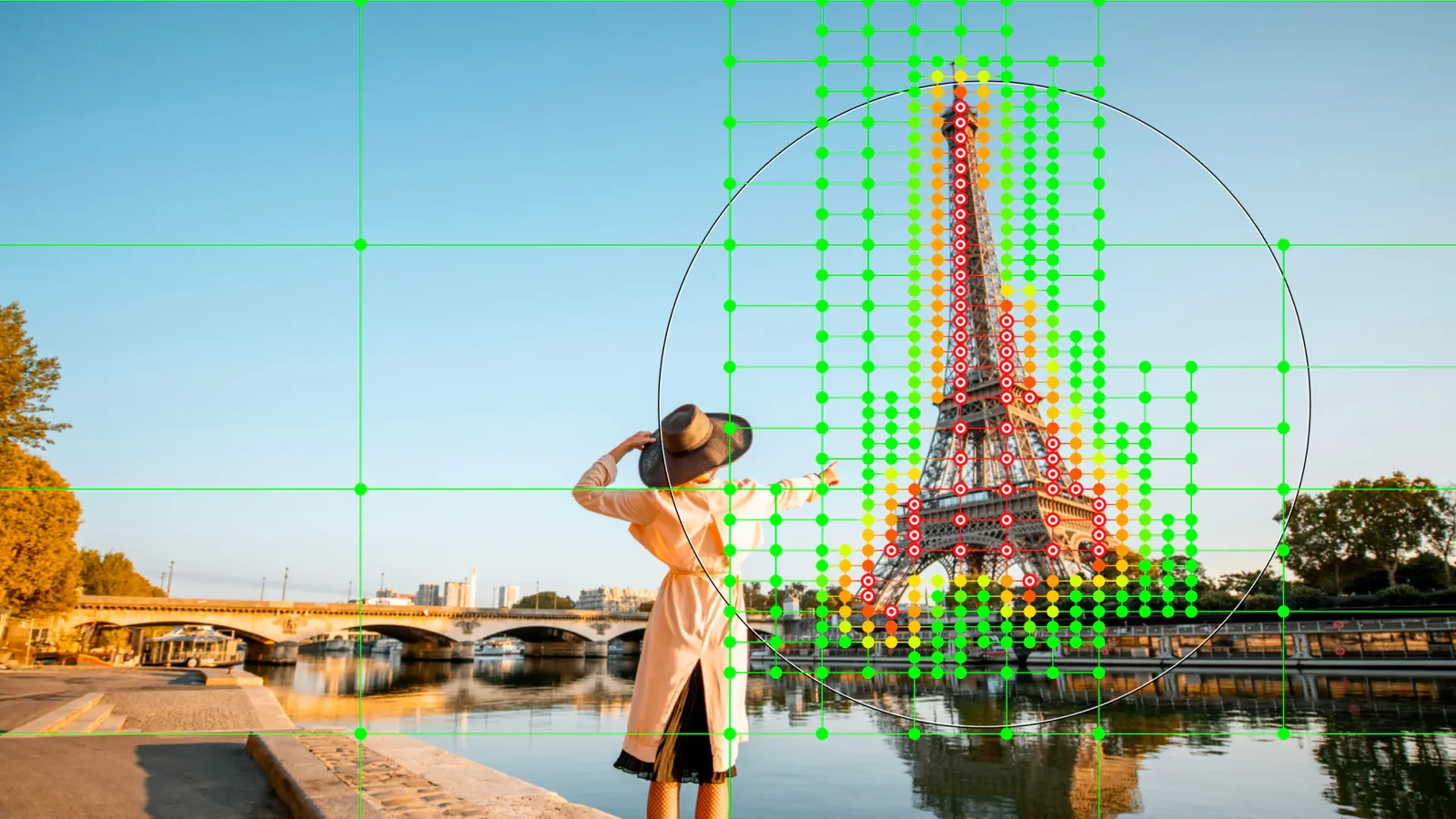
The kite sequence demonstrates the local resizing process with variable mesh density. In the second illustration, control points cluster around the Eiffel Tower, showing how the effect can be focused on one part of a wider scene.
RAW editing and a non-destructive workflow
ViewPoint 6 now opens RAW, TIFF and JPEG files in standalone mode. Exposure compensation ranges from −4 to +4 EV. RAW white balance includes temperature, tint and a neutral-point picker; JPEG and TIFF receive simpler white-balance controls.
Adjustments are stored in separate sidecar files, keeping the originals untouched and allowing edits to resume in later sessions. ViewPoint sidecars remain distinct from PhotoLab sidecars rather than forming a synchronized set of adjustments. Finished files can be exported to JPEG or 8-bit and 16-bit TIFF.
Optical corrections and workflow integration
The existing toolkit includes automatic and manual perspective adjustments, horizon leveling, lens distortion correction using DxO Modules, correction of wide-angle edge stretching, and a miniature effect. The new feature adds precision to this specialized toolkit rather than replacing a complete photo editor.
ViewPoint 6 runs on Windows and macOS as a standalone program, or as a plugin for Adobe Lightroom Classic, Photoshop and Capture One. Its tools are also integrated into the Geometry palette in DxO PhotoLab 10, whose AI Masks and Depth Masks address a broader range of localized color and tonal editing.
Price and availability
DxO ViewPoint 6 is available from October 20, 2026, with a perpetual license rather than a subscription. Announced European pricing is €119.99 for a new license or €74.99 to upgrade from ViewPoint 5. A fully functional 30-day trial is available.
More information here.
What we think
ViewPoint 6 is most compelling when one correction should not disrupt the composition as a whole. In architecture, interiors and wide-angle portraits, targeting the problematic area may matter far more than adding another automatic straightening command.
An adaptive mesh offers genuine control, but also demands careful judgment. A tower may look straight while neighboring details bend unnaturally. The quality of the transitions, fine lines and boundaries around difficult selections will determine how useful the tool is in demanding work.
RAW support, exposure controls and sidecars make ViewPoint more independent for its specific purpose, not a substitute for a full RAW editor. Photographers who occasionally fix a building facade may find the price harder to justify. Those regularly delivering architecture or interiors while preserving the composition have a concrete reason to test the 30-day trial.
Frequently asked questions
Can ViewPoint 6 correct perspective without cropping?
Local corrections can reduce or eliminate cropping in many situations, but the outcome depends on the scene and the strength of the transformation.
Can it open RAW files without another editor?
Yes. Version 6 supports RAW input in its standalone application, including basic exposure and white-balance controls.
Is a subscription required?
No. DxO offers a perpetual license and a 30-day free trial.